SciFig

Free Labeled Transverse Wave Diagram Generator

Create a transverse wave diagram labeled with its key parts. Adjust the wave, prepare a practice version and download the figure for your materials.

Describe what you need in the box above.

Start with up to 150 free credits|No credit card required

Get up to 350 free credits on day one when you join through an invite.

3 figure engines · 500+ templatesEvery label editable · 60+ color schemesEditable PPTX · Layered SVG · 8K PNG / JPG

Create a labeled transverse wave

Adjust the wave parameters, show its parts and download a diagram for your notes or teaching materials.

Amplitude and distance use schematic units. The horizontal axis spans the number of cycles multiplied by the wavelength. This is a spatial snapshot.

Free Labeled Transverse Wave Diagram Generator— templates & examples

Updated

Labeled wave diagrams

Free Labeled Transverse Wave Diagram Generator

Make a wave diagram whose parameters, labels and downloadable files stay together.

SciFig helps you create a transverse wave diagram labeled with the parts students need to recognize. Set the amplitude, wavelength, number of complete cycles and phase, then use the preview to check the pattern. Keep the labels for a lesson or hide them for a practice sheet. Download SVG or PNG and save the settings to reopen the same wave when your material needs an update.

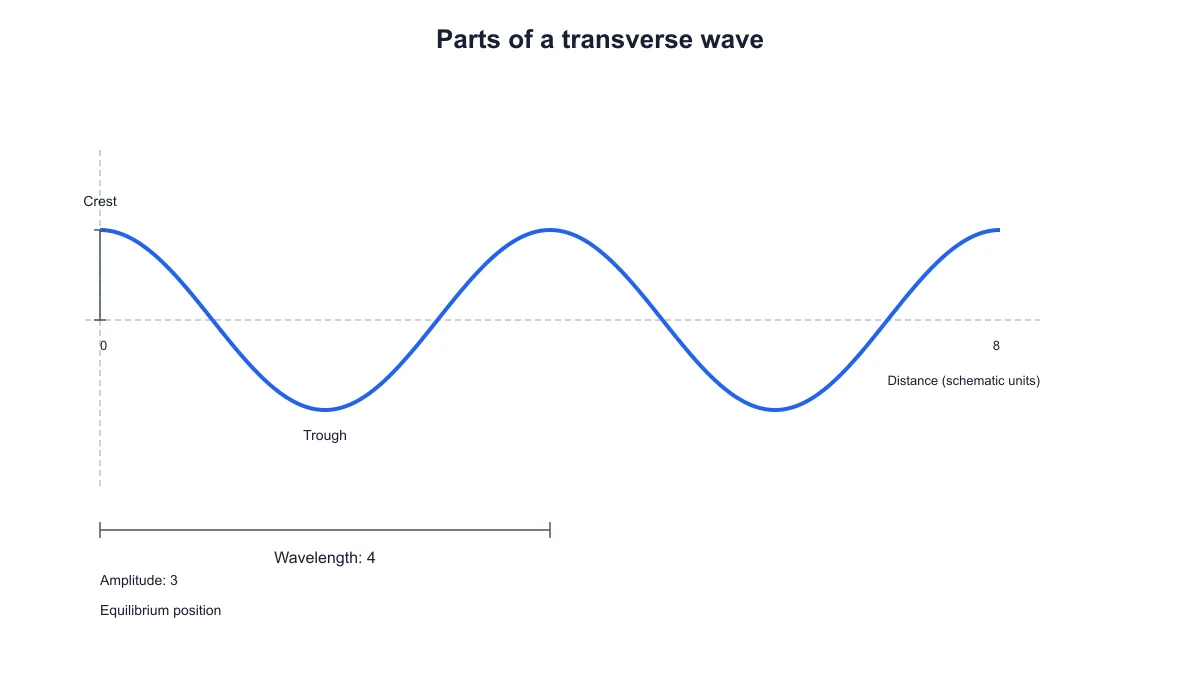
Two-cycle transverse wave labeled with crest, trough, equilibrium, amplitude three and wavelength four
  • Label the key parts of a transverse wave
  • Adjust amplitude, wavelength and phase
  • Switch between labeled and practice versions
  • Download SVG, PNG and saved settings

Transverse Wave Diagram Features

Connect the visible shape of a wave with the measurements and parts you want to explain.

Show the parts of a transverse wave

Create a transverse wave diagram labeled with a crest, trough, equilibrium position, amplitude and wavelength. The amplitude marker runs from the equilibrium line to a crest, while the wavelength marker spans one full cycle. Keep these marks visible when you introduce the diagram in notes, a lesson slide or a revision handout.

  • Identify the crest and trough
  • Mark displacement from equilibrium
  • Show one complete wavelength
Try this in SciFig

Adjust amplitude and wavelength

Change the amplitude to alter the vertical displacement, and set a wavelength for the horizontal distance covered by one cycle. The horizontal axis shows the full distance represented by your chosen cycles. With the same number of cycles, changing the wavelength changes the distance scale while the wave continues to fill the preview width.

  • Set the vertical amplitude
  • Choose a wavelength value
  • Read the matching distance scale
Try this in SciFig

Choose cycles and shift the phase

Use one to four complete cycles depending on how much of the wave you want to show. Adjust the phase to move the positions of crests and troughs within the spatial snapshot. A single cycle helps introduce wavelength, while a repeated pattern can help learners recognize equivalent points on neighboring cycles.

  • Show one or several complete cycles
  • Move the wave with phase
  • Keep the selected parameters together
Try this in SciFig

Download labeled and practice versions

Keep the labels for an explanation, then switch them off to prepare a matching practice figure. Export SVG for further vector editing or PNG for a document or slide. Save the JSON settings with your teaching material so you can reopen the same title and wave parameters for the next revision.

  • Toggle the diagram labels
  • Export SVG or PNG
  • Save and reopen wave settings
Try this in SciFig

How to Create a Labeled Transverse Wave Diagram

Set the wave, check its parts and prepare the figure you need.

  1. Set the wave parameters

    Choose an amplitude, wavelength and number of complete cycles in the wave tool. Use the distance axis to see the horizontal span represented by those settings. Add a short title that names the concept or activity for your learners.

  2. Check the labels and phase

    Keep the labels visible to identify a crest, trough, equilibrium position, amplitude and wavelength. Adjust the phase if you want the pattern to begin at a different point. Check that the figure matches the explanation or exercise you are preparing.

  3. Prepare a practice version

    Hide the labels when students should identify the parts themselves. The wave parameters stay in place, so you can prepare an explanation and practice figure from the same settings. Keep the labeled version nearby when you write the exercise instructions.

  4. Download and save your diagram

    Export SVG or PNG for your handout, notes or slides. Save the JSON settings when you want to reopen the same wave in SciFig. You can then change the title, parameters or labels and download another version.

Wave Diagrams for Teaching and Study

Use an editable spatial wave diagram where a clear picture helps explain the concept.

Two-cycle transverse wave labeled with crest, trough, equilibrium, amplitude three and wavelength four

Introduce the parts of a wave

Use a transverse wave diagram labeled with its key parts when introducing wave vocabulary. Point out a crest and trough, then connect amplitude and wavelength to the markers in the figure. Export the diagram for a presentation that accompanies your own explanation.

Explore this example
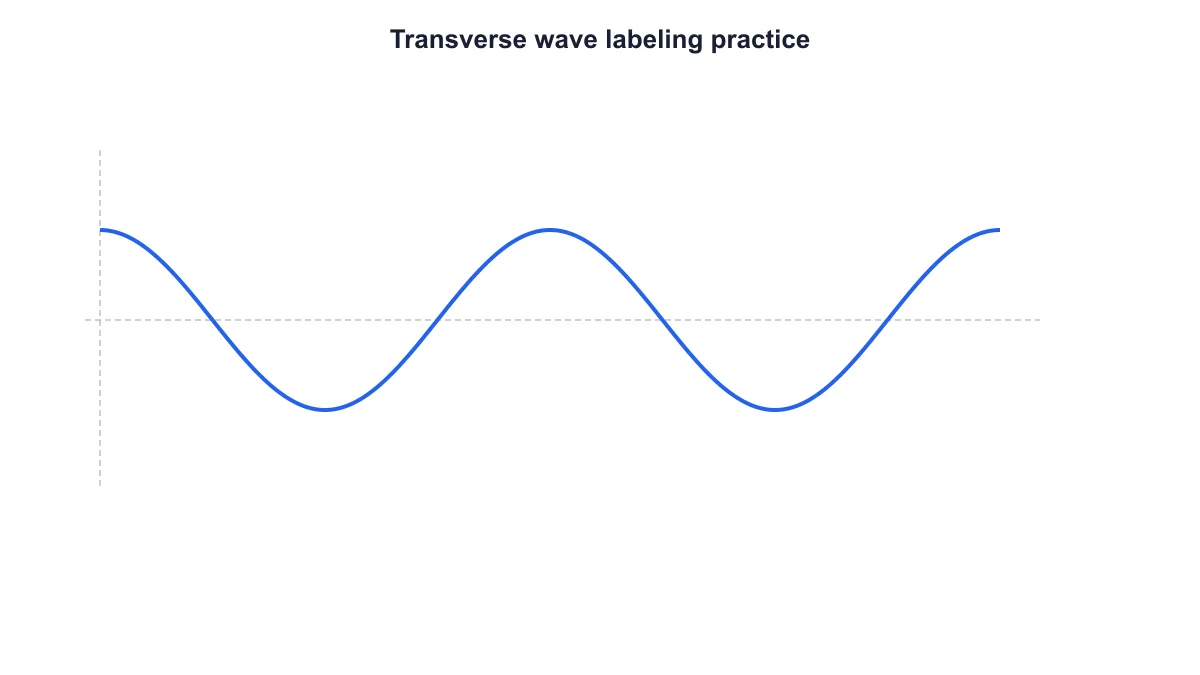
Transverse wave without part labels for a labeling practice sheet

Prepare labeling practice

Make a wave diagram with the labels hidden for students to identify the parts. Keep the same settings for a labeled version that supports your explanation afterward. Add questions or writing space in your document when you turn the figure into a worksheet.

Explore this example
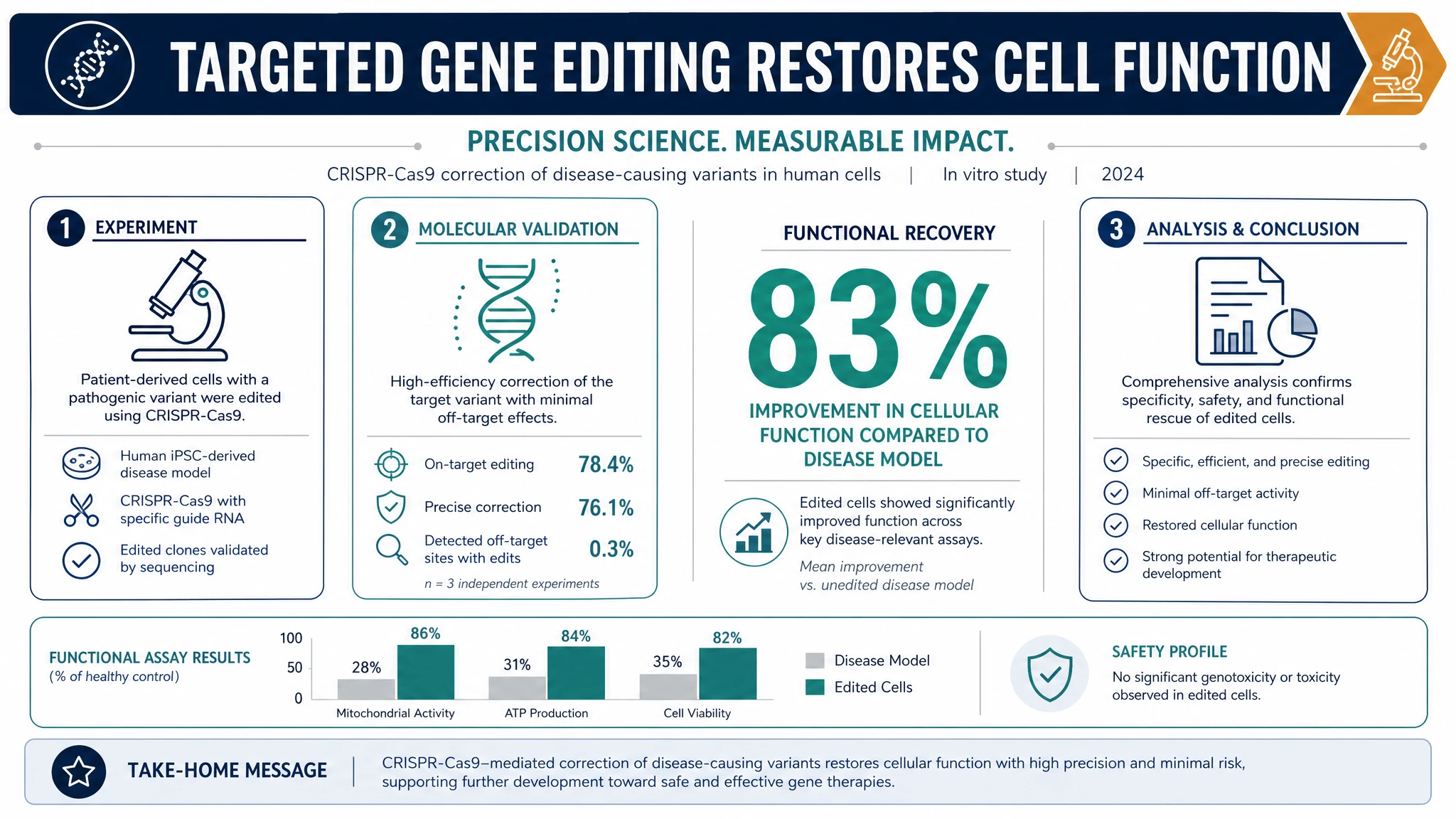
Labeled transverse wave with amplitude one and wavelength four

Explain amplitude in a handout

Create a low-amplitude example for a handout about displacement from equilibrium. The wave diagram generator keeps the vertical amplitude scale consistent as you change its value. Download the figure and place it beside another example when you want learners to compare them.

Explore this example
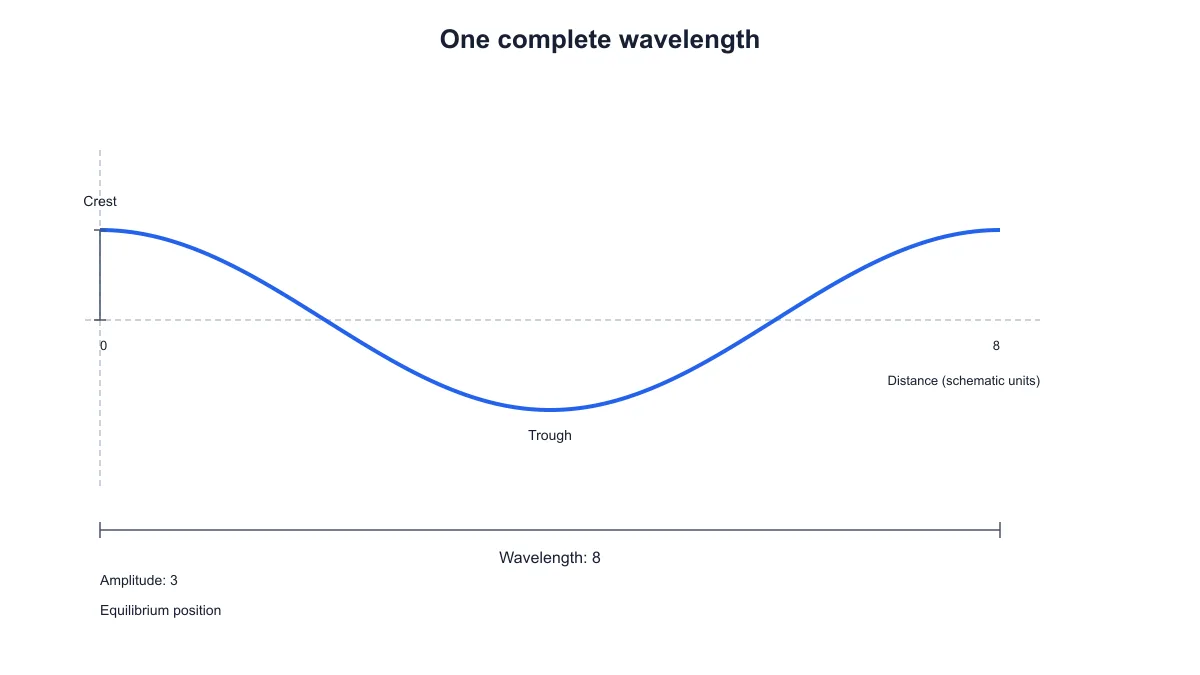
One complete transverse wave cycle with a wavelength of eight schematic units

Show one complete wavelength

Use a single cycle to help students see what one wavelength represents. The horizontal marker and distance scale make the selected value explicit. Keep the labeled transverse wave diagram with your notes when introducing equivalent points on successive cycles.

Explore this example
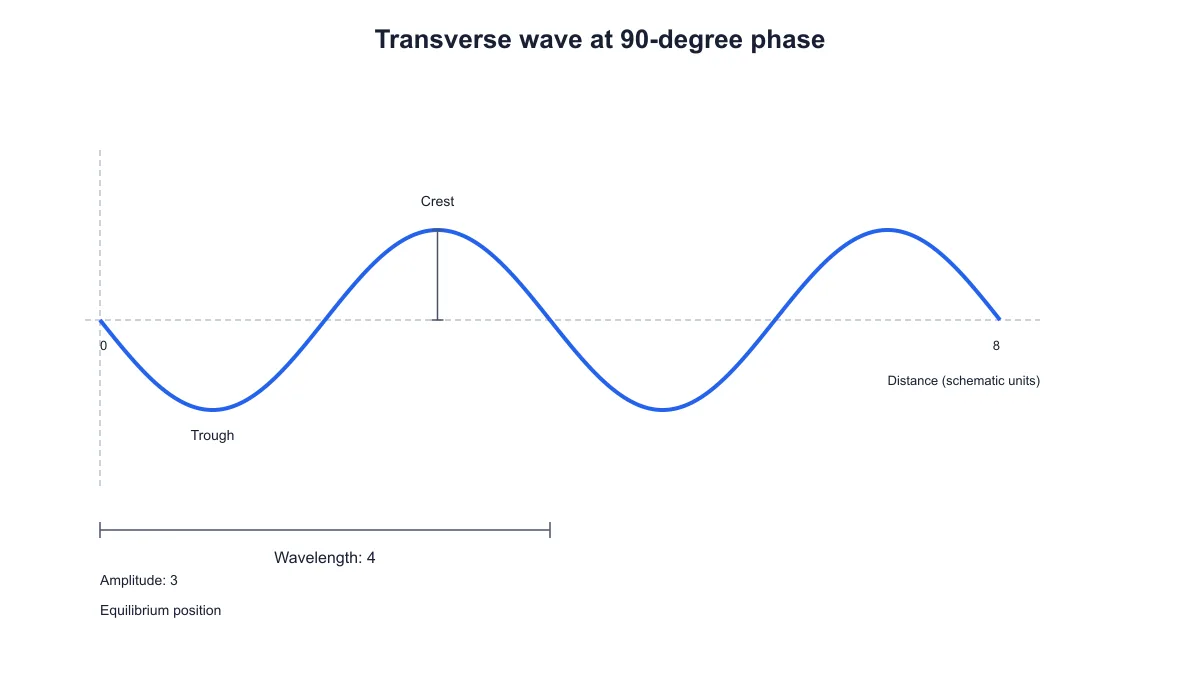
Two-cycle transverse wave with phase shifted ninety degrees and crest and trough labels

Discuss phase in a spatial snapshot

Change the phase and export separate figures to show how the crest and trough positions shift. Keep the amplitude, wavelength and cycles the same for a focused comparison. Use the diagrams in a tutorial or presentation about the shape of a wave at one moment.

Explore this example
Two-cycle transverse wave labeled with crest, trough, equilibrium, amplitude three and wavelength four

Revise a lesson figure later

Save the settings beside the lesson material when you finish a wave diagram. Reopen the file to adjust the title, parameters or labels before preparing another handout. SVG and PNG downloads let you place each revised figure into the document or slide format you use.

Explore this example
How Researchers Use SciFig

I needed a transverse wave diagram labeled for an introductory session, with the same shape available for a short labeling exercise. I set the parameters once, downloaded the labeled figure and then hid the labels for the worksheet. Keeping the settings with the lesson files made later revisions straightforward.

Eleanor H.

Physics teacher, University of York

Free tools

A tool for every scientific figure

110 focused generators for the scientific figure you need — each opens in the right workspace with a matching example.

Transverse Wave Diagram Questions

1.

2.

3.

4.

5.

6.

Call to action background

Labeled wave diagrams

Create a clear transverse wave diagram

Create a wave diagram

Free to start · No credit card required · Built for researchers