
Free Bode Plot Generator
Create an explanatory Bode plot with SciFig AI Illustration (AI scientific illustration) from your description and references.
Start with up to 150 free credits|No credit card required
Get up to 250 free credits on day one when you join through an invite.
Bode plot calculator
Enter coefficients in descending powers of s, separated by commas. Calculate a continuous-time SISO frequency response.
Gain crossover frequencies
No isolated crossing in the selected range
Phase crossover frequencies
No isolated crossing in the selected range
Crossings use interpolation on a logarithmic frequency grid. Values depend on the selected range; margins are undefined for flat or zero responses and at singular points.
Updated
Free Bode Plot Generator— templates & examples
Everything you need to generate your Bode plot
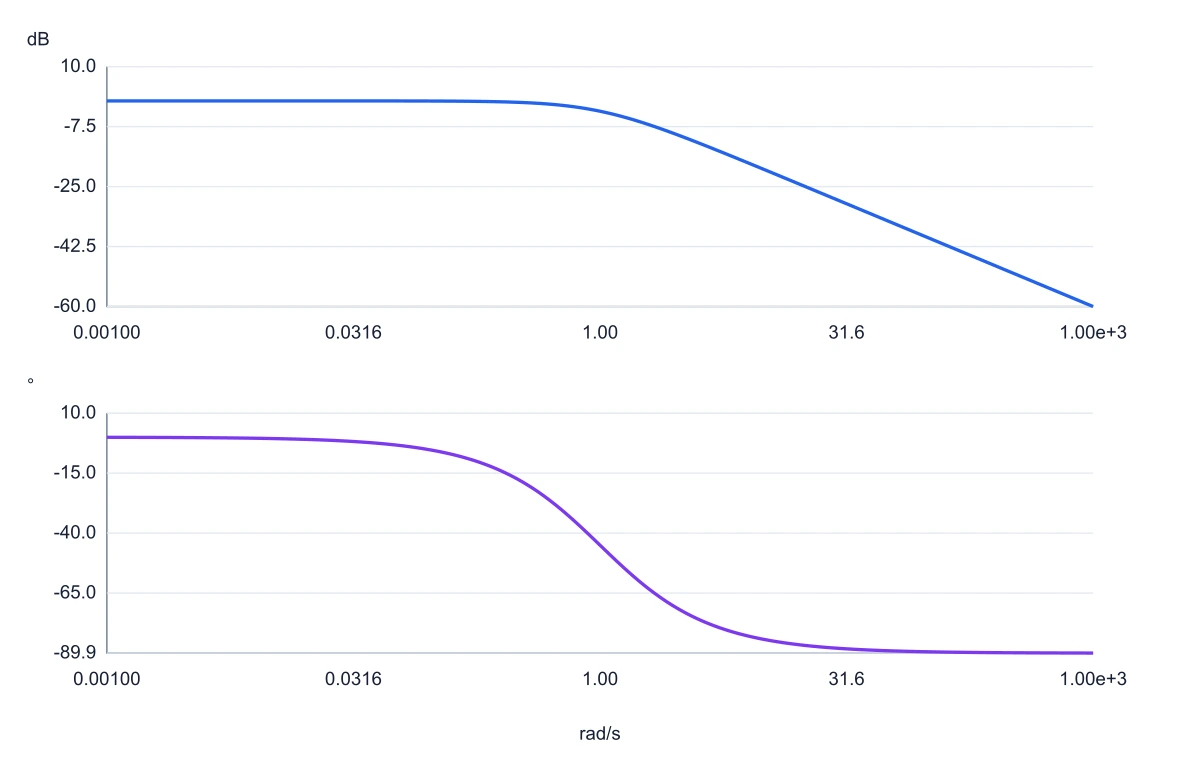
Calculate magnitude and phase from coefficients
Enter the numerator and denominator in descending powers of s. This frequency response graph generator computes a continuous-time SISO response over a logarithmic grid. Choose Hz or rad/s; the Bode plot calculator uses the same transfer function for both plots and the exported numeric data.
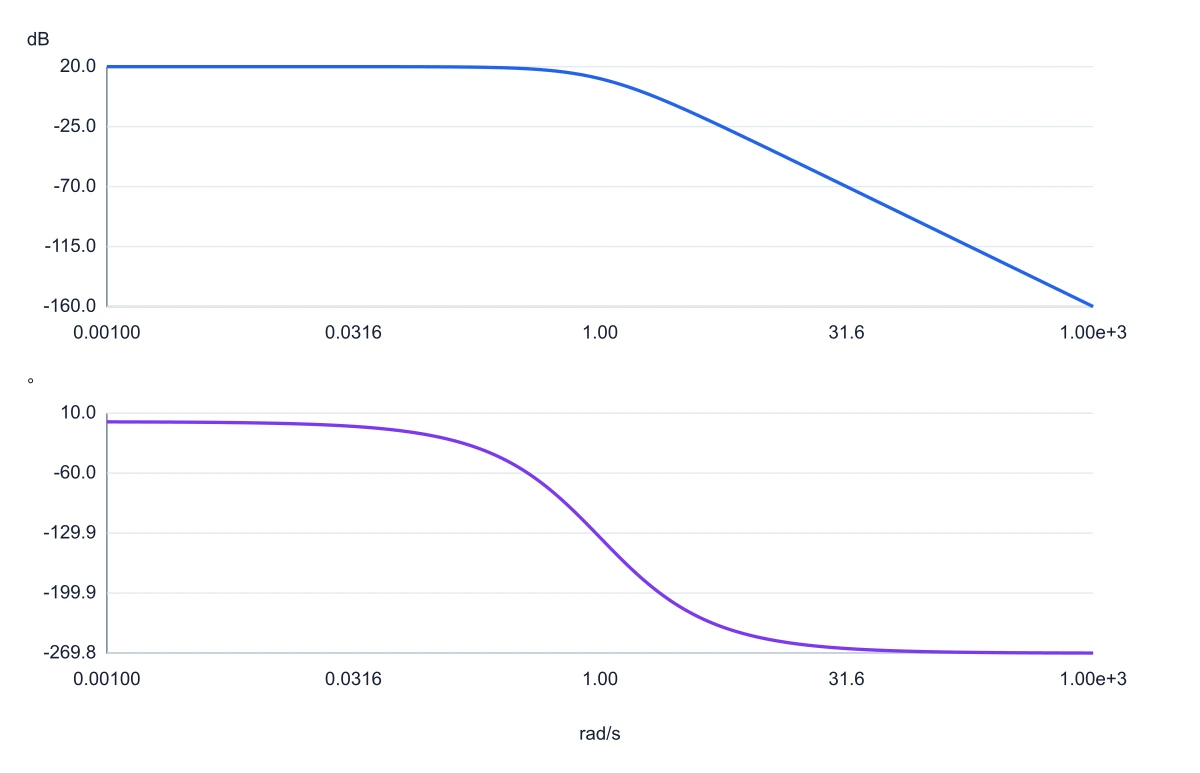
Inspect gain and phase crossover frequencies
SciFig’s online Bode plot generator lists isolated gain and phase crossings found in the chosen band, including multiple crossings. Read the phase margin or gain margin in the result list. The tool distinguishes missing crossings, flat responses and singular samples rather than replacing an undefined result with zero.
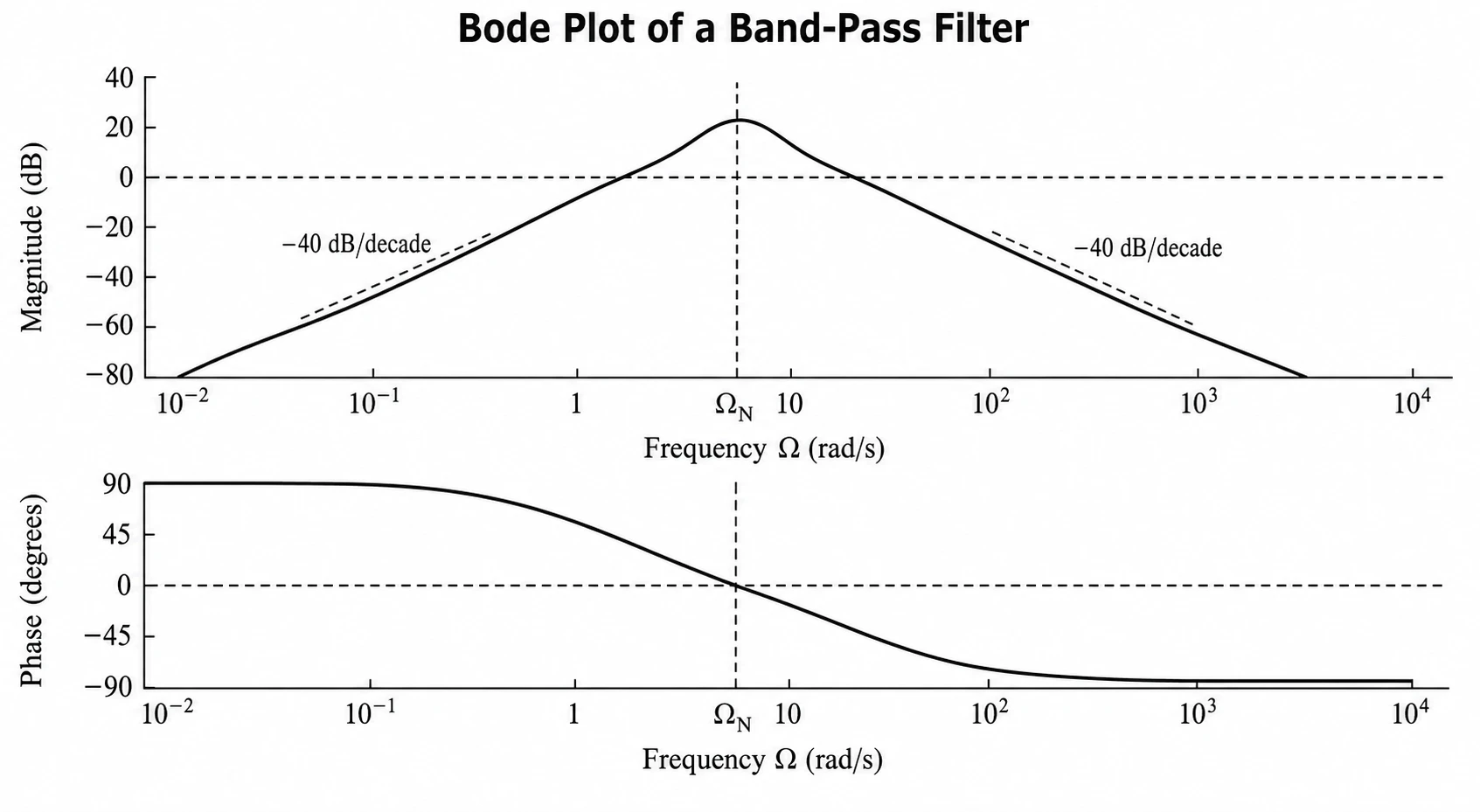
Export curves and keep a reusable Bode plot template
Export the Bode plot diagram as SVG for vector editing or PNG for a report, and save the sampled magnitude and phase plot data as CSV. Keep coefficients and the frequency range as a reusable JSON template. The original AI input remains available for explanatory illustrations.
What is a Bode plot?
A Bode plot shows a system’s gain and phase across a logarithmic frequency range.
A Bode plot shows gain and phase across frequency. The magnitude plot uses decibels on a log axis; the phase plot uses degrees. SciFig’s Bode plot generator calculates both from continuous-time transfer-function coefficients. Choose the range and Hz or rad/s, inspect crossover frequencies and defined margins, then export SVG, PNG or numerical CSV. The original AI input remains available for explanatory diagrams from descriptions and references.
Why you need a Bode plot
- Shows gain and phase margins for frequency-response analysis
- Required for most control-systems, signal-processing, and electronics course reports
- Logarithmic frequency axis compresses wide frequency ranges into a readable diagram
- Corner frequencies and roll-off slopes identify dominant poles and zeros at a glance
- Gain plot and phase plot together give a complete frequency-response picture
- Standard format accepted by control-systems, IEEE, and engineering journals
Key components of a Bode plot
- Magnitude plot — gain in decibels versus log frequency on the upper graph
- Phase plot — phase angle in degrees versus log frequency on the lower graph
- Corner frequencies — points where slope changes due to poles or zeros
- Gain crossover frequency — frequency where magnitude equals 0 dB
- Phase margin — phase above –180 degrees at the gain crossover frequency
- Gain margin — additional gain before instability at the phase crossover frequency
Where Bode plots are used
- Control systems design and stability analysis in engineering research
- Electronic filter design for amplifiers, equalizers, and audio systems
- Signal processing papers analyzing frequency-domain system behavior
- Mechanical engineering vibration and dynamic response studies
- Power electronics and converter control research
- Robotics and servo system frequency response characterization
How to make a Bode plot
Describe your Bode plot
Tell SciFig what to draw in plain language — no design tools required.
Generate with SciFig
Get a clean, publication-ready figure that matches your description in seconds.
Edit & export
Vectorize it into editable SVG, relabel everything, and export for your paper, poster, or slides.
Free Bode Plot Generator — Frequently Asked Questions
Common questions about Free Bode Plot Generator.
More tools

Circuit Diagram Maker
Draw electronic circuit schematics

Free Body Diagram Generator
Show forces acting on an object

Graphical Abstract Maker
Summarize your study in one panel
SciFig
Free AI Scientific Figure Generator for Illustrations, Images, Charts and Flowcharts
Models
Default to GPT Image 2 for journal papers; switch to Nano Banana Pro for slides and posters; pick Nano Banana 2.1 for routine figure work
Tutorials
Seven short walkthroughs of the AI scientific figure generator
Blog
Tutorials, tool comparisons, and publication tips for researchers.
Inspiration
Explore publication-ready illustrations, charts and flowcharts. Copy a prompt or open any template as the starting point for your own figure.
Pricing
View pricing

Ready to publish?
Make your own Bode plot in minutes.
Start for freeFree to start · No credit card required · Built for researchers