
Free Sketch to Diagram AI: Turn Hand Drawings into Scientific Figures
Sketch to diagram AI for researchers: upload a photo or scan of your hand-drawn sketch, describe it, and get a clean scientific figure you can edit label by label.
Start with up to 150 free credits|No credit card required
Get up to 350 free credits on day one when you join through an invite.
Updated
Free Sketch to Diagram AI: Turn Hand Drawings into Scientific Figures— templates & examples
Everything you need to turn a sketch into a scientific diagram
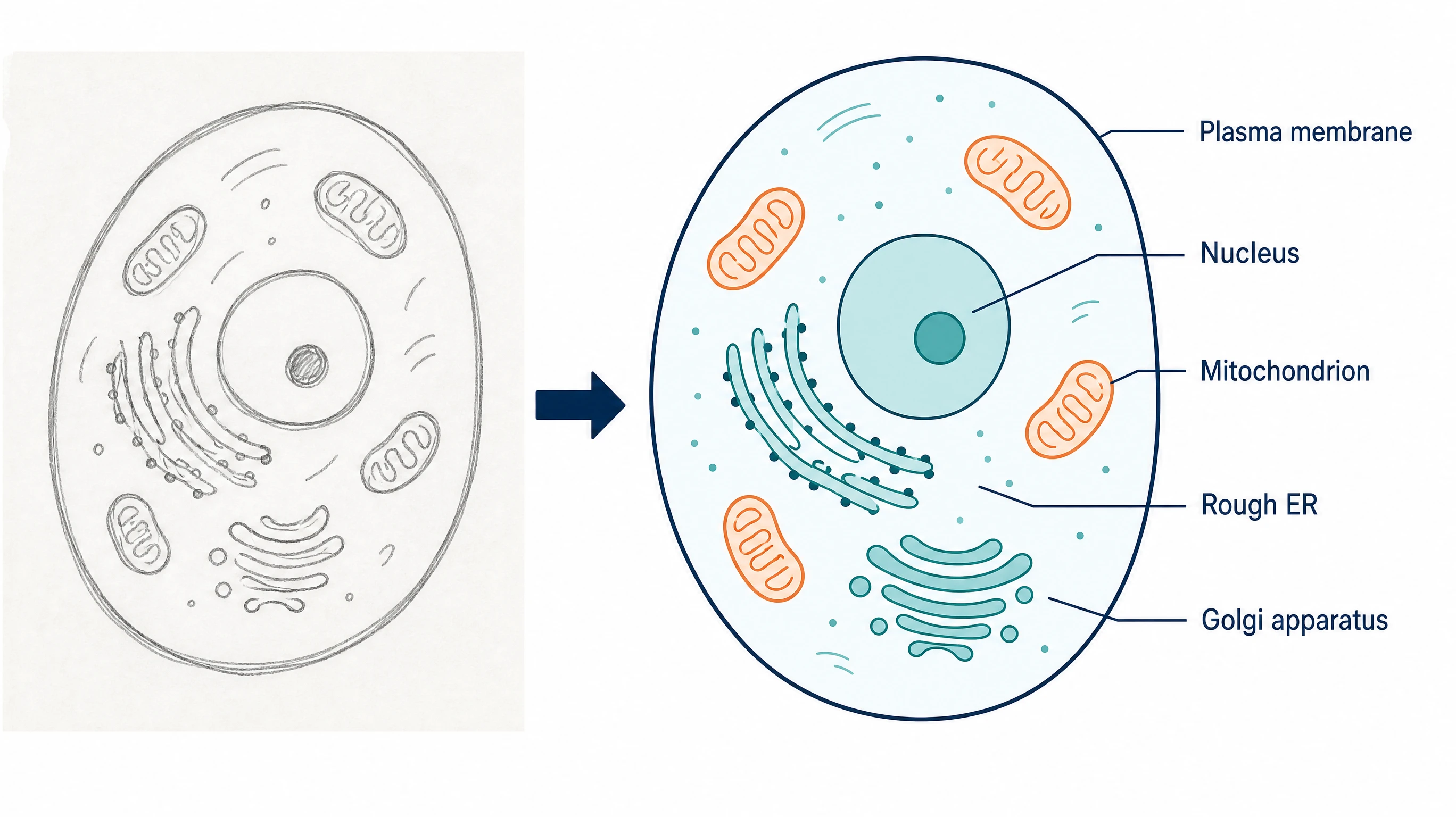
Keep the layout you already worked out
Your sketch already holds the hard decisions: what goes where, which way the arrows run, and what belongs together. SciFig's sketch to diagram AI uses that arrangement as its guide and replaces uneven strokes and handwriting with consistent shapes, line weights, and typeset labels. You describe the parts; the model turns them into a consistent scientific diagram.
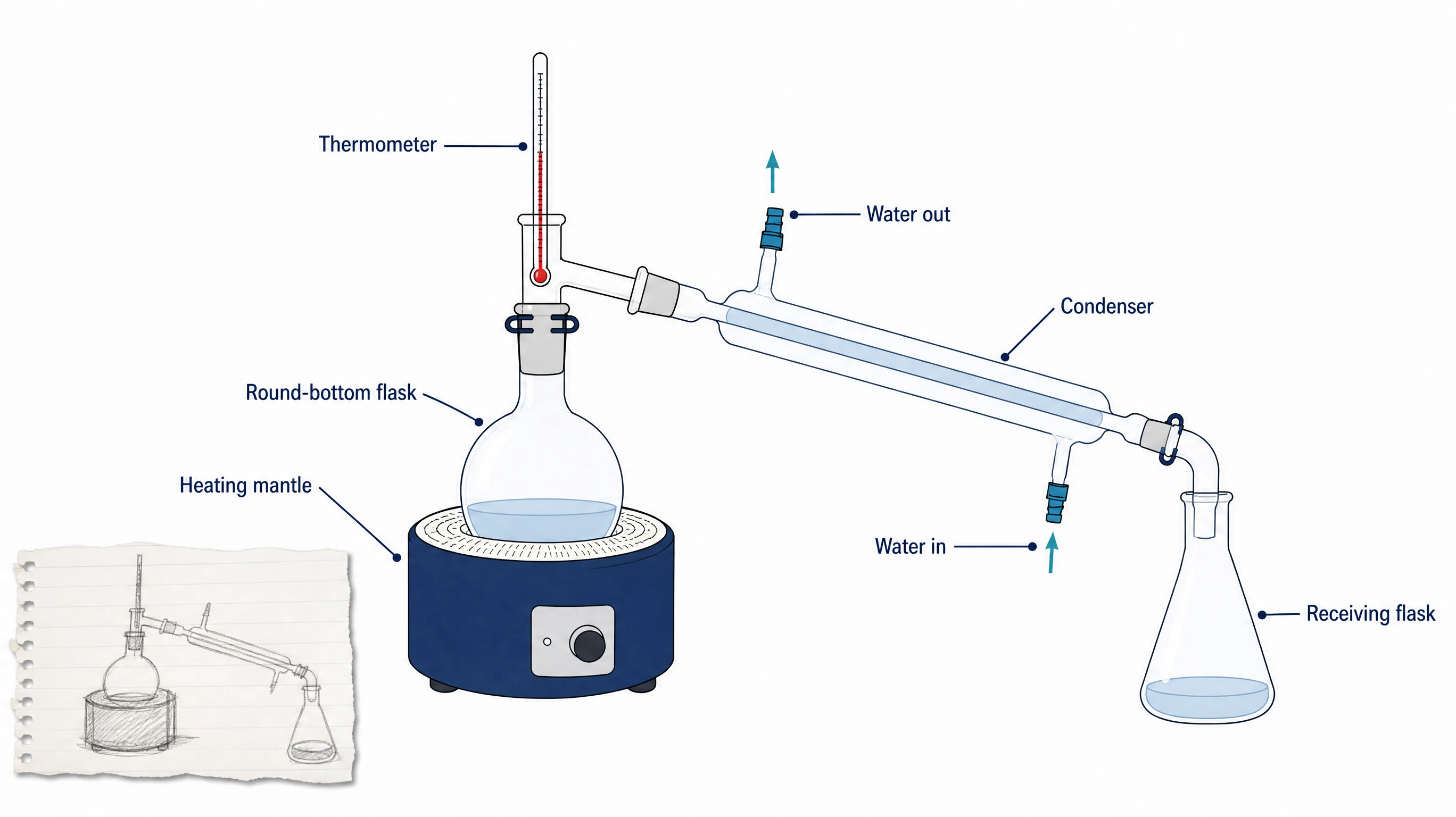
Move a hand drawn diagram to digital without rebuilding it
Moving a hand drawn diagram to digital form usually means rebuilding every box and arrow in slide software. Here you upload a PNG, JPG, or WebP photo or scan up to 20 MB, add a short description, and generate. As a hand drawing to diagram AI, it handles notebook pages, whiteboard photos, and annotated printouts alike.
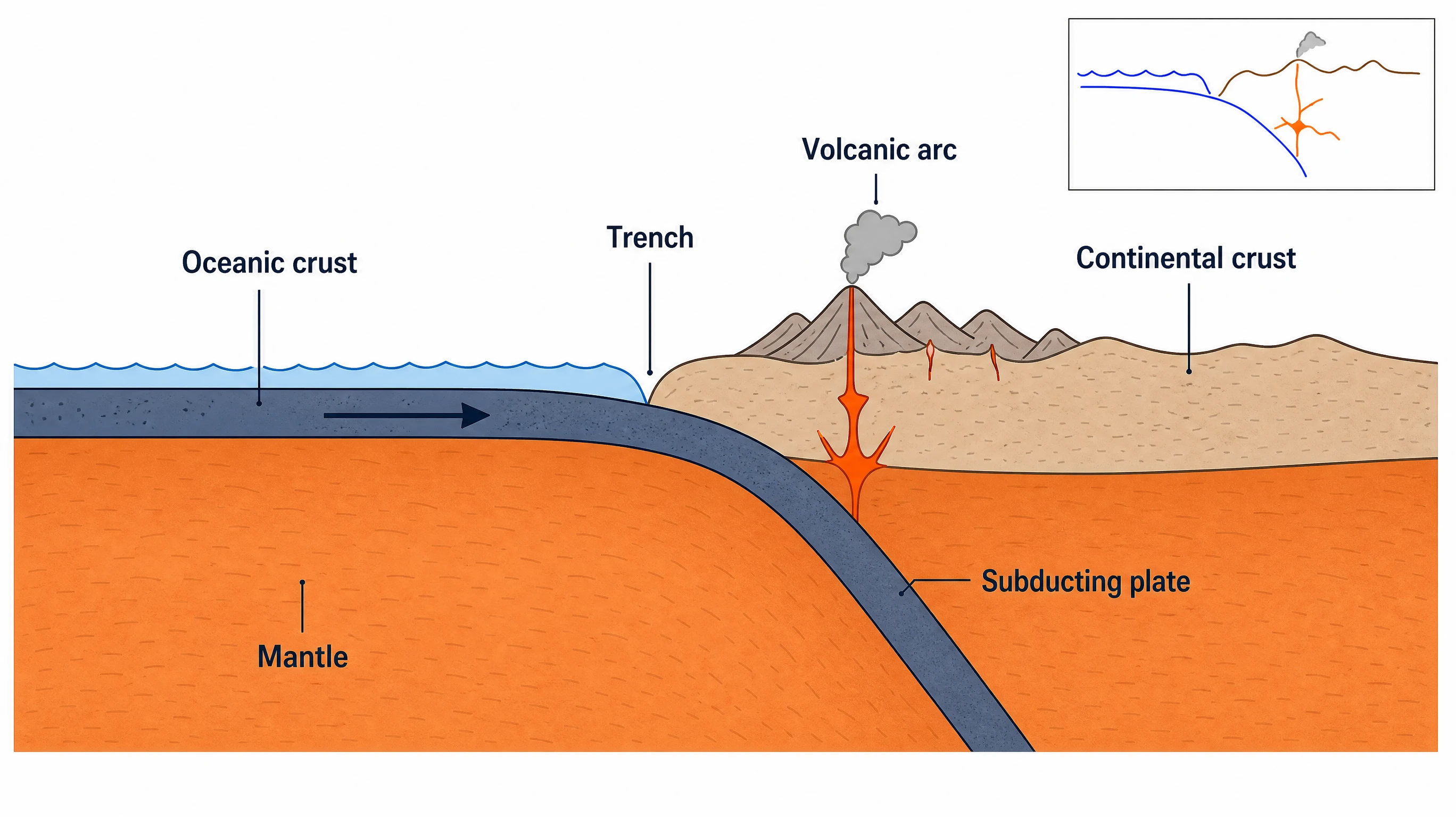
Refine, edit, and export the result
The figure opens in SciFig AI Illustration (AI scientific illustration), where you can refine it by chat, edit any label, or upscale to 2K or 4K. Convert the scientific diagram to editable SVG and export SVG, PNG, JPG or PPTX for papers and slides.
What is a scientific diagram?
A scientific diagram is a labeled schematic that explains a structure, process, or setup, such as a cell, a nutrient cycle, or a lab apparatus. Many begin as a pencil sketch on paper or a whiteboard. SciFig's sketch to diagram AI reads an uploaded photo or scan of that sketch together with your description and recreates it as a clean, flat figure in the same arrangement. Every label and arrow stays editable, and the figure can be converted to editable SVG.
Why turn a sketch into a scientific diagram
- A sketch captures the structure of an idea faster than any drawing software
- Handwritten labels and uneven arrows are hard to read on slides and posters
- Rebuilding a sketch box by box in slide software can take longer than the thinking behind it
- A scientific diagram in a consistent style makes a paper, thesis, or talk easier to follow
- Moving a hand drawn diagram to digital form gives coauthors one shared version to comment on
- Starting from your own sketch keeps the layout decisions yours instead of the model's
Key components of a scientific diagram made from a sketch
- Source sketch — a PNG, JPG, or WebP photo or scan up to 20 MB, one diagram per file
- Description — what the figure shows and what each shape, arrow, and label means
- Exact label text — every term typed the way it should appear in the final figure
- Layout guide — the positions and connections from your drawing that must be kept
- Style choices — aspect ratio and style selected before generation
- Editing pass — labels, arrows, and units adjusted in SciFig AI Illustration or as editable SVG
Where sketch-based scientific diagrams are used
- Mechanism and pathway figures first drafted on paper during a lab meeting
- Whiteboard explanations photographed after a lecture or journal club
- Apparatus and setup drawings from a lab notebook, recreated for a methods section
- Conference posters and slide decks that need one consistent figure style
- Grant proposals and thesis chapters that summarize a model or process
- Field sketches and cross-sections in ecology and geoscience coursework
How to make a scientific diagram
Describe your scientific diagram
Tell SciFig what to draw in plain language — no design tools required.
Generate with SciFig
Get a clean, publication-ready figure that matches your description in seconds.
Edit & export
Vectorize it into editable SVG, relabel everything, and export for your paper, poster, or slides.
Free Sketch to Diagram AI: Turn Hand Drawings into Scientific Figures — Frequently Asked Questions
Common questions about Free Sketch to Diagram AI: Turn Hand Drawings into Scientific Figures.
More tools

Circuit Diagram Maker
Draw electronic circuit schematics

Free Body Diagram Generator
Show forces acting on an object

Graphical Abstract Maker
Summarize your study in one panel
SciFig
Free AI Scientific Figure Generator for Illustrations, Images, Charts and Flowcharts
Models
Default to GPT Image 2 for journal papers; switch to Nano Banana Pro for slides and posters; pick Nano Banana 2.1 for routine figure work
Tutorials
Seven short walkthroughs of the AI scientific figure generator
Blog
Tutorials, tool comparisons, and publication tips for researchers.
Inspiration
Explore publication-ready illustrations, charts and flowcharts. Copy a prompt or open any template as the starting point for your own figure.
Pricing
View pricing

Ready to publish?
Make your own scientific diagram in minutes.
Start for freeFree to start · No credit card required · Built for researchers