
Free Text to Figure AI Generator for Scientific Illustrations
Text to figure in one step: describe the scientific figure you need, generate an AI illustration right here, then refine every label and export it.
Start with up to 150 free credits|No credit card required
Get up to 350 free credits on day one when you join through an invite.
Updated
Free Text to Figure AI Generator for Scientific Illustrations— templates & examples
Everything you need to turn text into a scientific figure
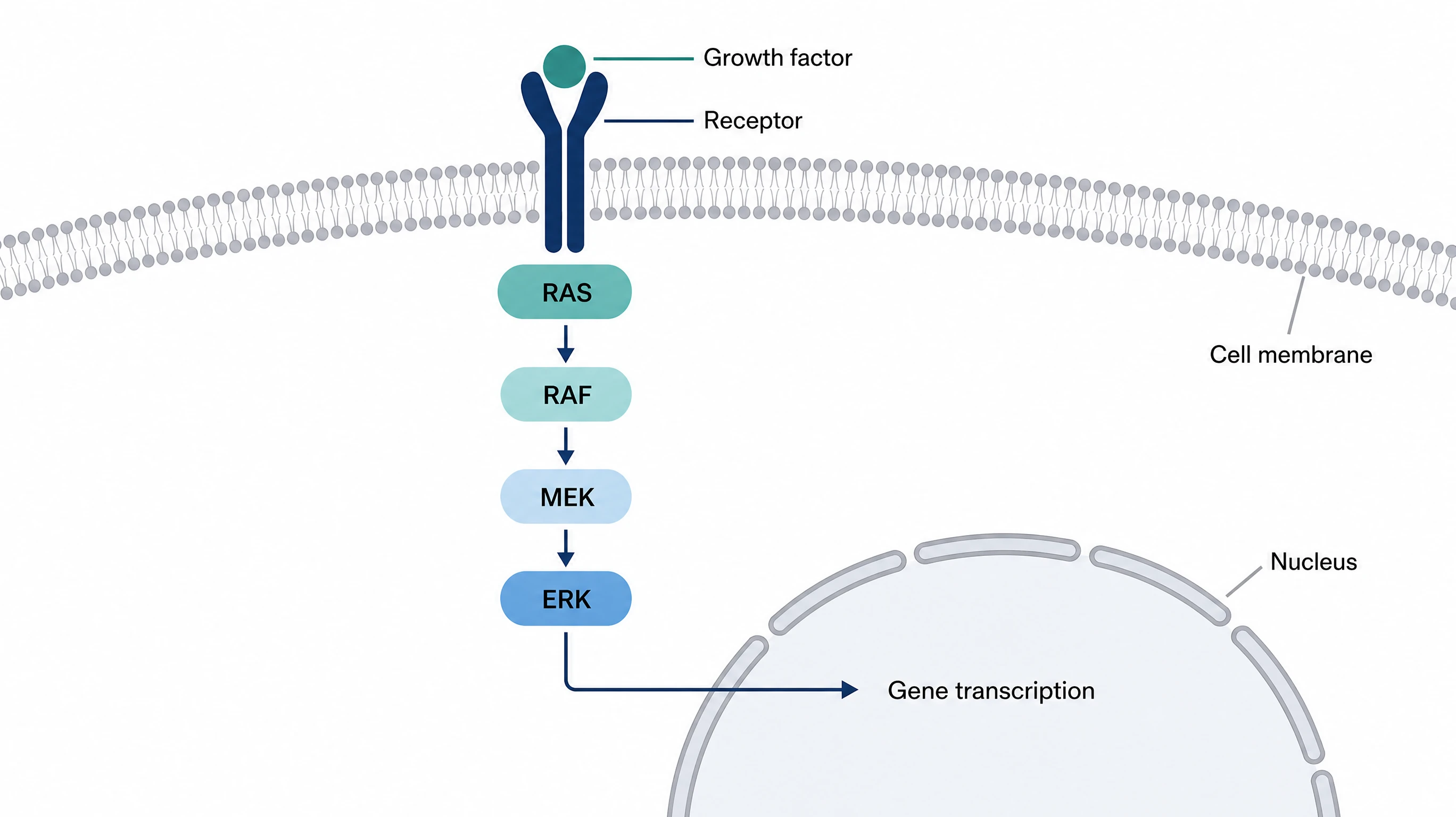
Describe it and generate on this page
Type what the figure should show, including the components, their arrangement, and the exact labels, into the same Illustration input used in the SciFig app. When you click Generate, the text to figure AI tool opens the workspace. AI Enhance can expand a short note into a fuller prompt first.
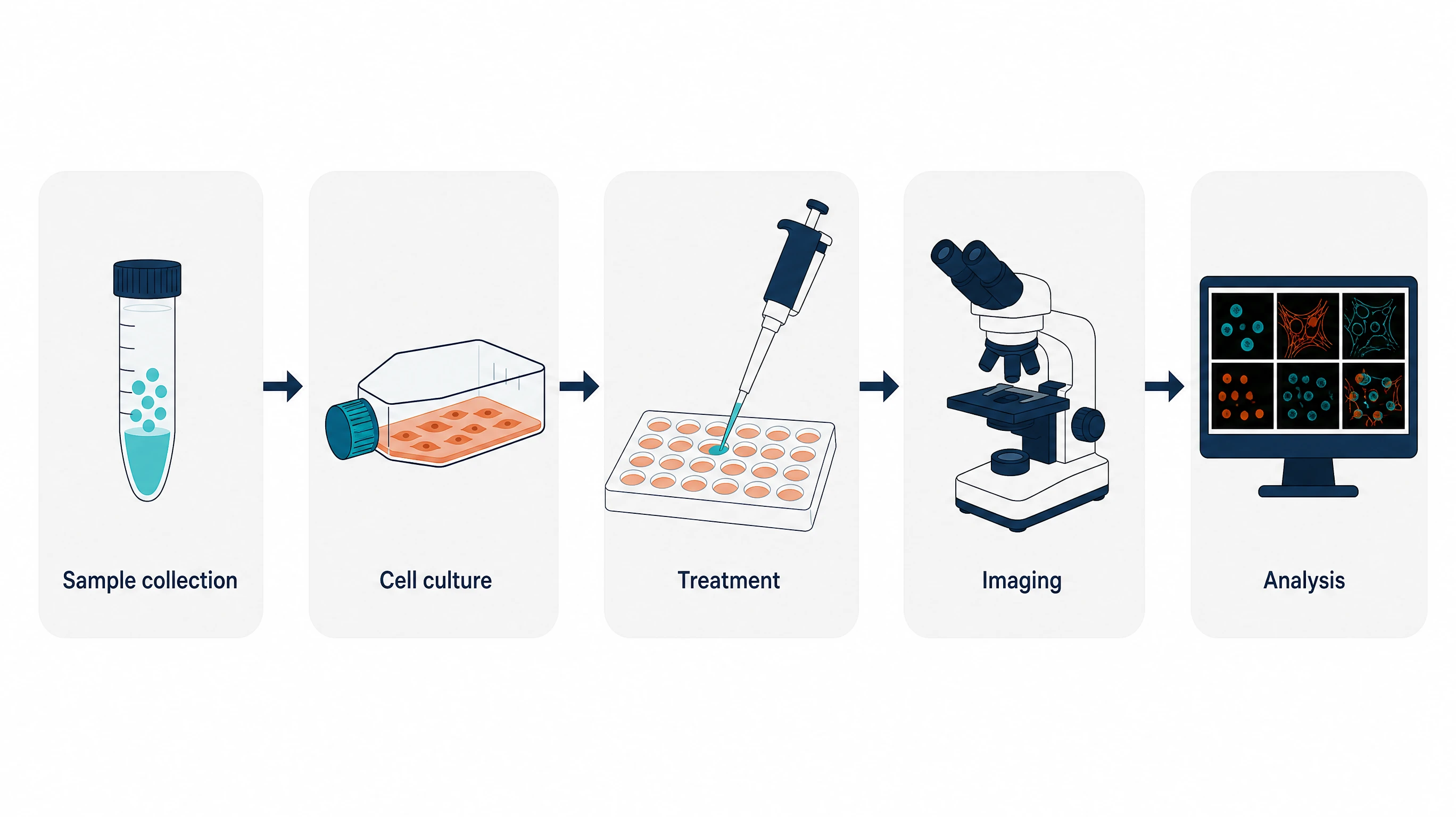
Choose a model, aspect ratio, and style
Before generating, pick the aspect ratio and style that suit a slide, a poster, or a manuscript panel. The text to figure generator offers six models, including GPT Image 2, Nano Banana Pro and GPT Image 2.5. Compare results from two models when a complex layout needs a second attempt.
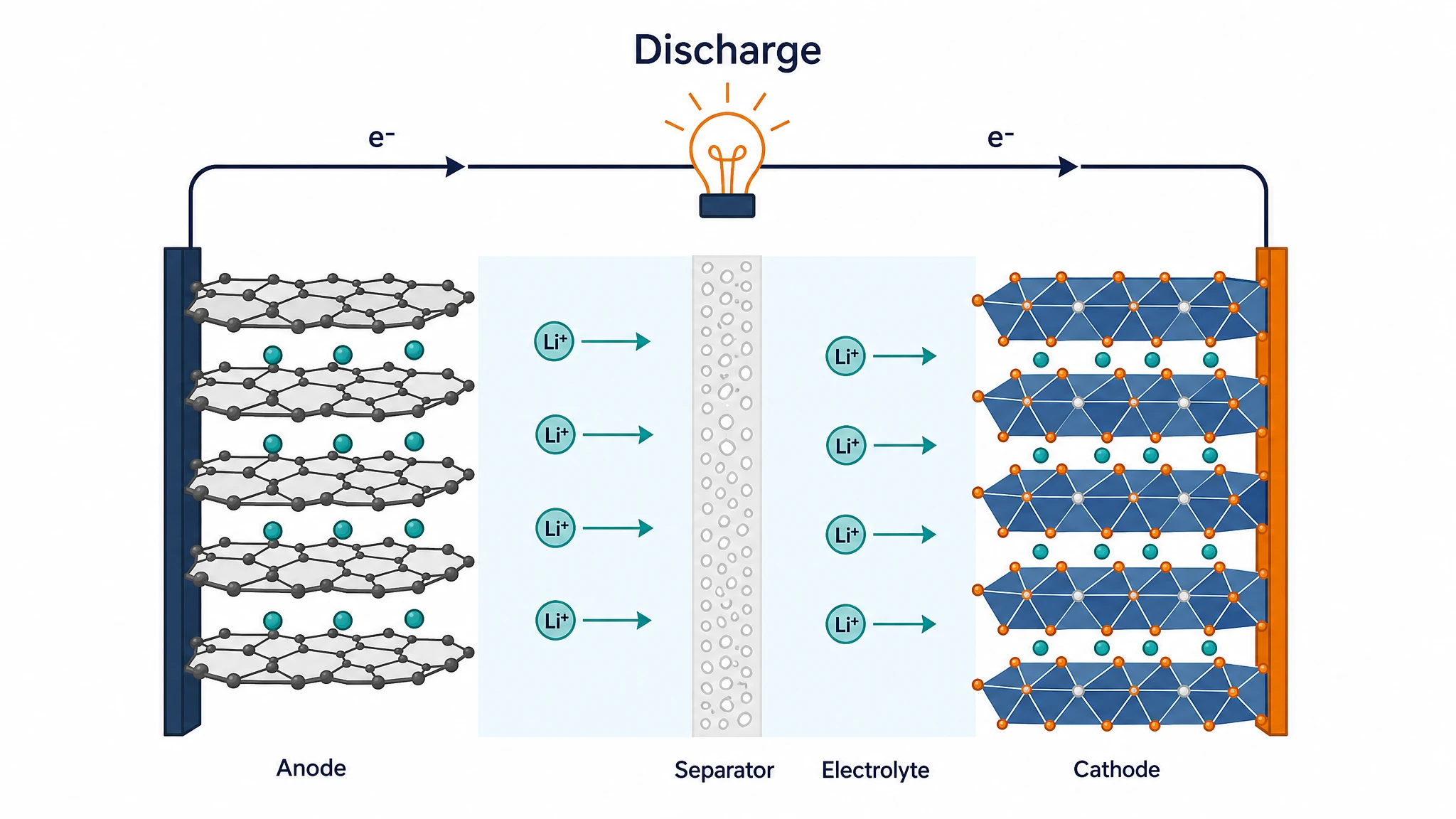
Refine labels, then export
Continue in SciFig AI Illustration (AI scientific illustration) with conversational edits, Region Redraw for a selected area, and text edits until each structure is right. Upscale to 2K or 4K, convert the figure to editable SVG, and export SVG, PNG, JPG or PPTX.
What is a scientific figure?
Text to figure means turning a written description into a scientific illustration, such as a signaling pathway, a lab workflow, an ecosystem, or a material cross-section. You name the components, their arrangement, and the labels; the AI draws the figure. SciFig's text to figure generator opens the result in SciFig AI Illustration (AI scientific illustration), where you can change any label, color or region conversationally, convert the figure to editable SVG, and export.
Why start a scientific figure from text
- Get a concept figure without drawing software or icon libraries
- Keep the scientific intent in words that coauthors can read, question, and revise
- Try alternative layouts by editing the description instead of rebuilding shapes
- Match aspect ratio and style to a slide, poster, or manuscript panel before generating
- Spend your time on the science rather than on arranging elements
- Illustrate mechanisms and processes that have no photograph or dataset to plot
Key components of a scientific figure description
- Subject — the structure, process, or system the figure explains
- Components — every element that must appear, named with the label you want
- Relationships — the direction of arrows, flows, and interactions between elements
- Layout — left to right, top to bottom, cross-section, or cycle arrangement
- Style — flat schematic or more detailed rendering, on a white or tinted background
- Exclusions — what to leave out, such as numerical values or decorative text
Where scientific figures from text are used
- Introduction and mechanism panels in manuscripts and theses
- Lecture slides and teaching handouts that explain a process step by step
- Conference posters that need one clear overview illustration
- Grant proposals that summarize an approach before the detailed aims
- A starting point for a graphical abstract or an experimental workflow diagram
- Node-and-arrow flowcharts, which suit the text to diagram generator better
How to make a scientific figure
Describe your scientific figure
Tell SciFig what to draw in plain language — no design tools required.
Generate with SciFig
Get a clean, publication-ready figure that matches your description in seconds.
Edit & export
Vectorize it into editable SVG, relabel everything, and export for your paper, poster, or slides.
Free Text to Figure AI Generator for Scientific Illustrations — Frequently Asked Questions
Common questions about Free Text to Figure AI Generator for Scientific Illustrations.
More tools

Circuit Diagram Maker
Draw electronic circuit schematics

Free Body Diagram Generator
Show forces acting on an object

Graphical Abstract Maker
Summarize your study in one panel
SciFig
Free AI Scientific Figure Generator for Illustrations, Images, Charts and Flowcharts
Models
Default to GPT Image 2 for journal papers; switch to Nano Banana Pro for slides and posters; pick Nano Banana 2.1 for routine figure work
Tutorials
Seven short walkthroughs of the AI scientific figure generator
Blog
Tutorials, tool comparisons, and publication tips for researchers.
Inspiration
Explore publication-ready illustrations, charts and flowcharts. Copy a prompt or open any template as the starting point for your own figure.
Pricing
View pricing

Ready to publish?
Make your own scientific figure in minutes.
Start for freeFree to start · No credit card required · Built for researchers