
Free Sentence Diagram Generator
Turn any sentence into a precise Reed-Kellogg diagram showing subject, predicate, modifiers, and phrases on a baseline — ready to export for class or research.
Start with up to 150 free credits|No credit card required
Get up to 250 free credits on day one when you join through an invite.
Updated
Free Sentence Diagram Generator— templates & examples
Everything you need to diagram any sentence
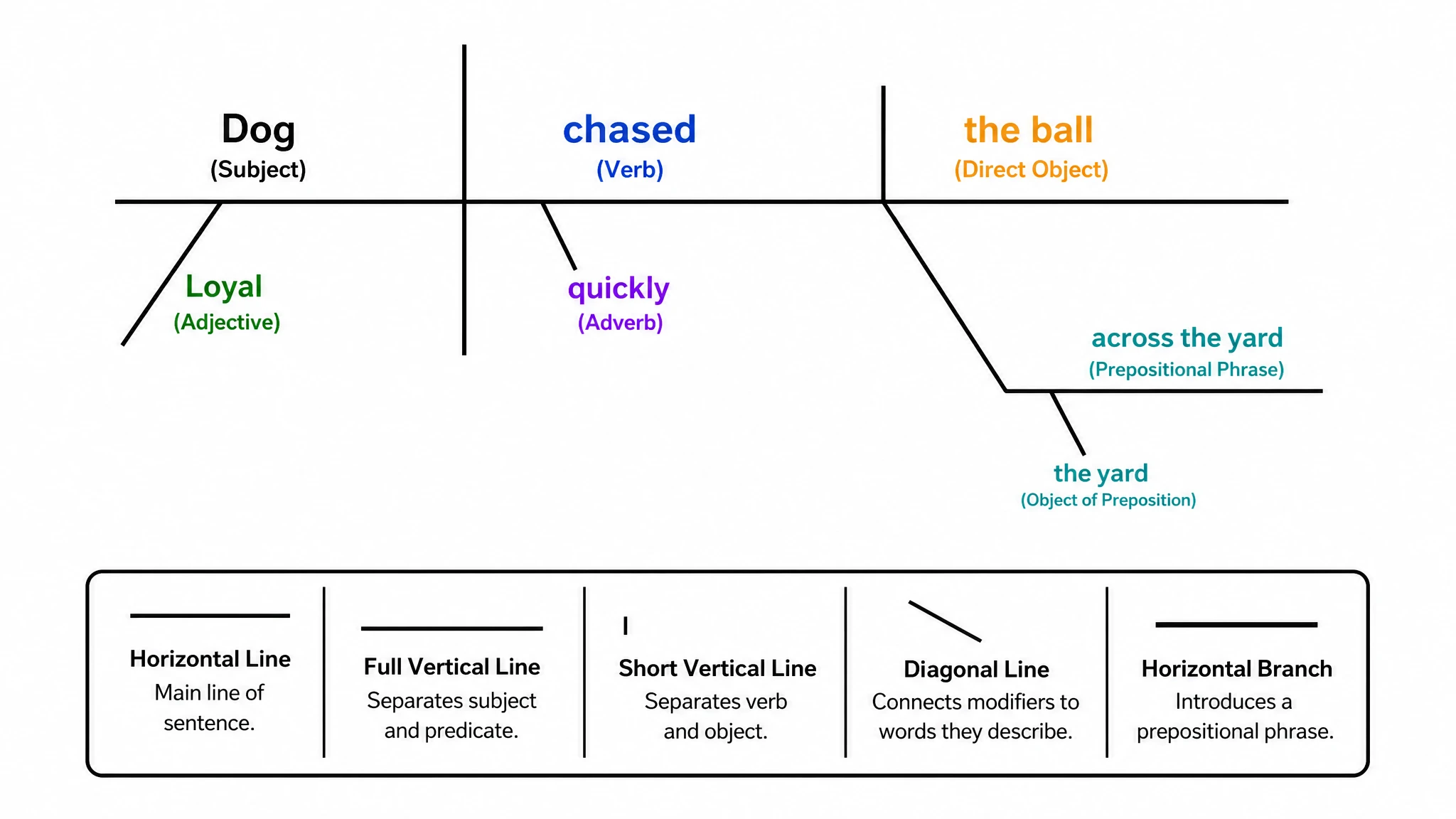
Reed-Kellogg baseline layout, automatically
Every sentence diagram generator output follows the Reed-Kellogg convention: subject and predicate on a horizontal baseline separated by a vertical line, single-word modifiers on slanted branches below their head words, and prepositional phrases on angled-then-horizontal lines beneath the words they modify. This sentence diagrammer handles all standard parts of speech — nouns, verbs, adjectives, adverbs, prepositions, and conjunctions — and places each one in its grammatically correct position without any manual arrangement.
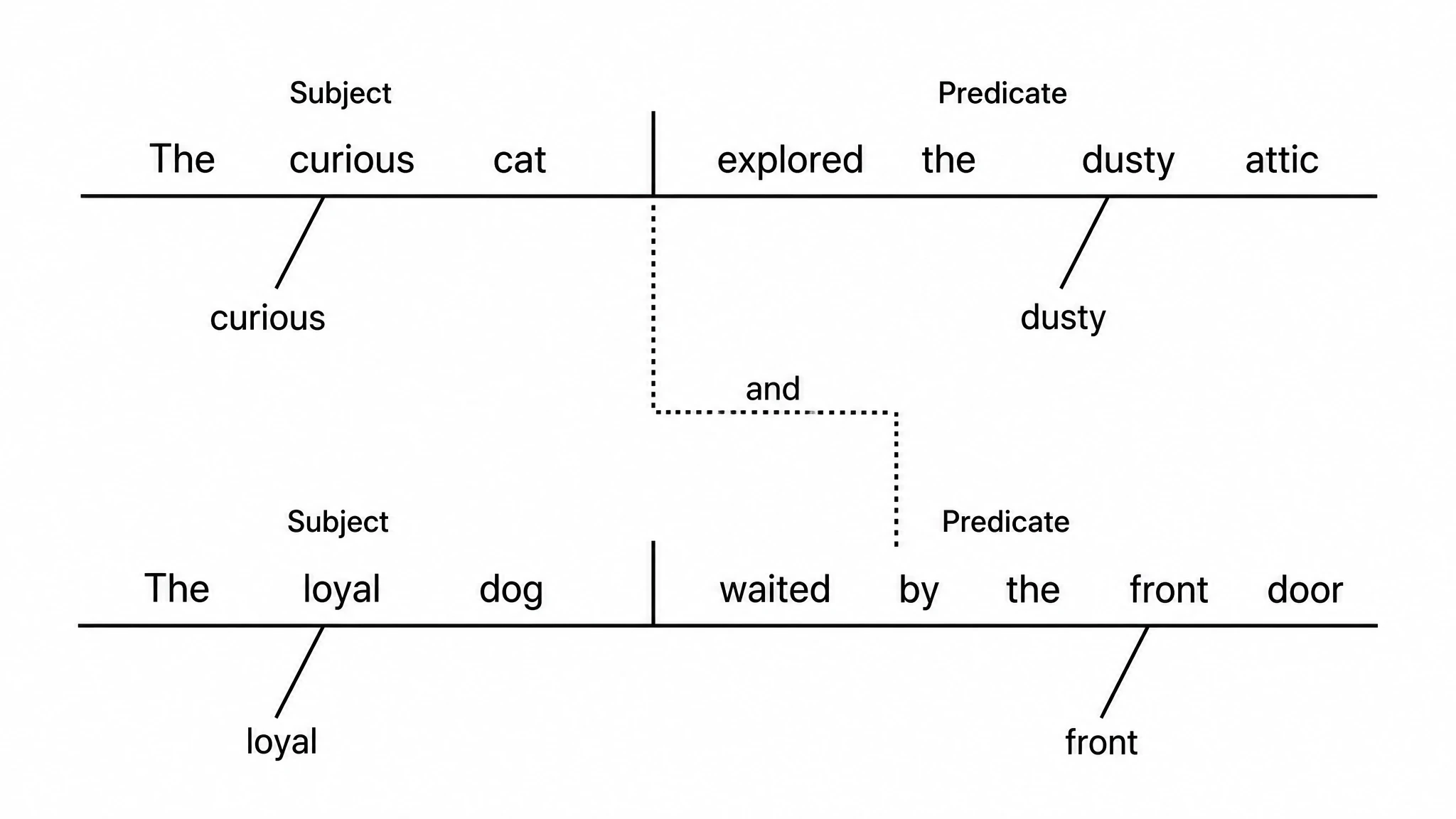
Simple, compound, and complex sentences
Whether you are diagramming a simple subject-verb pair or a compound-complex sentence with embedded subordinate clauses, this diagramming sentences generator scales cleanly. Compound sentences are joined at a dotted step-line labeled with the conjunction; subordinate clauses drop onto their own sub-baseline connected to the point of attachment in the main clause. Use the sentence to diagram generator to walk students or readers through increasingly complex syntax, one level at a time.
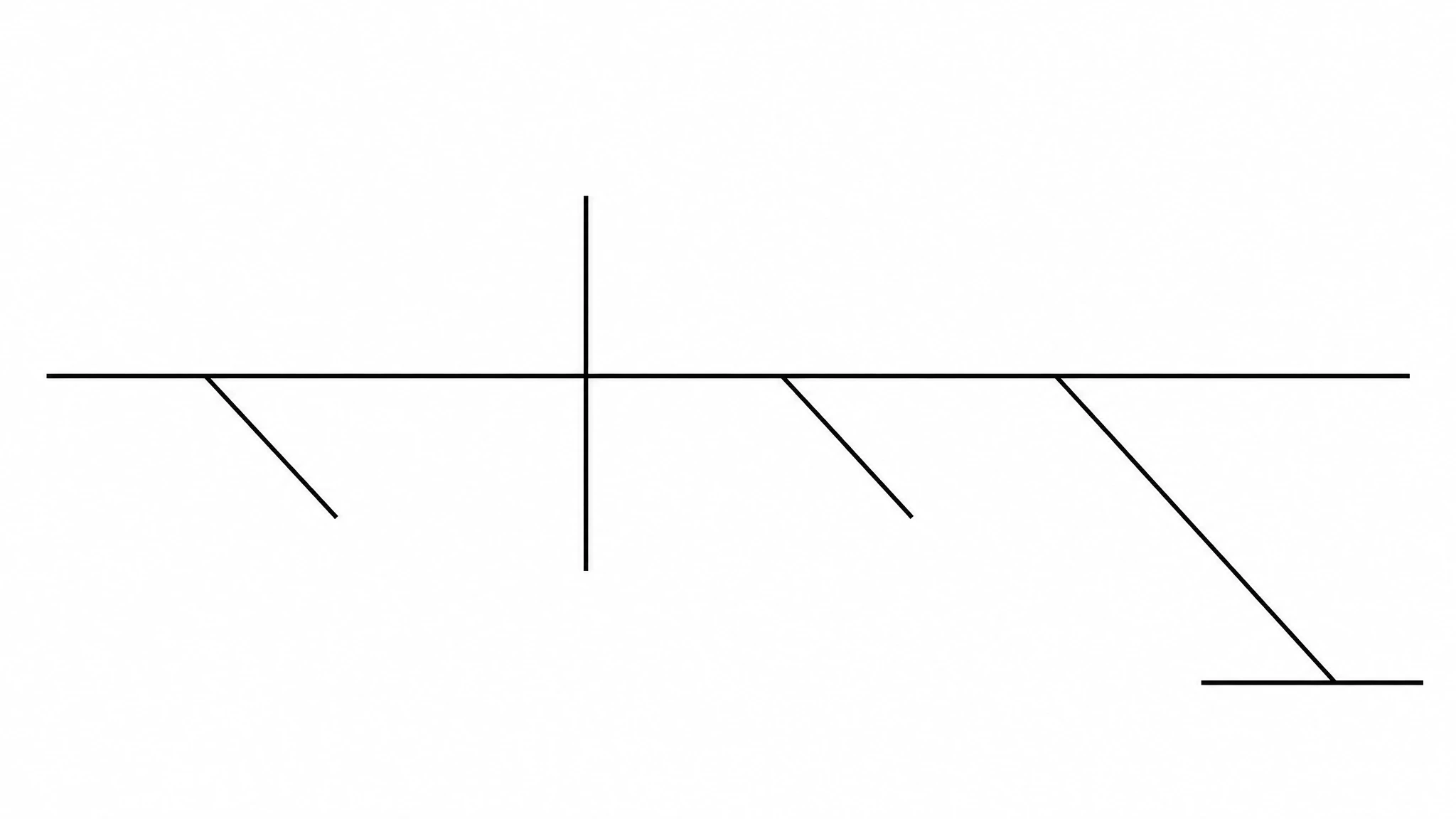
Export-ready for textbooks, worksheets, and papers
Every figure from this sentence diagram maker is typeset with clean, sans-serif labels — no hand-drawn strokes — and exports as a high-resolution image ready for print or digital use. Grammar teachers embed diagrams in worksheets and slide decks; linguistics instructors include them in course notes and papers; students attach them to grammar assignments. Because the grammar diagram generator keeps every branch and label live, you can relabel any element, adjust spacing, and re-export as your example sentences change.
What is a sentence diagram?
A sentence diagram is a visual map of a sentence's grammar, placing the subject and predicate on a horizontal baseline split by a vertical line, with modifiers and phrases on branches below. The Reed-Kellogg system makes the relationships between parts of speech immediately visible. With SciFig's sentence diagram generator you type any sentence and receive a clean, typeset diagram of every grammatical element — fully editable and export-ready for class or publication.
Why sentence diagrams improve grammar instruction
- Make the relationship between subject, predicate, and all modifiers visible at a single glance
- Show how prepositional phrases and subordinate clauses attach to the main clause hierarchy
- Help students distinguish modifiers from core sentence elements on the baseline
- Replace abstract grammar rules with a concrete spatial layout that reinforces parts-of-speech roles
- Enable teachers to compare simple and complex sentence structures side by side
- Provide a shareable, exportable figure for worksheets, assessments, and textbook illustrations
Key components of a Reed-Kellogg sentence diagram
- Horizontal baseline — carries the subject on the left and the predicate verb on the right, separated by a full vertical line
- Subject — the noun or pronoun performing the action, placed left of the dividing line on the baseline
- Predicate — the verb or verb phrase placed right of the dividing line, extended for direct objects and complements
- Modifiers — adjectives and adverbs placed on slanted lines beneath the noun or verb they modify
- Prepositional phrases — preposition on a diagonal line descending from the modified word, object on a short horizontal below it
- Subordinate clauses — placed on a separate sub-baseline connected by a dotted line to the attachment point in the main clause
- Coordinating conjunctions — shown on a dotted step-line joining two parallel baselines in compound sentence diagrams
Where sentence diagram generators are used
- K–12 English grammar classes teaching parts of speech and sentence structure
- College composition and linguistics courses illustrating syntactic analysis
- ESL and EFL instruction to clarify how English clause structure differs from learners' first languages
- Textbook authors and curriculum developers creating grammar exercise worksheets
- Linguistics researchers illustrating parsed examples in journal articles and conference papers
- Test-prep materials for standardized exams that assess grammar and sentence structure knowledge
How to make a sentence diagram
Describe your sentence diagram
Tell SciFig what to draw in plain language — no design tools required.
Generate with SciFig
Get a clean, publication-ready figure that matches your description in seconds.
Edit & export
Vectorize it into editable SVG, relabel everything, and export for your paper, poster, or slides.
Free Sentence Diagram Generator — Frequently Asked Questions
Common questions about Free Sentence Diagram Generator.
More tools

Circuit Diagram Maker
Draw electronic circuit schematics

Free Body Diagram Generator
Show forces acting on an object

Graphical Abstract Maker
Summarize your study in one panel
SciFig
Free AI Scientific Figure Generator for Illustrations, Images, Charts and Flowcharts
Models
Default to GPT Image 2 for journal papers; switch to Nano Banana Pro for slides and posters; pick Nano Banana 2.1 for routine figure work
Tutorials
Seven short walkthroughs of the AI scientific figure generator
Blog
Tutorials, tool comparisons, and publication tips for researchers.
Inspiration
Explore publication-ready illustrations, charts and flowcharts. Copy a prompt or open any template as the starting point for your own figure.
Pricing
View pricing

Ready to publish?
Make your own sentence diagram in minutes.
Start for freeFree to start · No credit card required · Built for researchers