GPT Image 2 for Scientific Figures
Use one model across SciFig's scientific figure scenarios, from text and sketches to references, photos, and PDF-driven redraws.

Why It Matters
Why GPT Image 2 fits scientific figure creation
This page is not about generic image generation. It is about when GPT Image 2 becomes useful inside real scientific illustration tasks.
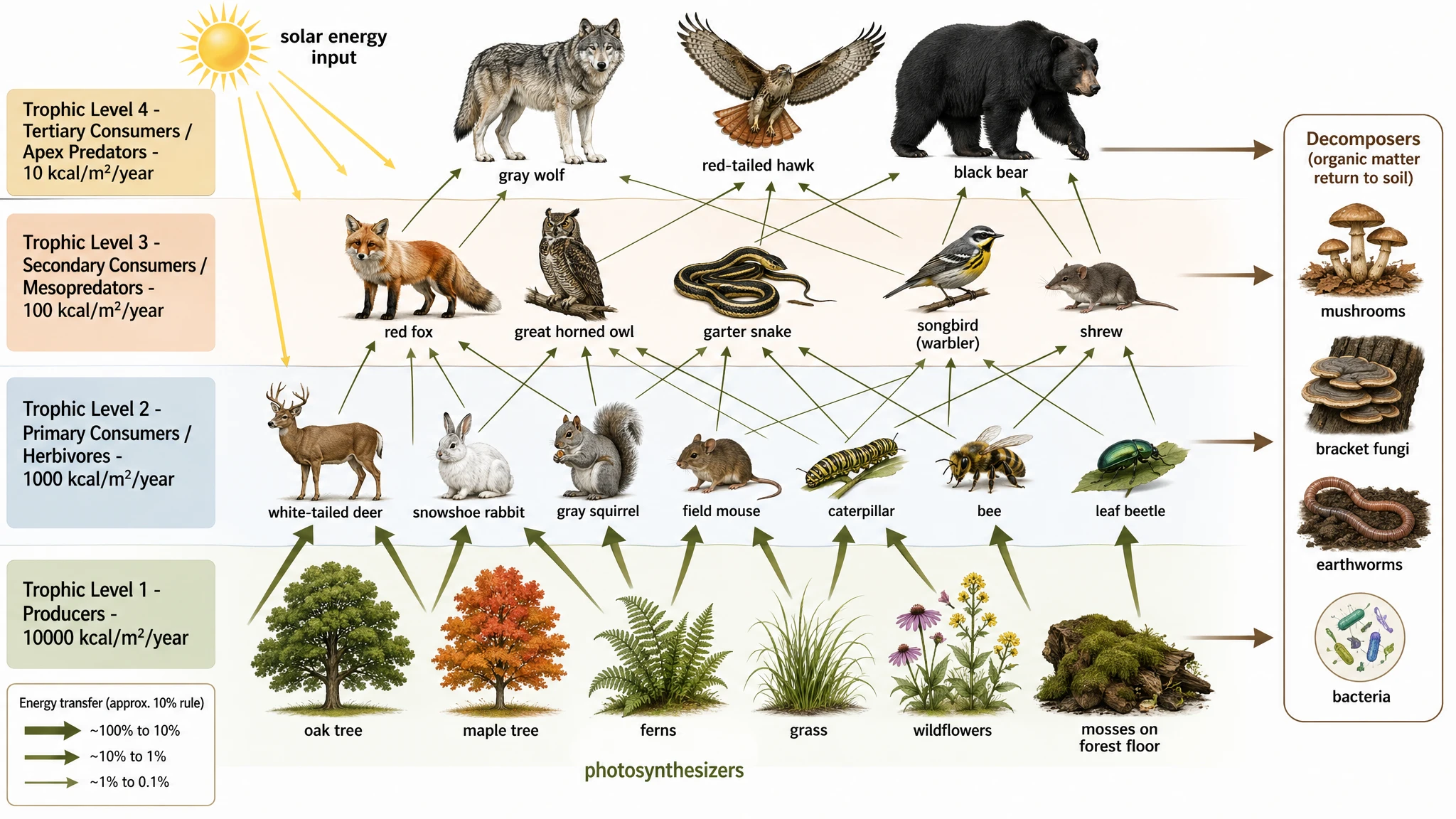
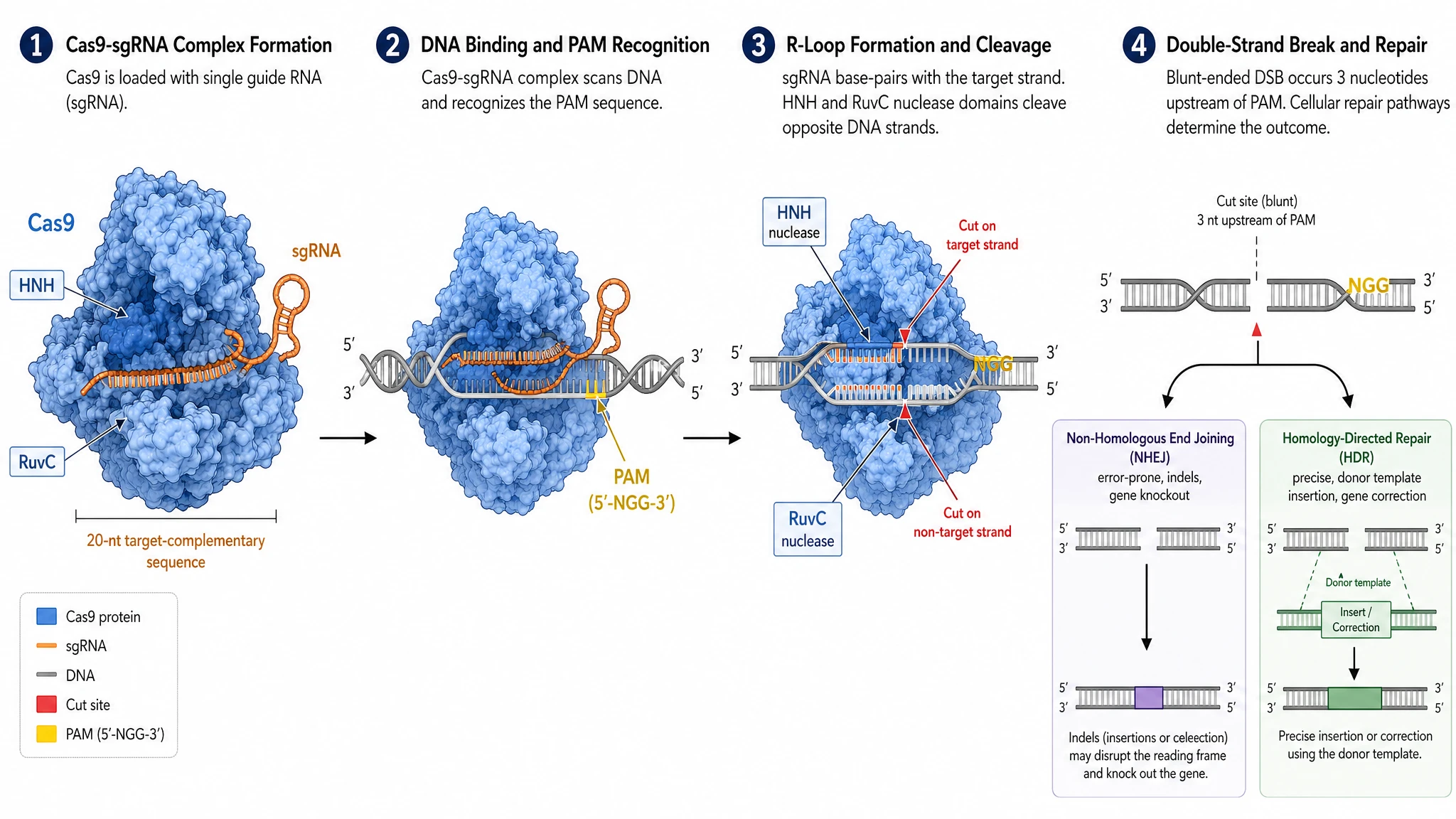
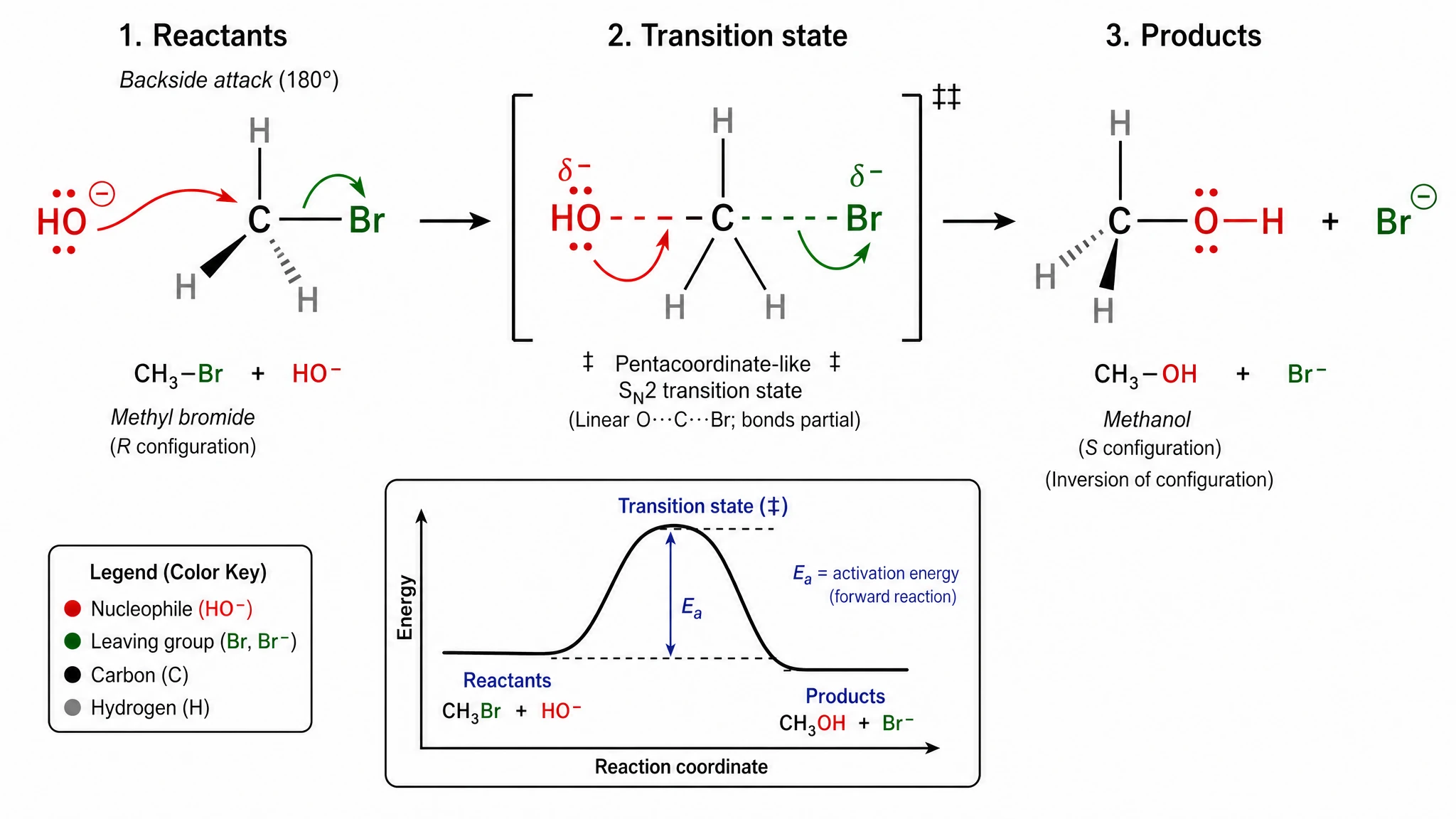
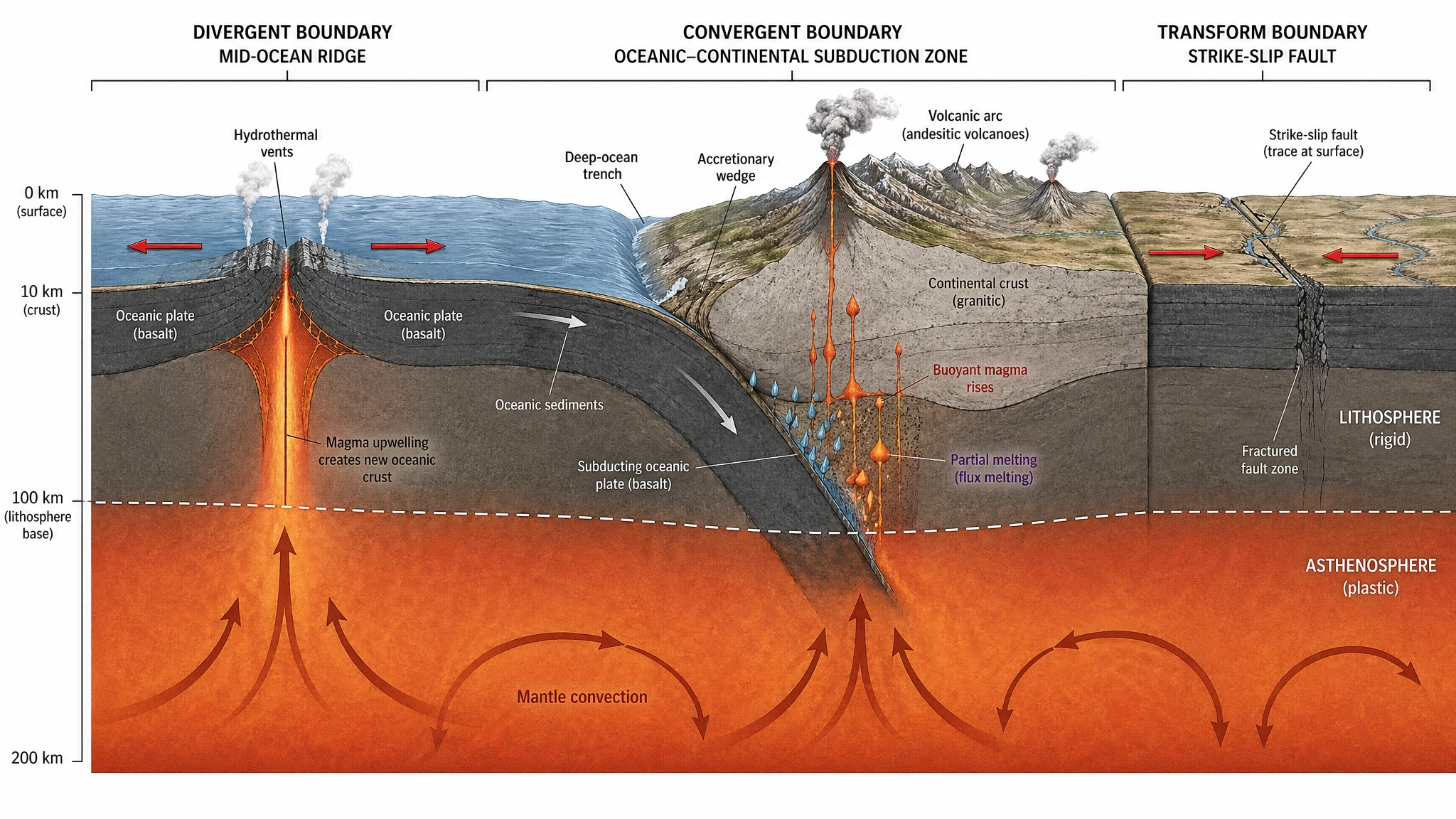
Stronger text rendering
Use it when your figure needs longer labels, denser annotation blocks, multilingual text, or more typographic control inside the image.
- 1Long labels stay more legible instead of collapsing into noisy glyphs.
- 2Callout boxes and legend areas hold denser text without falling apart.
- 3A stronger fit for explanatory figures where labels carry real scientific meaning.

Cleaner pixel-level edits
It is a strong fit for reference-to-figure, photo cleanup, and enhancer-style tasks where local redraw quality and edit consistency matter.
- 1Small regional redraws feel more controlled when you are fixing a specific panel.
- 2Reference-driven edits tend to preserve intent better across multiple passes.
- 3Useful when you expect to iterate on a figure rather than accept a one-shot render.

Better scene logic
Use it for anatomy-like visuals, labeled educational figures, or pathway diagrams where object relationships and real-world logic need to feel more grounded.
- 1Object relationships read more naturally in anatomy-like or cross-sectional scenes.
- 2Useful for educational figures where the layout itself has to teach the concept.
- 3Better when the picture must feel internally coherent, not just visually attractive.

One model across multiple modes
SciFig can route GPT Image 2 through Text-to-Figure, Sketch-to-Figure, Reference-to-Figure, Photo-to-Figure, Figure Enhancer, and PDF-assisted workflows.
- 1You keep one model choice while switching across very different scientific figure entry points.
- 2That makes it easier to evaluate the model as a system, not only as a single prompt tool.
- 3It is especially useful when your team wants one text-aware model standard across tasks.

Scene Router
Where GPT Image 2 fits best across SciFig modes
Choose the scientific figure workflow first. SciFig handles the model routing behind the scenes.
Text-to-Figure
Start from a natural-language description and turn it into a publication-ready scientific figure with GPT Image 2 preselected.
Best for new figures, graphical abstracts, and prompt-led concept visuals.
Open Text-to-FigureFigure Enhancer
Use GPT Image 2 for figure cleanup, redraw assistance, and refinement when you already have a scientific figure to improve.
Best for fixing labels, clarifying low-quality figures, and controlled iterative edits.
Open Figure EnhancerSketch-to-Figure
Keep the layout logic of a rough sketch, then let SciFig use GPT Image 2 to redraw it into a cleaner scientific figure.
Best for whiteboard drafts, notebook sketches, and early mechanism layouts.
Open Sketch-to-FigureReference-to-Figure
Upload a reference image and use GPT Image 2 through SciFig to reinterpret the composition in a new, editable research visual.
Best for style transfer, structure borrowing, and rebuilding an existing figure in your own language.
Open Reference-to-FigurePDF-to-Figure
SciFig can extract from a paper PDF first, then regenerate or restage the figure with GPT Image 2 as part of the follow-up rendering step.
Best for extract-then-regenerate workflows when a paper figure needs to become clearer or more editable.
Open PDF-to-FigurePhoto-to-Figure
Convert lab photos or microscope-adjacent visuals into simplified research diagrams using the same GPT Image 2 model selection.
Best for turning real-world inputs into clean, labeled scientific schematics.
Open Photo-to-FigureModel Comparison
GPT Image 2 vs Nano Banana Pro
Both models can be useful inside SciFig. The point is not to replace one with the other, but to choose the better fit for the figure in front of you.
Choose GPT Image 2 when...
- Your figure contains more labels, annotations, or text-aware layout requirements.
- You care more about controlled redraws, editing consistency, or image-to-image refinement.
- You are building graphical abstracts or annotated concept figures where readability matters.
Choose Nano Banana Pro when...
- You want stronger default scientific-illustration aesthetics straight from generation.
- You are building mechanism figures or publication hero visuals where visual finish matters first.
- You prefer the current SciFig default model for direct scientific figure rendering.
Figure Types
Scientific figures where GPT Image 2 reads best
Use figure categories instead of generic art styles to decide whether GPT Image 2 belongs in your scientific figure workflow.
Graphical Abstracts
A strong fit when the figure needs labeled flow, narrative grouping, and visually clear communication between steps.
- 1Best when the abstract has to read quickly and teach the storyline at a glance.
- 2Works especially well when labels and callouts carry a large share of the explanation.

Pathway Diagrams
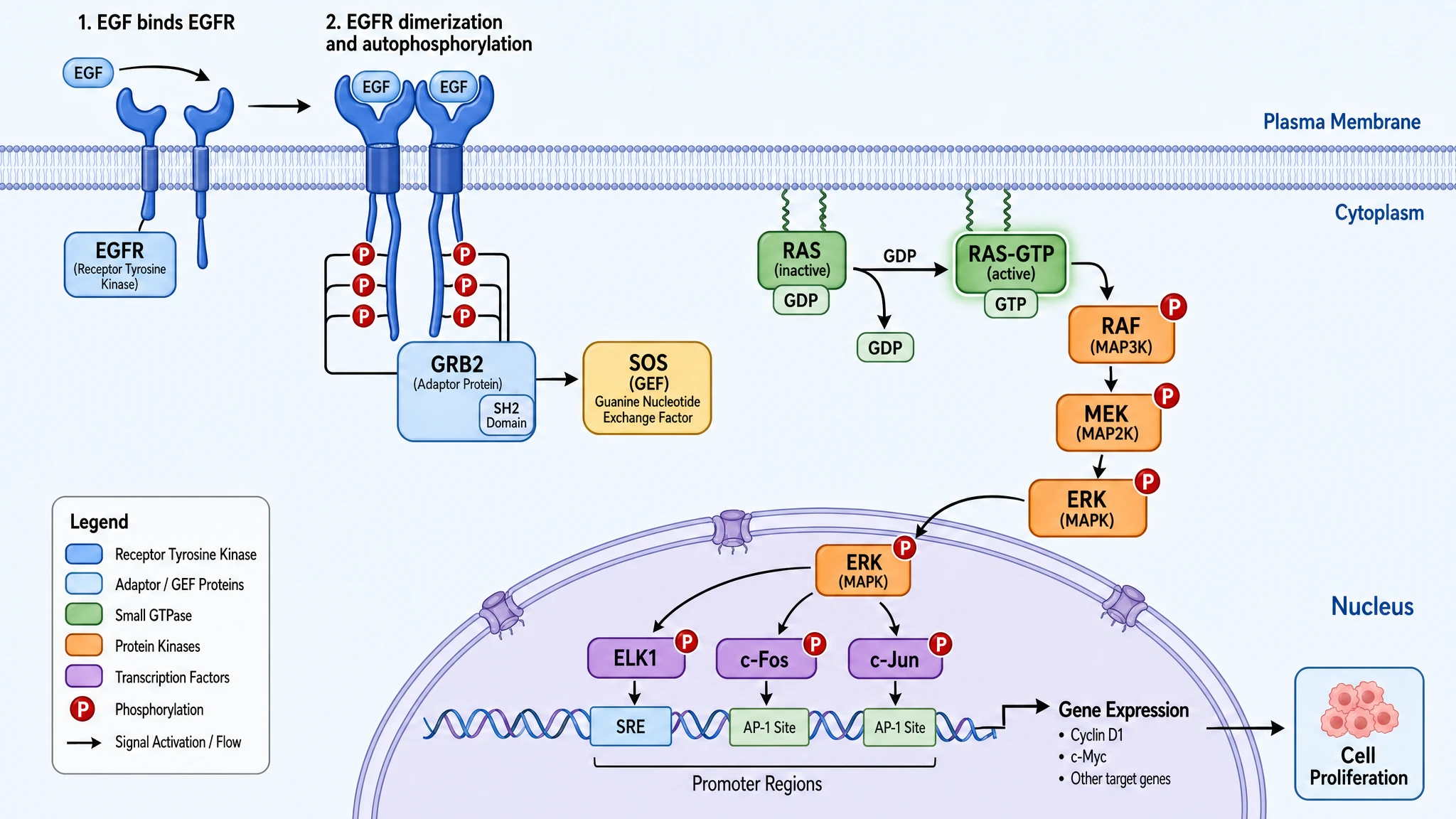
Useful for structured signaling or pathway visuals where multiple entities and directional relationships must stay legible.
- 1A good match for figures where arrows, labels, and sequence all need to stay readable.
- 2Especially useful when the figure behaves like an explanatory map instead of a pure illustration.

Mechanism Figures
A good option when you need a precise mechanism overview and want tighter control over later edits or redraws.
- 1Useful when a mechanism figure needs later revision rather than one-shot approval.
- 2Better when structural logic and future editability matter as much as polish.

Annotated Concept Figures
Best for explanatory visuals with callouts, labels, and editorial-style guidance layered onto a scientific composition.
- 1Ideal for figures that need explanation panels, callouts, or side annotations.
- 2A strong fit when the image must function like a teaching visual, not only a decorative figure.
FAQ
GPT Image 2 for scientific figures: common questions
These answers are written for researchers choosing a model for scientific illustration inside SciFig, not for general-purpose image generation users.

Text-aware by design. GPT Image 2 is the model to reach for when a scientific figure has to explain, not just impress.
- Explanation-First Figures: It is especially useful for graphical abstracts, annotated concept figures, pathway diagrams, and any visual where labels, captions, and structured callouts carry a large share of the meaning.
- Control Over Pure Style: GPT Image 2 belongs on the control-heavy side of SciFig's lineup. The value is not only that it can generate a figure, but that it tends to follow the scientific brief more tightly when the figure needs to read clearly.
- Still a Full Figure Model: This is not a text-only model. It still handles full scientific figure generation and editing across prompt-led and image-led workflows.
Yes. One model, two real generation modes. GPT Image 2 covers both prompt-first generation and image-conditioned regeneration inside SciFig.
- Text to Image: In `Text-to-Figure`, SciFig can use GPT Image 2 to generate a figure directly from your scientific prompt.
- Image to Image: In `Sketch-to-Figure`, `Reference-to-Figure`, `Photo-to-Figure`, and `Figure Enhancer`, the same model can work from an uploaded image plus your prompt to regenerate, restage, or refine the figure.
- PDF Is Different: `PDF-to-Figure` remains a SciFig workflow where the paper is first interpreted into a prompt. GPT Image 2 then participates in the follow-up figure generation step, rather than reading the PDF natively itself.
Choose GPT Image 2 when the figure's logic has to stay readable under pressure.
- Labels Lead the Task: If the figure depends on annotations, panel text, callouts, arrows, and information hierarchy, GPT Image 2 is often the cleaner choice.
- Edits Matter More Than Aura: When you expect to revise the figure several times, preserve structure from an uploaded input, or make controlled redraws instead of aesthetic leaps, GPT Image 2 is usually the safer route.
- Not a Better Model Question: Nano Banana Pro can still win when first-pass polish matters more. GPT Image 2 wins when scientific communication needs more precise handling.
Usually, yes. This is where GPT Image 2 becomes most distinctive inside SciFig.
- Graphical Abstract Friendly: Graphical abstracts often combine many small labels, directional flow, and compressed scientific storytelling. GPT Image 2 is a strong fit for that kind of visual density.
- Annotation-Heavy Figures: It is also well suited for explanatory concept figures, educational diagrams, and multi-step mechanism visuals where embedded text is part of the figure, not an afterthought.
- Multilingual Edge: Because text inside the image matters more here, GPT Image 2 is especially relevant when the figure may need multilingual labels or a mix of scientific notation and prose.
Yes. This is one of the clearest reasons to pick it.
- Controlled Regeneration: When you already have a sketch, a rough figure, a reference image, or a lab photo, GPT Image 2 is often useful because it can reinterpret the image while still respecting your new instructions.
- Better for Keep This, Change That Tasks: Users often do not want a complete reset. They want to keep the scientific structure, preserve the rough layout, or maintain the original figure idea while tightening execution. That is a strong fit here.
- Fits Revision Work: If your figure is already halfway there and the problem is refinement, not invention, GPT Image 2 becomes more compelling.
It fits redraw-heavy workflows better than most researchers expect.
- Sketch-to-Figure: It is useful when the hand-drawn structure matters and you want the AI to respect the logic of your sketch instead of free-styling too far away from it.
- Reference-to-Figure: It is also a strong option when you want to borrow organization, composition, or explanatory rhythm from a reference image without just making a prettier version of the same thing.
- Why It Matters: These are the workflows where prompt-following and image-to-image stability matter more than dramatic visual polish on the first try.
Yes. It is not limited to prompt-only use.
- Photo-to-Figure: If you want a lab photo or microscope-adjacent input to become a cleaner scientific figure while still following explicit instructions, GPT Image 2 makes sense.
- Figure Enhancer: It is also useful in enhancement workflows where the goal is not only make this prettier, but make this clearer, cleaner, and easier to revise.
- Edit-Sensitive Workflows: The more your workflow behaves like guided scientific rewriting rather than pure visual restyling, the more relevant GPT Image 2 becomes.
This is one of its real edges, not just a marketing talking point.
- Text Inside the Image: GPT Image 2 is particularly relevant when the text is part of the visual composition itself: labels, captions, panel headers, arrows, legends, and callout boxes.
- Multilingual Use Cases: It is also useful when figures need to survive bilingual or multilingual contexts, such as teaching slides, global teams, or region-specific presentation decks.
- Still Not a Free Pass: Better text handling does not remove the need for final review. In scientific figures, one wrong protein name or mislabeled compartment is still your responsibility to catch.
Not every figure problem is a text problem.
- First-Pass Finish Comes First: If the job is to get a polished, publication-minded figure draft as quickly as possible, Nano Banana Pro may be a better first pick.
- Hero Visuals Over Explanatory Maps: If you are building mechanism hero images or high-stakes publication visuals where overall figure finish matters more than annotation control, GPT Image 2 is not always the natural first choice.
- Use the Model for Its Edge: GPT Image 2 is most convincing when scientific readability and controlled rewriting are the hard part of the task.
AI can organize the draft. You still own the science.
- Scientific Accuracy: Check names, labels, units, pathways, arrows, sequence, and biological or chemical relationships. The model can help structure the figure, but it does not become the scientific authority.
- Figure Logic: Make sure the visual flow matches the story you actually want to tell. In research figures, a clean layout can still communicate the wrong emphasis.
- Publication Readiness: Before a paper, poster, or talk, do one final pass for terminology, legend consistency, journal conventions, and any small text that could break under export or resizing.

Start in SciFig
Use GPT Image 2 where it fits your research figure best
Start with GPT Image 2Free to start Β· No credit card required Β· Trusted by researchers worldwide