
Free Image to Scientific Illustration: Lab Photos into Clean Figures
Upload a lab photo and get a clean schematic of what it shows, such as a cell, a bench setup, a tissue section, or a field site, ready to edit and export.
Start with up to 150 free credits|No credit card required
Get up to 350 free credits on day one when you join through an invite.
Updated
Free Image to Scientific Illustration: Lab Photos into Clean Figures— templates & examples
From image to scientific illustration in three steps
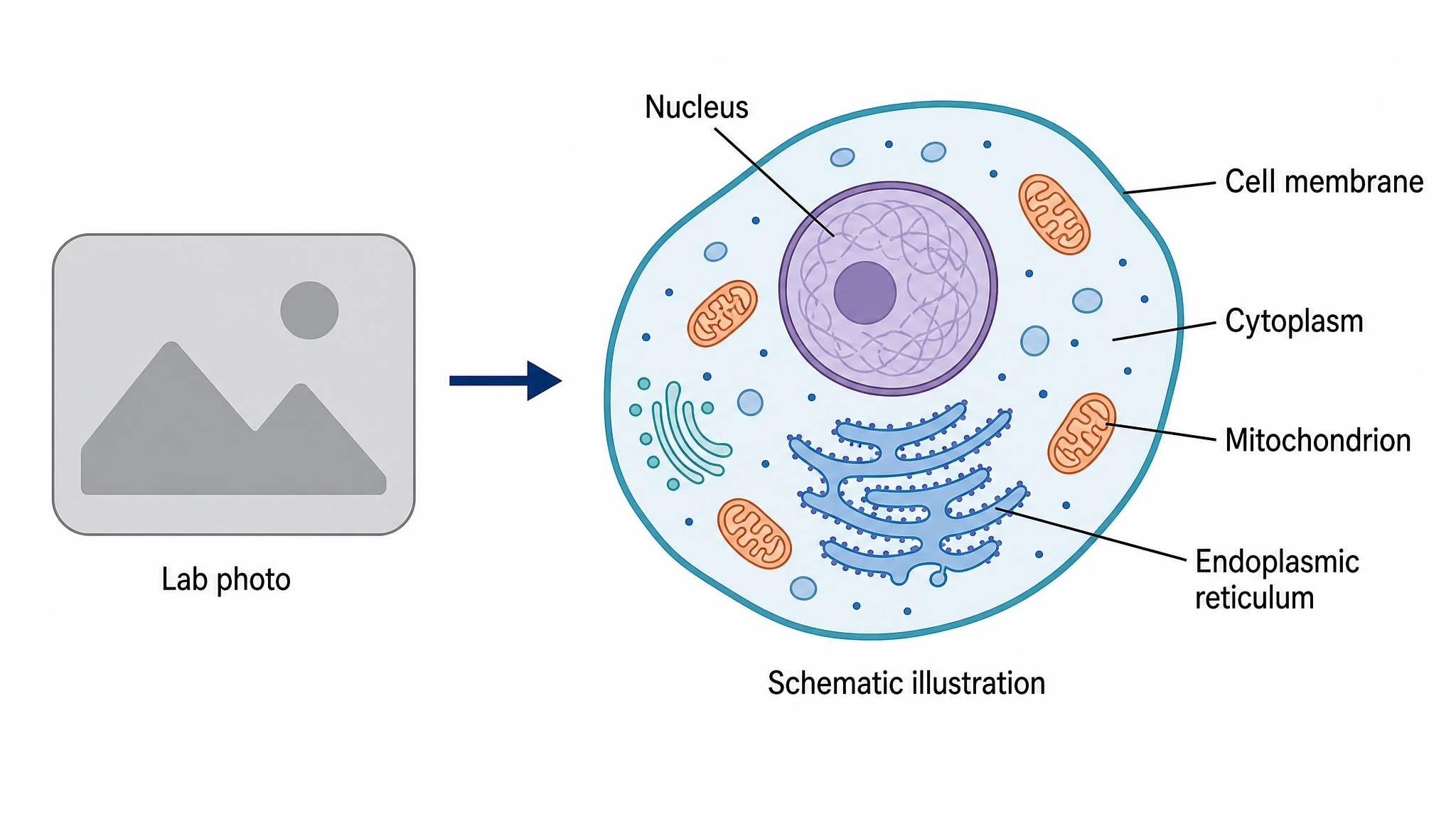
Upload a photo and describe what matters
Start with a PNG, JPG, or WebP photo up to 20 MB and a short note naming the structures, parts, or regions to show. Photo to scientific illustration keeps the recognizable layout of your subject while dropping texture, glare, and background clutter. Mention anything the drawing should leave out, too.
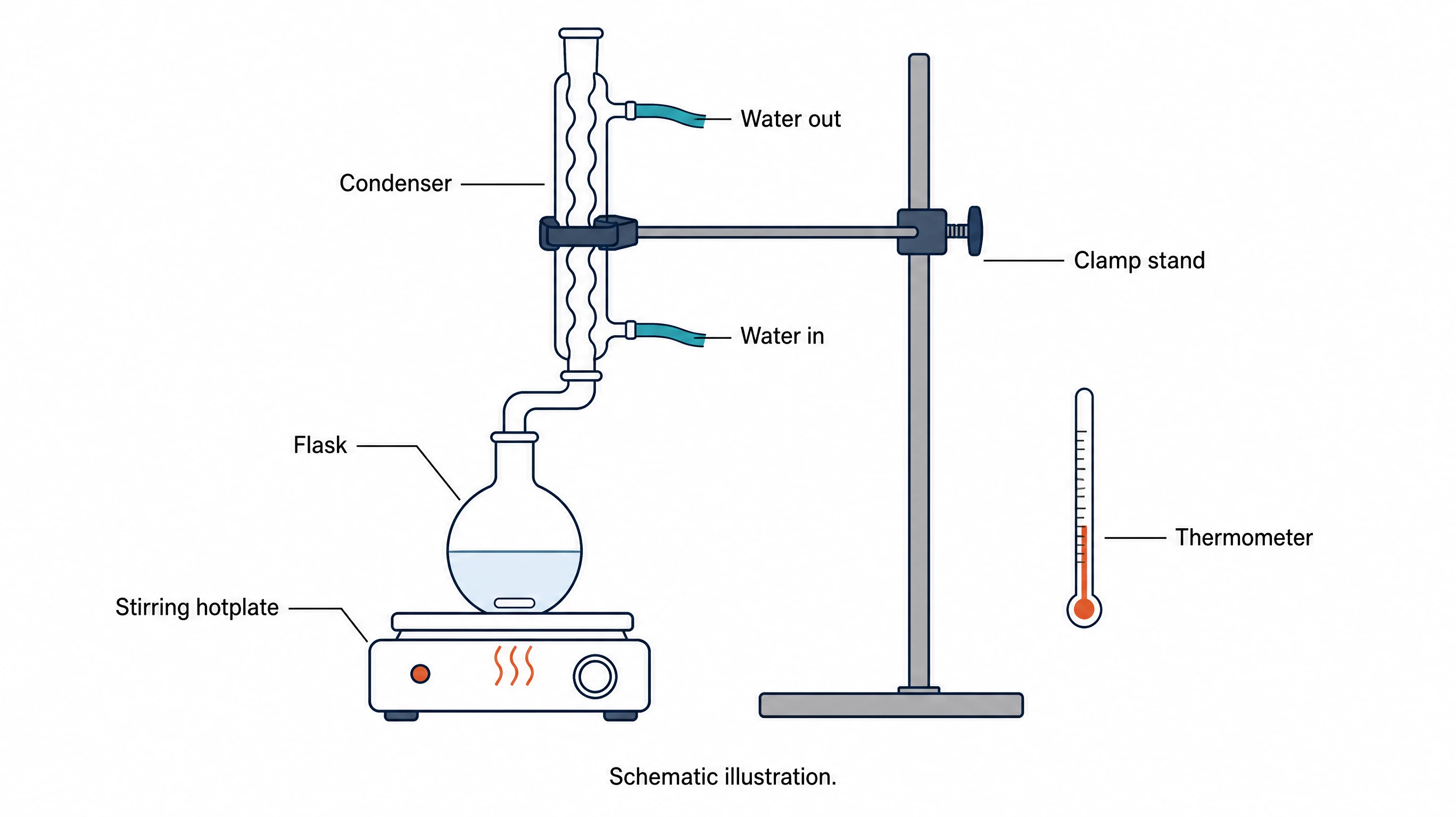
Recreate setups, samples, and field sites
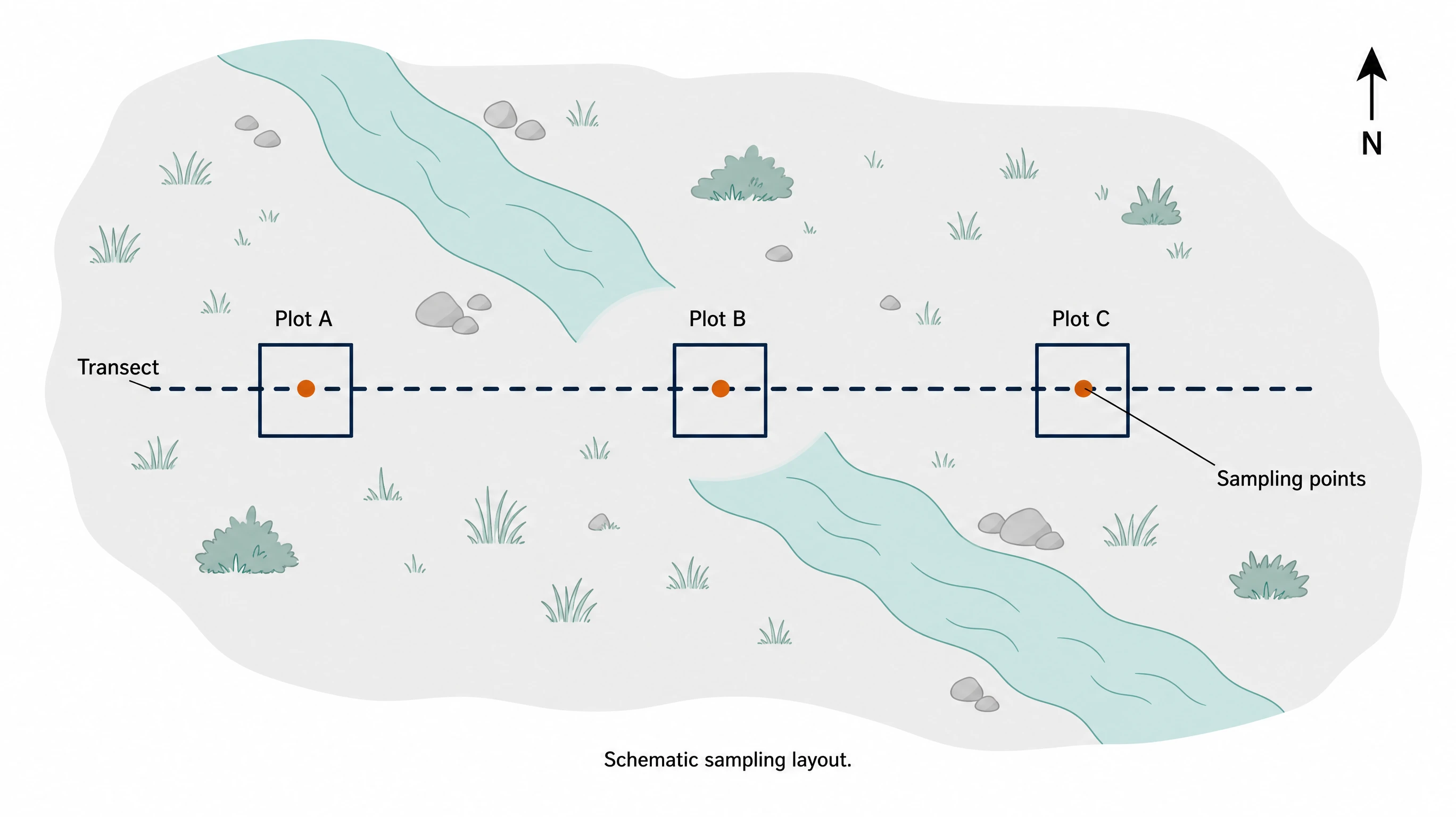
Unlike a general image to diagram AI tool built for flowcharts, photo mode focuses on research subjects: a bench setup, a tissue section, a cell in a micrograph, or a sampling transect. Describe the parts in plain language, and SciFig turns them into flat shapes with consistent colors and editable labels.
Refine, edit, and export
Continue in SciFig AI Illustration (AI scientific illustration) to adjust colors, labels, or composition, and use Region Redraw or text edits for small fixes. Convert the figure to editable SVG and export SVG, PNG, JPG or PPTX.
What is a scientific illustration?
Image to scientific illustration uses a photo and notes to create a conceptual figure. Photo to scientific illustration works with micrographs, tissue sections, equipment, instrument arrangements and sampling sites; describe the parts and labels you want, then refine the result in SciFig AI Illustration (AI scientific illustration) and convert it to editable SVG.
Why turn a photo into a scientific illustration?
- Explain a structure without the noise, uneven staining, or background clutter of a raw photo
- Show how an apparatus is assembled on a methods slide or poster
- Keep colors, line weights, and label styles consistent across a set of figures
- Point readers to the region of interest that a photo alone leaves ambiguous
- Make a field sampling layout readable for audiences who were not on site
- Pair an explanatory schematic with the original image instead of replacing it
Key components of a photo-based scientific illustration
- Source photo — the uploaded PNG, JPG, or WebP reference, kept unaltered as your record
- Written notes — name each part and describe its role
- Simplified shapes — conceptual outlines of equipment parts, instruments or sampling positions
- Labels and leader lines — text you can edit one by one
- Scale indication — a bar or note checked against real measurements, or left out
- Schematic caption — a line stating that the figure is an illustration, not image data
Where image to diagram AI helps researchers
- Turning a bench photo into a labeled setup schematic for a methods section
- Turning a micrograph or tissue-section photo into a labeled teaching schematic of cells or tissue layers
- Create an equipment-and-connections schematic for a laboratory handout from your setup reference
- Mapping a field sampling site with plots, transects, and collection points
- Adding an overview panel before an experimental workflow diagram
- Using image to diagram AI to sketch an instrument layout for a poster or lab diagram
How to make a scientific illustration
Describe your scientific illustration
Tell SciFig what to draw in plain language — no design tools required.
Generate with SciFig
Get a clean, publication-ready figure that matches your description in seconds.
Edit & export
Vectorize it into editable SVG, relabel everything, and export for your paper, poster, or slides.
Free Image to Scientific Illustration: Lab Photos into Clean Figures — Frequently Asked Questions
Common questions about Free Image to Scientific Illustration: Lab Photos into Clean Figures.
More tools

Circuit Diagram Maker
Draw electronic circuit schematics

Free Body Diagram Generator
Show forces acting on an object

Graphical Abstract Maker
Summarize your study in one panel
SciFig
Free AI Scientific Figure Generator for Illustrations, Images, Charts and Flowcharts
Models
Default to GPT Image 2 for journal papers; switch to Nano Banana Pro for slides and posters; pick Nano Banana 2.1 for routine figure work
Tutorials
Seven short walkthroughs of the AI scientific figure generator
Blog
Tutorials, tool comparisons, and publication tips for researchers.
Inspiration
Explore publication-ready illustrations, charts and flowcharts. Copy a prompt or open any template as the starting point for your own figure.
Pricing
View pricing

Ready to publish?
Make your own scientific illustration in minutes.
Start for freeFree to start · No credit card required · Built for researchers