7 Best BioRender Alternatives in 2026 (Free & Paid)
Seven BioRender alternatives for 2026 — including free alternatives to BioRender — with pricing, trade-offs, migration paths, and best-fit use cases.
SciFig Team
SciFig editorial team
BioRender set the standard for drag-and-drop scientific figures, and for many labs it's the default. But "default" and "best fit for you" aren't the same thing — and the reasons researchers go looking for an alternative are consistent: the cost adds up, the free tier is tight, the icon library can't always render a novel mechanism, and generative AI has changed what's possible since BioRender's model was designed.
This is a roundup of the seven best BioRender alternatives in 2026 — free and paid, AI-driven and icon-based — with each tool's real strengths, its trade-offs, and the use case it fits best. If you specifically want a head-to-head on SciFig versus BioRender, we have a dedicated 1-on-1 comparison; and if you want the full landscape including non-AI tools, see the 10 best scientific illustration tools. This article is the alternatives shortlist: what to switch to, and why.
Seven BioRender alternatives shown as a lineup of tool approaches — AI generation, icon libraries, and vector editors (Figure generated with SciFig)
Why Researchers Look for BioRender Alternatives
Before the shortlist, it's worth naming what people are actually trying to solve — because the right alternative depends on which of these pushed you here. Across researcher feedback and community threads, five reasons dominate.
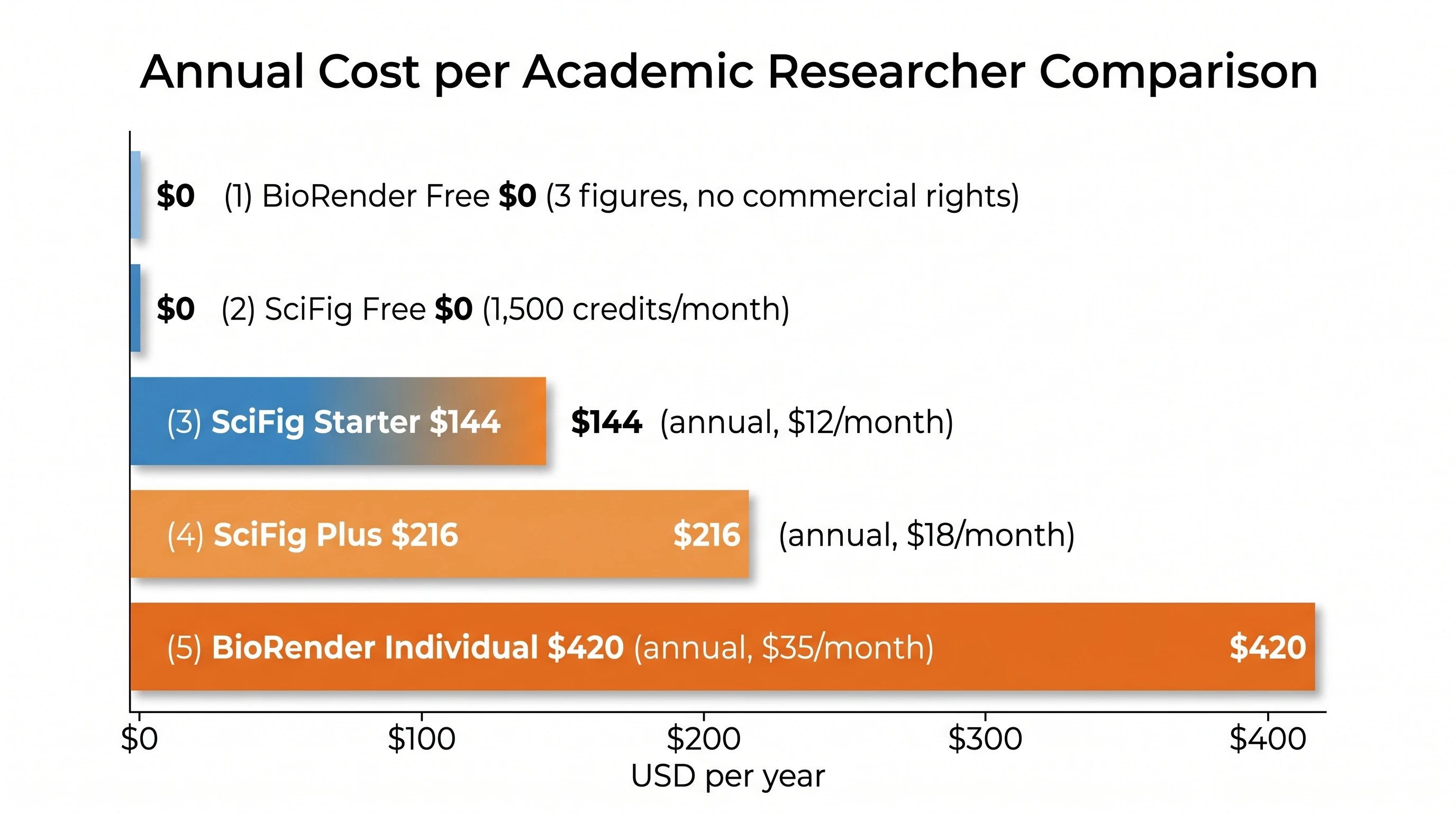
Cost over time. BioRender's paid tiers carry full publication rights, but the annual cost adds up for a single researcher or a small lab, especially without an institutional license.
A tight free tier. The free plan caps figures and restricts resolution and commercial use, which often isn't enough for someone producing figures across a year.
Library limits. If your mechanism isn't already an icon, you compose it from approximations or wait — a real constraint for novel or niche work.
Watermarks and export rights. Free-tier exports carry usage restrictions that don't fit a manuscript.
AI has moved on. Generative tools now produce a figure from a sentence, which is a different workflow than assembling icons.
None of these means BioRender is a bad tool — it's an excellent one with a decade of curation behind it. They just mean a different tool may fit your budget, your field, or your workflow better. The shortlist below is organized so you can match an alternative to your reason.
7 Best BioRender Alternatives in 2026
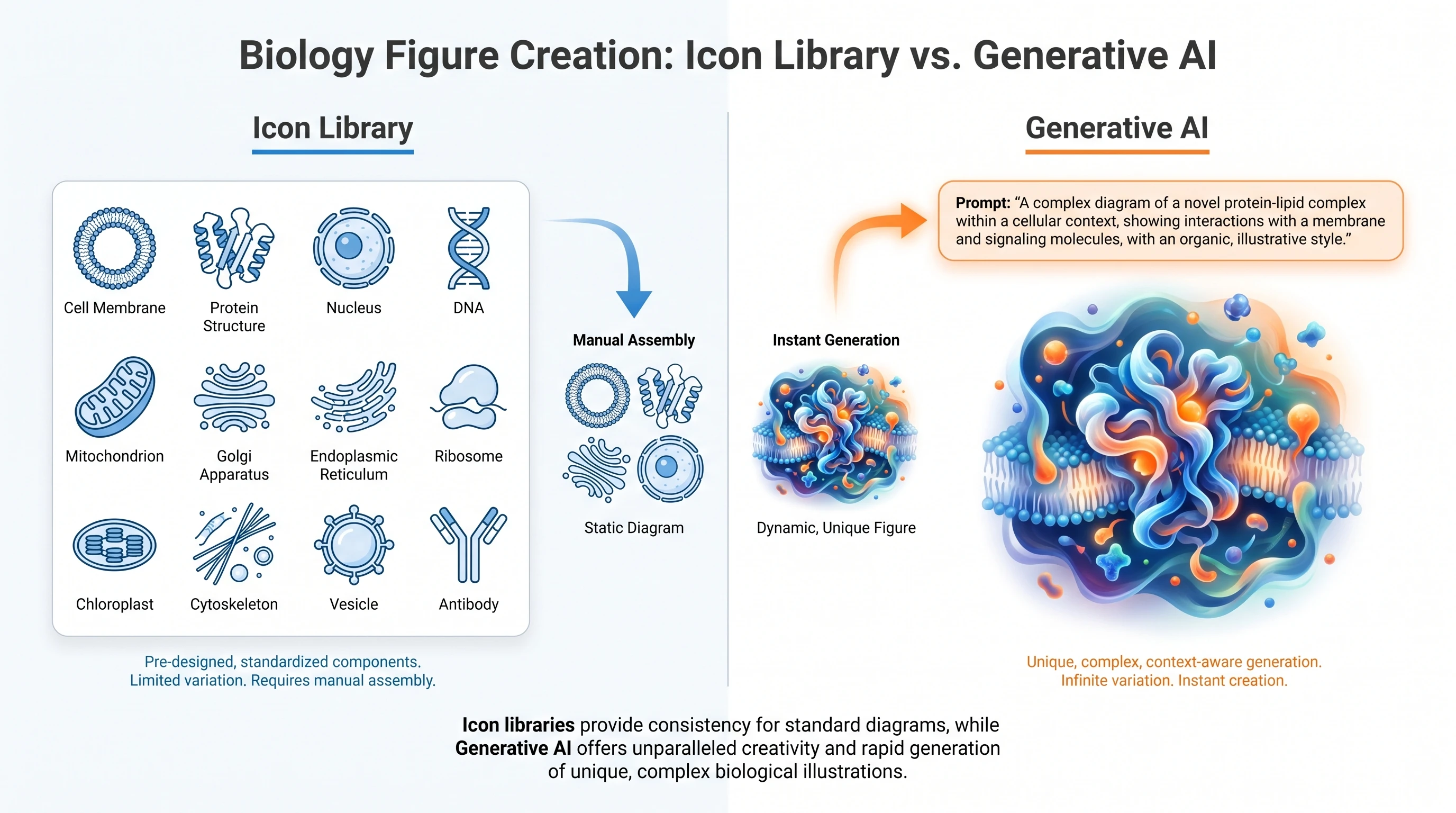
The seven below span three approaches: AI generation (describe a figure, get one), icon libraries (assemble from pre-made parts, BioRender's own model), and vector editors (draw it yourself). Each entry covers what it's best at and the trade-off you accept.
1. SciFig
In SciFig, choose Illustration for mechanism and concept illustrations, DataChart for plots calculated from your original table, or FlowChart for editable workflows and model architectures. DataChart offers 49 scientific chart types, including scatter plots, box plots, and heatmaps; FlowChart generates native SVG for editing labels, shapes, and connections. Illustration images can be converted to editable SVG for further refinement.
Best for: novel or specific mechanisms, researchers who want speed from prompt to figure, and anyone whose free-tier needs exceed BioRender's cap. (For the full SciFig-vs-BioRender breakdown on pricing and accuracy, see the dedicated comparison.)
2. Mind the Graph — Best for infographic-style figures
Mind the Graph is a freemium platform built around an illustration library and infographic templates, popular for graphical abstracts and presentation visuals. It's closer to BioRender's model — assemble from a catalog — with a friendlier on-ramp for non-designers. Trade-off: like any library tool, it's bounded by what's in the catalog, and the most useful exports sit behind a subscription. Best for: graphical abstracts and slide visuals where a polished, templated look matters more than a bespoke mechanism.
3. bioicons — Best free icon library
bioicons is a free, open collection of scientific icons released under permissive licenses, designed to be dropped into a vector editor. It's not a full figure-builder — it's the raw material — but it's genuinely free and commercially usable, which solves the "watermark and rights" problem outright. Trade-off: you assemble figures yourself in another tool (Inkscape pairs well), so there's no built-in canvas or AI. Best for: budget-zero researchers comfortable composing in a vector editor.
4. chemix — Best for chemistry lab diagrams
chemix is a free, browser-based tool for drawing lab apparatus and chemistry schematics — the flasks, condensers, and setups that general illustration tools handle poorly. Trade-off: it's narrow by design, covering lab diagrams rather than the full breadth of biology or clinical figures. Best for: chemistry and lab-setup illustrations on a zero budget.
5. Inkscape — Best free vector editor (full control)
Inkscape is a mature, free, open-source vector editor — the closest free equivalent to Adobe Illustrator. Paired with a free icon set like bioicons, it gives you complete control over a figure and produces clean SVG for journals. Trade-off: it's a general design tool with a real learning curve and no scientific icons or AI of its own; you supply the content and the expertise. Best for: researchers who want total control, already have design skill, and refuse to pay for tooling.
6. paper-banana — Best for quick AI drafts
paper-banana is an AI-driven figure tool for first drafts from a prompt. Trade-off: generated diagrams need checks for labels, component counts, and topology before research use. Best for: concept sketches and exploratory drafts that you will verify and refine.
7. ai.plottie — Best for diagram-style generation
ai.plottie generates diagram-style visuals from prompts, useful for conceptual and explanatory figures. Trade-off: as with any generic generator, scientific accuracy is the variable to watch, and vector editing may be limited. Best for: conceptual diagrams and teaching visuals where exact molecular topology is less critical.
See AI Scientific Figure Generation in Action
Watch how researchers create publication-ready scientific figures from text descriptions.
The shortlist condensed. "Free tier" here means a genuinely usable free option, not just a trial.
Tool
Approach
Free tier
AI generation
Vector/SVG export
Best for
SciFig
Illustration / DataChart / FlowChart
Yes (100 + 50–150/day check-in credits)
AI
FlowChart native SVG; Illustration and DataChart SVG conversion
Mechanisms, data plots, and editable workflows
Mind the Graph
Icon library + templates
Limited
No
Paid tiers
Infographics, abstracts
bioicons
Free icon set
Fully free
No
Yes (you assemble)
Zero-budget icon source
chemix
Lab-diagram drawer
Yes
No
Yes
Chemistry lab setups
Inkscape
Vector editor
Fully free
No
Yes (native)
Full manual control
paper-banana
Generative AI
Varies
Yes (generic)
Varies
Quick AI drafts
ai.plottie
Generative AI
Varies
Yes (generic)
Limited
Conceptual diagrams
The split is clear: if you want free, bioicons + Inkscape (or chemix for chemistry) gets you there with manual effort. If you want AI speed with scientific accuracy, SciFig is the closest fit. If you want BioRender's familiar icon-assembly model elsewhere, Mind the Graph is the nearest cousin.
A 7-tool comparison matrix of BioRender alternatives across approach, free tier, AI, and export (Figure generated with SciFig)
Looking for BioRender for Free?
A large share of "BioRender alternative" searches are really "BioRender for free" searches — researchers who need figures without a subscription. There are two honest free paths. The fully free assembly path is bioicons (or chemix for chemistry) for icons plus Inkscape to compose and export SVG — zero cost, full commercial rights, in exchange for doing the layout yourself. The free-tier AI path is SciFig's free allowance (100 signup credits plus a daily check-in of 50–150 credits, about 2,100 credits over a full 30-day streak, with each day's check-in credits valid that day only), which covers several figures monthly without a card and without watermarks.
What to be wary of: "free" downloads of BioRender's own high-resolution exports from outside the platform usually violate its terms, and third-party assets keep their own license terms. SciFig users retain ownership of their generated scientific figures and can use them for publication and commercial purposes. A license PDF is available to download for free. The genuinely free, genuinely commercial-safe routes are the open icon libraries and the AI free tiers above.
A decision diagram: free assembly path (bioicons plus Inkscape) versus free AI path (SciFig free tier) (Figure generated with SciFig)
How to Migrate from BioRender to SciFig
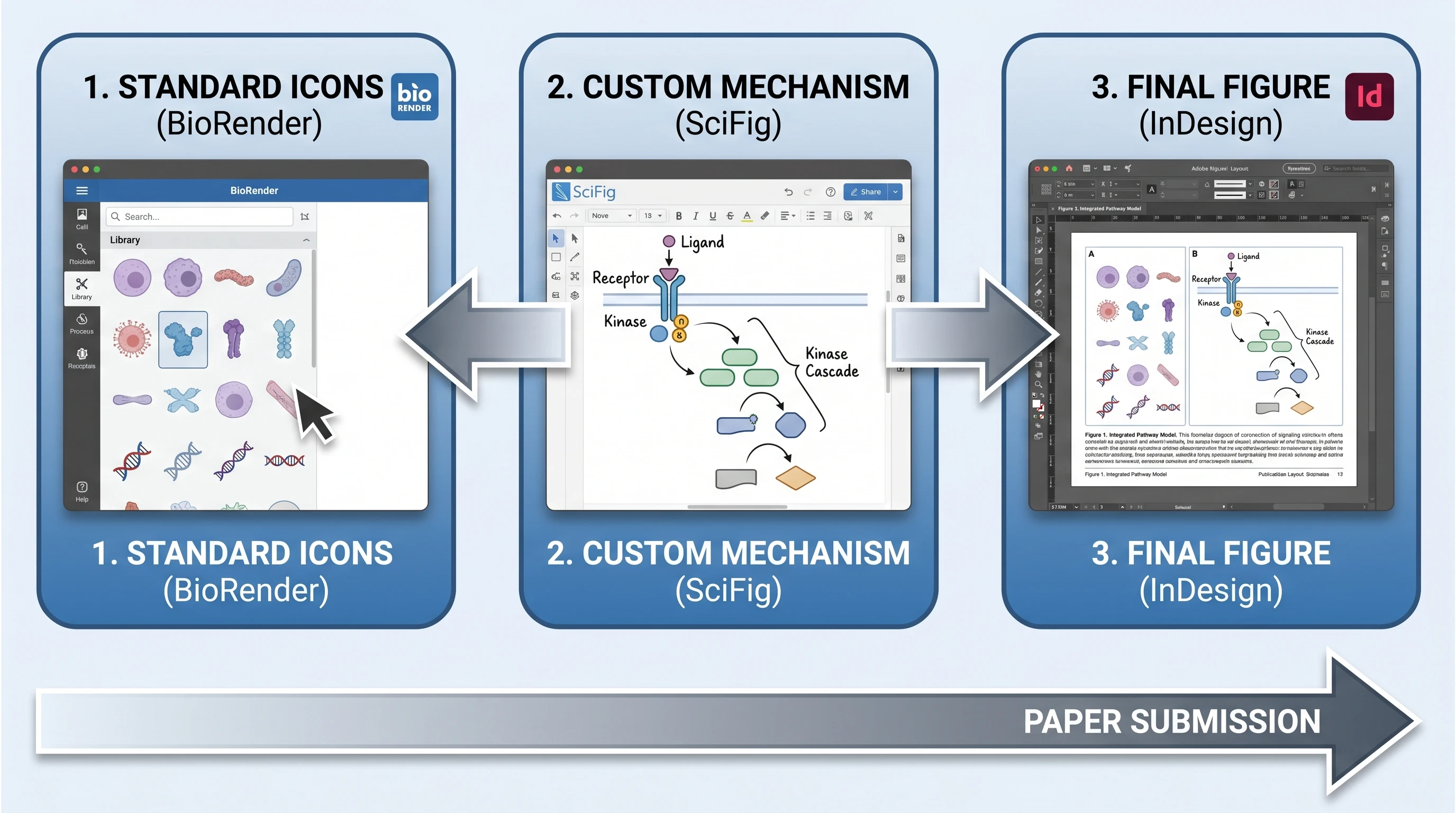
If you're switching, you don't have to rebuild your figure library from scratch. The migration is reference-based: export your existing BioRender figures as images, then upload them to SciFig's reference-to-figure tool, which regenerates them in a matching style or lets you modify elements. This is useful when you want to preserve the visual language of a figure series — same look across a paper — while updating the underlying content or moving off the subscription.
For figures you're creating fresh, the workflow inverts the BioRender habit: instead of searching the catalog for icons to assemble, you describe the finished figure to SciFig's text-to-figure tool and refine the result. Most researchers find the prompt skill compounds — by the tenth figure, one paragraph produces a near-final result. For a sense of which AI generator handles which discipline best, the GPT Image 2 vs Nano Banana Pro analysis breaks down accuracy by field, and the pricing page lays out where the free tier ends.
A migration flow from BioRender export to SciFig reference-to-figure regeneration (Figure generated with SciFig)
Create Scientific Figures Now
Describe your scientific figure in natural language — get publication-ready illustrations in minutes.
Free Alternatives to BioRender: What "Free" Actually Means
Researchers searching for free alternatives to BioRender are usually comparing three very different things: a free trial with heavy export limits, a genuinely usable free tier, or a fully manual workflow stitched together from general-purpose design tools. Those are not equivalent. The practical question is not whether a tool has a zero-dollar entry point, but whether you can make a publishable figure without hitting a licensing wall, a resolution cap, or an exhausting amount of manual cleanup.
That distinction matters even more when people search the brand as Bio Render with a space. They are still looking for the same platform, but often from a budget-first or workflow-friction angle. If you want a free starting point with AI-assisted generation, SciFig's text-to-figure, sketch-to-figure, and vector-canvas flow gets you from idea to editable figure faster than the classic “collect icons, compose, export, and patch labels” route.
Frequently Asked Questions
For a fully free path, combine bioicons (free, permissively licensed scientific icons) with Inkscape (free open-source vector editor) — zero cost and full commercial rights, in exchange for assembling figures yourself. For free AI generation, SciFig's free tier (100 signup credits plus a daily check-in of 50–150 credits) produces several figures a month without a watermark or a card. The "best" choice depends on whether you'd rather do manual layout or describe figures to an AI.
Yes. SciFig uses image models to create illustrations from your instructions and reference material. Specify the structures, counts, orientations, and labels.
No. BioRender figures are governed by BioRender's license terms, and export and commercial-use rights depend on your subscription tier — free-tier exports in particular carry restrictions. If you need genuinely copyright-free assets, use an openly licensed source such as bioicons, or generate your own figures with a tool whose output license you've confirmed. Always read the license before submitting a figure to a journal.
You can export BioRender figures as images (PNG, and SVG on paid tiers) and bring them into another tool. To rework them in SciFig, upload the export to the reference-to-figure tool, which regenerates the figure in a matching style or lets you modify elements. The reference-based path preserves a figure series' visual language while you migrate.
Neither is universally better — they solve the problem from opposite directions. BioRender excels at assembling figures from a vetted icon library and has a decade of institutional adoption; SciFig excels at generating novel mechanisms from a description without a catalog limit. Many labs use both. For a detailed head-to-head on pricing, accuracy, and vector output, see our SciFig vs BioRender comparison.
The cheapest path is fully free: open icon libraries (bioicons, chemix for chemistry) composed in Inkscape, which costs nothing and grants commercial rights, at the price of manual effort and a learning curve. The cheapest AI path is a generous free tier like SciFig's. Paid subscriptions become worthwhile when the time saved — especially on novel mechanism figures — outweighs the manual assembly a free toolchain requires.
Yes, but the quality of “free” varies a lot. Some BioRender alternatives offer a free tier with usable output, while others only offer low-resolution trials or require so much manual editing that the free price stops mattering. If your goal is a practical free starting point for scientific figures, compare export rights, editability, and how quickly you can reach a journal-ready draft — not just whether the sign-up page says free.
“Bio Render” is simply a spacing variation of the BioRender brand name, and searchers using it usually mean the same product. In practice, those searches often come from people looking for pricing, migration help, or free alternatives to BioRender rather than from users already loyal to the platform. That is why articles comparing BioRender alternatives should cover both the brand term and the budget-driven intent behind it.
Keep going
Recommended resources
Templates, tools, and further reading for your research