
UML Diagram Generator
Generate precise UML diagrams for software architecture, technical papers, and research documentation — from class diagrams to sequence diagrams.
Figure prompt
Describe the figure you want to create
Not sure where to start? Use Example.
Start with 100 free credits|No credit card required
Get up to 300 free credits on day one when you join through an invite.
Reviewed by SciFig TeamUpdated
UML Diagram Generator— templates & examples
Everything you need to generate your UML diagram
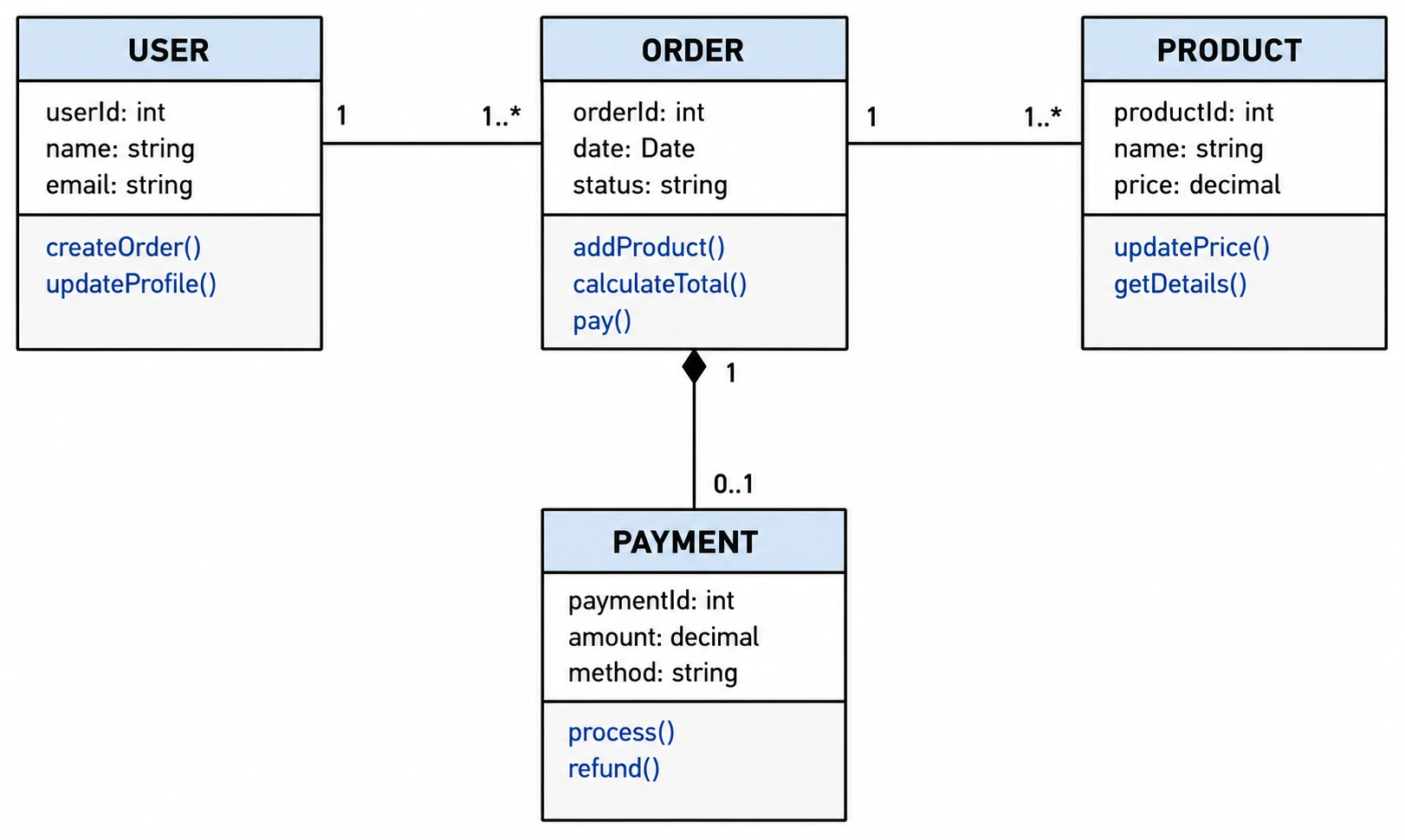
Generate class and sequence diagrams instantly
Describe your classes, attributes, methods, and relationships in plain language, and SciFig's UML diagram generator produces a properly notated diagram in seconds. The UML diagram maker handles multiplicities, inheritance arrows, and dependency lines — all the details that technical reviewers and committee members expect to see in a UML diagram.
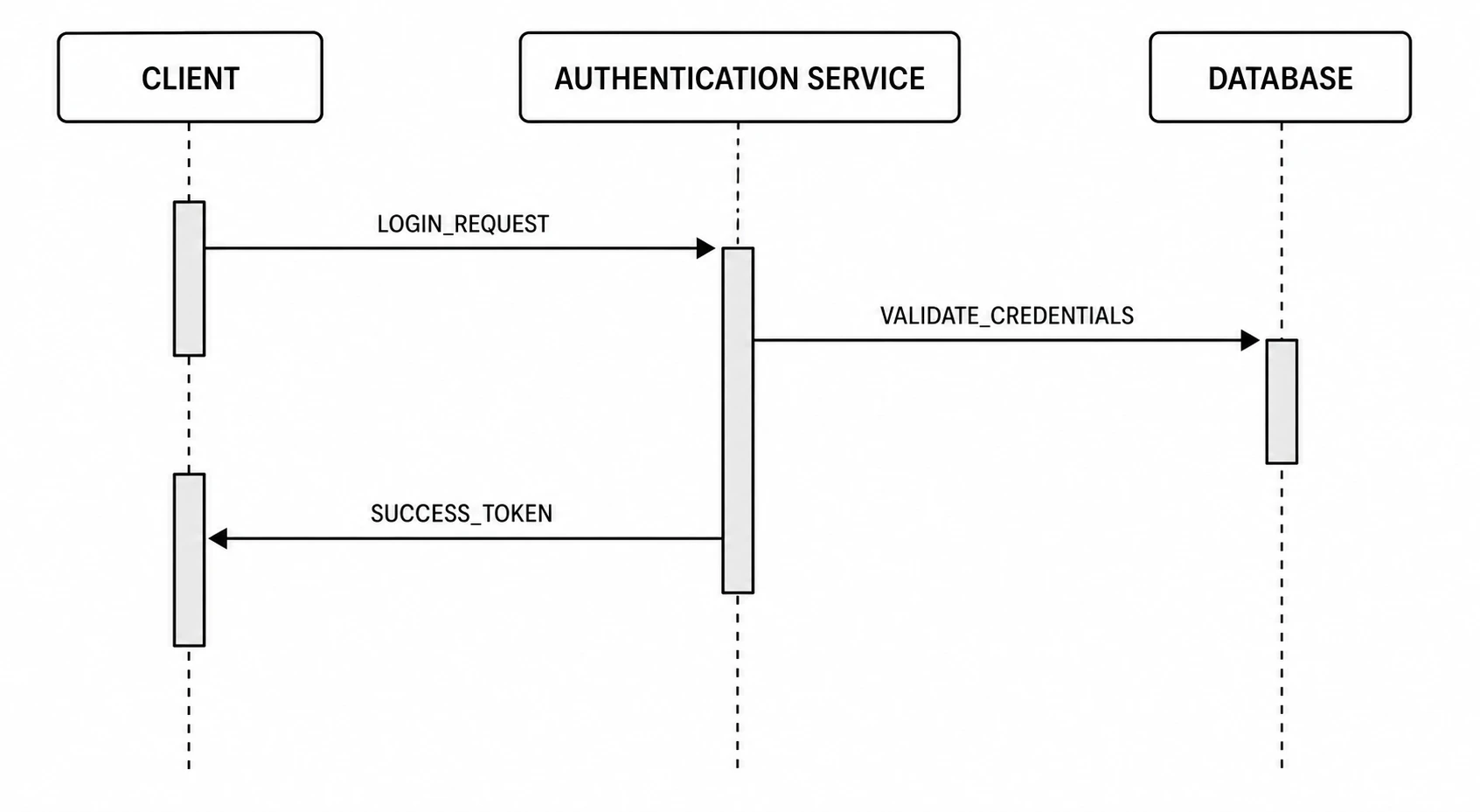
Edit and relabel every element
Every UML diagram you generate stays fully editable. Relabel classes, rename methods, adjust relationship arrows, and reposition boxes to match your architecture. SciFig's UML maker also lets you switch between class and sequence diagram layouts so you can show both the static structure and the dynamic behavior of your system in one workflow.
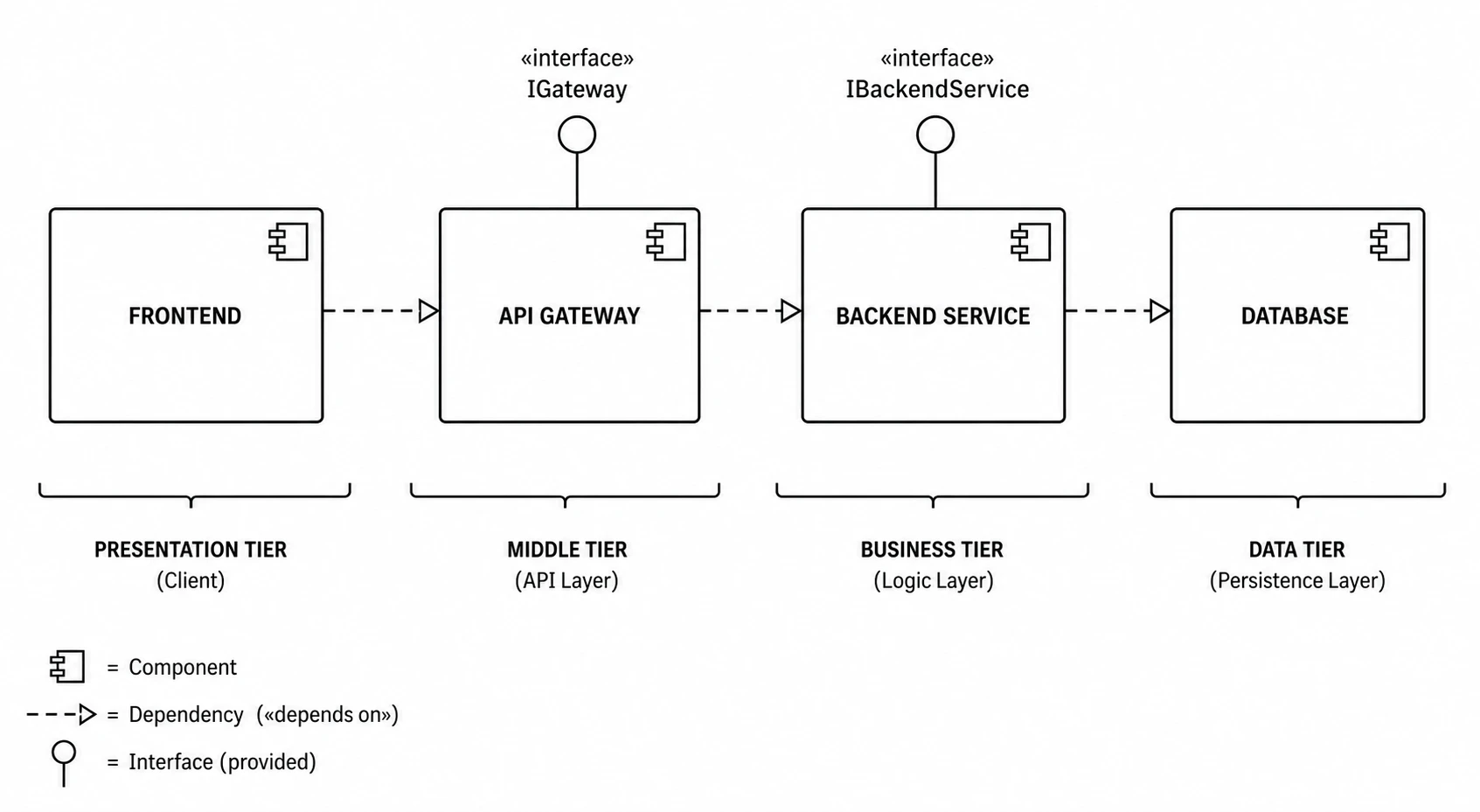
Export for papers and technical documentation
Export a clean, publication-ready UML diagram for your research paper, thesis, or technical report. SciFig's UML generator produces figures at the resolution and format journals and conference proceedings require. Revisit and update your UML diagram anytime your system design changes.
What is an UML diagram?
A UML diagram uses standardized boxes, arrows, and labels to represent a software system's structure or behavior. Class diagrams show entities and relationships; sequence diagrams trace interactions over time. UML diagrams are standard in computer science research and technical documentation. With SciFig's UML diagram generator you describe your system in plain language and get a clean, editable UML diagram ready to label and export for your paper or thesis.
Why you need a UML diagram
- Communicates system architecture to reviewers, collaborators, and readers clearly
- Required by most software engineering and computer science research venues
- Standardized notation reduces ambiguity in technical documentation
- Reveals design patterns, dependencies, and structural inconsistencies early
- Supports both structural views (class) and behavioral views (sequence, activity)
- Speeds up peer review by giving readers an immediate visual model of your system
Key components of a UML diagram
- Classes — rectangles with compartments for name, attributes, and methods
- Relationships — association, aggregation, composition, and inheritance arrows
- Multiplicity — labels indicating how many instances participate in a relationship
- Lifelines — vertical dashed lines representing objects in a sequence diagram
- Messages — horizontal arrows showing method calls or signals between lifelines
- Stereotypes — angle-bracket labels that classify elements such as <<interface>>
Where UML diagrams are used
- Computer science and software engineering research papers
- System design documentation and architecture reviews
- Graduate theses and dissertation proposals
- Agile sprint planning and technical specification documents
- Grant applications describing software system designs
- Conference posters and presentations in computing disciplines
How to make an UML diagram
Describe your UML diagram
Tell SciFig what to draw in plain language — no design tools required.
Generate with SciFig
Get a clean, publication-ready figure that matches your description in seconds.
Edit & export
Vectorize it into editable SVG, relabel everything, and export for your paper, poster, or slides.
UML Diagram Generator — Frequently Asked Questions
Common questions about UML Diagram Generator.
More tools

Circuit Diagram Maker
Generate accurate circuit diagrams with labeled schematic symbols for research papers, lab reports, and technical publications.

Free Body Diagram Generator
Create accurate, publication-ready free body diagrams with labeled force vectors for weight, normal force, friction, and tension in seconds.

Graphical Abstract Maker
Generate a publication-ready graphical abstract — a single-panel visual summary that captures your study's methods, key finding, and result with clear icons and flow arrows.
Home
Free AI Scientific Figure Generator and Figure Maker — Create Research Figures, Images, Illustrations and Diagrams
Text-to-Figure
Generate a figure from a plain-language description
Models
Default to GPT Image 2 for journal papers; switch to Nano Banana Pro for slides and posters; pick Nano Banana 2 for routine figure work
Tutorials
Seven short walkthroughs of the AI scientific figure generator
Blog
Tutorials, tool comparisons, and publication tips for researchers.
Inspiration
Explore publication-ready scientific figure examples, copy the prompts, and use them as starting points for your own work.

Ready to publish?
Make your own UML diagram in minutes.
Start for freeFree to start · No credit card required · Built for researchers