The Best Color Palettes for Scientific Figures (2026)
Publication-grade and colorblind-safe color palettes for scientific figures, graphs, pie charts, combo charts, and diagrams, with HEX values.
SciFig Team
SciFig editorial team
Tip
Quick answer: For most scientific figures, use no more than six muted categorical colors. Use a sequential palette for magnitude, a diverging palette around a meaningful midpoint, and select up to six colors from the eight-color Okabe-Ito set as an accessible categorical default. Pair color with labels, shapes, or position instead of relying on hue alone.
Color is an encoding channel, not decoration. A good palette makes categories, order, and emphasis legible without forcing the reader to keep returning to the legend. This guide gives you publication-grade color palettes with HEX values for plots, graphs, pie charts, heatmaps, posters, and pathways; SciFig's scientific color palette generator provides a practical starting point with copyable values.
Accessibility is part of that decision. Bang Wong's 2011 Nature Methods guidance reports that, among people of Northern European ancestry, as many as 8% of men and 0.5% of women have the common red-green form of color vision deficiency. Color should therefore be paired with a second channel such as labels, shapes, line styles, or position.
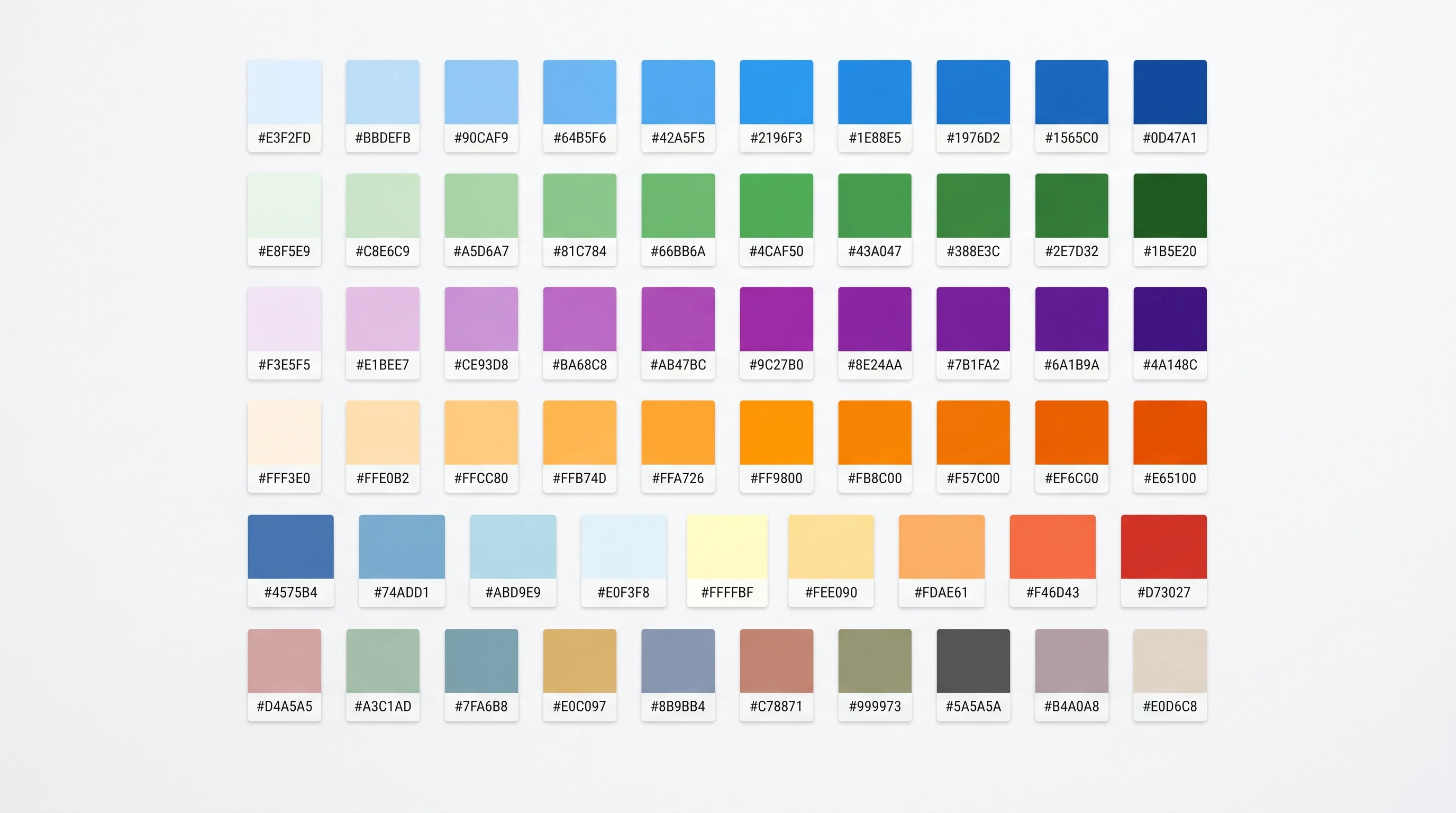
A grid of scientific color palette swatches with HEX values, spanning sequential, diverging, and categorical schemes (Figure generated with SciFig)
Why Color Affects Scientific Figure Readability
Color in a scientific figure is not decoration — it's an encoding channel, and it either carries information or it adds noise. A well-chosen palette makes categories instantly distinguishable, guides the eye to the key result, and survives both grayscale printing and colorblind viewing. A poorly chosen one obscures hierarchy and forces repeated legend lookup.
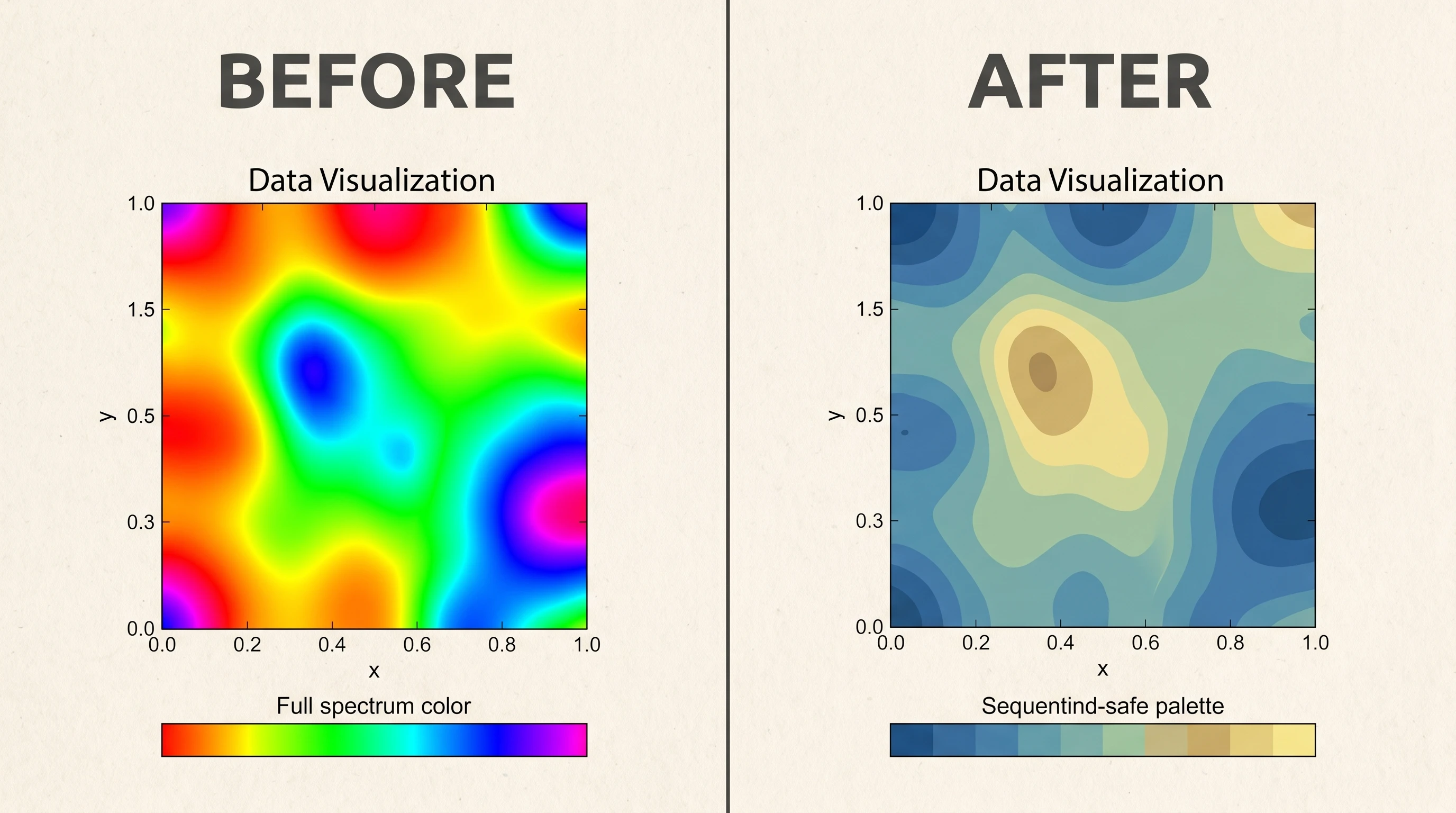
Three failure modes recur. The rainbow palette (the old jet colormap) creates false boundaries where the data is continuous because its color steps are not perceptually uniform; a 2020 Nature Communications perspective documents this distortion and recommends scientifically derived alternatives. Red-green encoding fails for common forms of color vision deficiency. And too many categories turn the legend into a repeated lookup task, so a practical default is to stop near six colors and add shape, texture, or direct labels for the rest.
For publication, a restrained scheme with strong luminance contrast is a safer default than a bright rainbow. The options below are practical starting points, not official palettes prescribed by Nature, Cell, IEEE, or The Lancet.
Palette
Use case
Example HEX values
Muted categorical
Up to 6 groups in bar/line plots
#4E79A7#F28E2B#59A14F#E15759#B07AA1#76B7B2
Nature-style cool
Two-to-three group comparisons
#386CB0#7FC97F#BEAED4
Sequential (single hue)
Ordered data, density, magnitude
#F7FBFF#9ECAE1#4292C6#08519C
Diverging
Data with a meaningful midpoint (e.g. log-fold change)
#B2182B#F4A582#F7F7F7#92C5DE#2166AC
Two rules carry most of the benefit. Use sequential palettes (light-to-dark of one hue) for ordered or continuous data, and diverging palettes for data centered on a meaningful zero. Reserve categorical palettes for unordered groups, and cap the count near six — beyond that, distinguish groups with shape or texture, not more colors.
If you need a fast decision rule, think in three buckets. Qualitative palettes are for distinct categories in scientific plots and graphs, sequential palettes are for increasing magnitude, and diverging palettes are for values that split around a meaningful midpoint. If you need a palette for a scientific diagram, keep the palette even tighter: assign colors to semantic roles such as molecule classes, compartments, or states, rather than using extra hues as decoration.
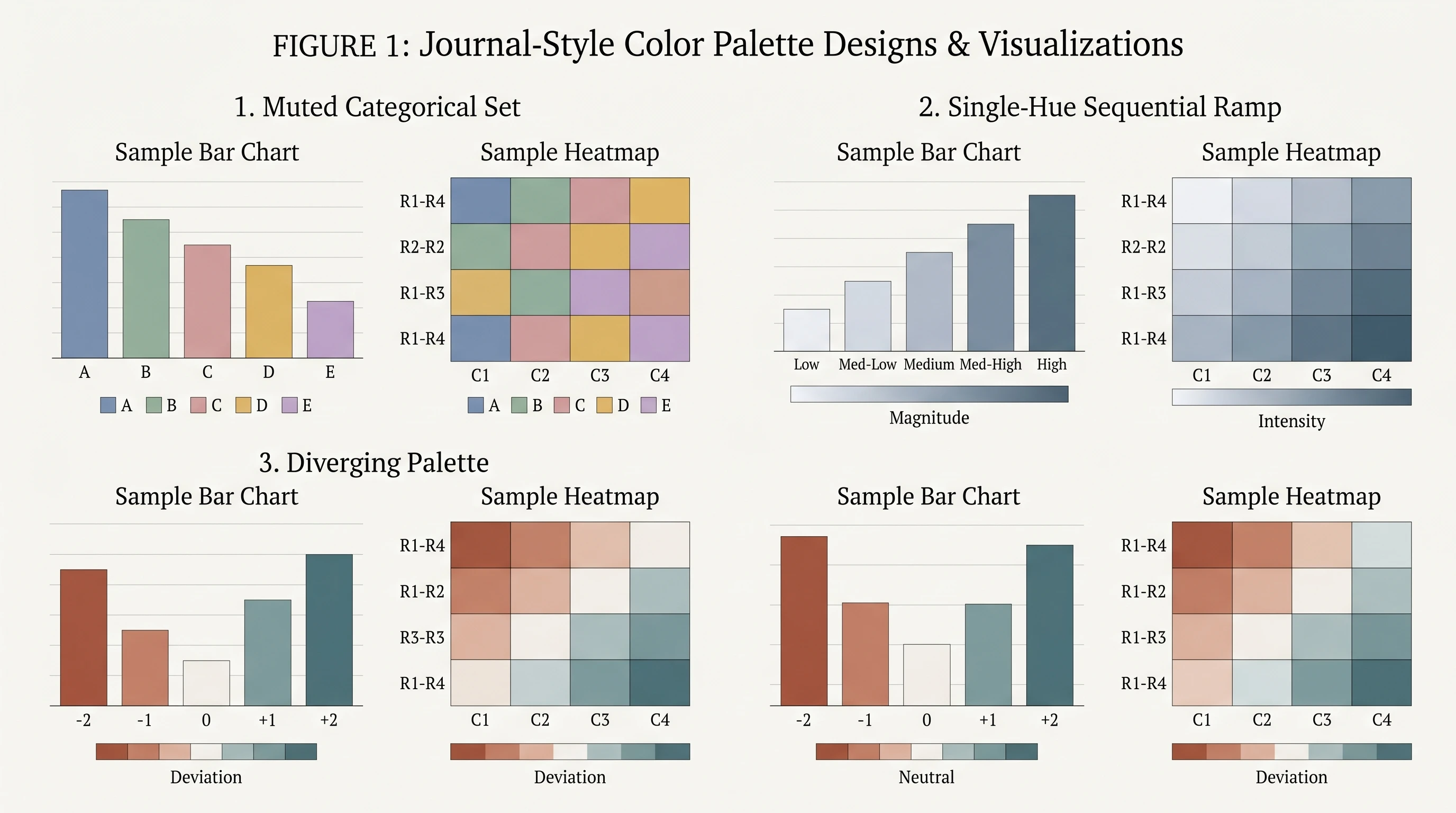
Side-by-side journal-style palettes — muted categorical, sequential, and diverging — applied to the same bar chart and heatmap (Figure generated with SciFig)
Colorblind-Friendly Palettes and How to Test Them
A colorblind-safe palette reduces the risk that hue differences disappear for part of your audience. Two established starting points are the Okabe-Ito palette and the set presented in Wong's Nature Methods guidance; both emphasize separability under common forms of color vision deficiency.
The original Color Universal Design guidance from Masataka Okabe and Kei Ito provides an eight-color set: #000000 (black), #E69F00 (orange), #56B4E9 (sky blue), #009E73 (bluish green), #F0E442 (yellow), #0072B2 (blue), #D55E00 (vermillion), and #CC79A7 (reddish purple). It is intentionally not a rainbow: the colors were selected for separation under color vision deficiency.
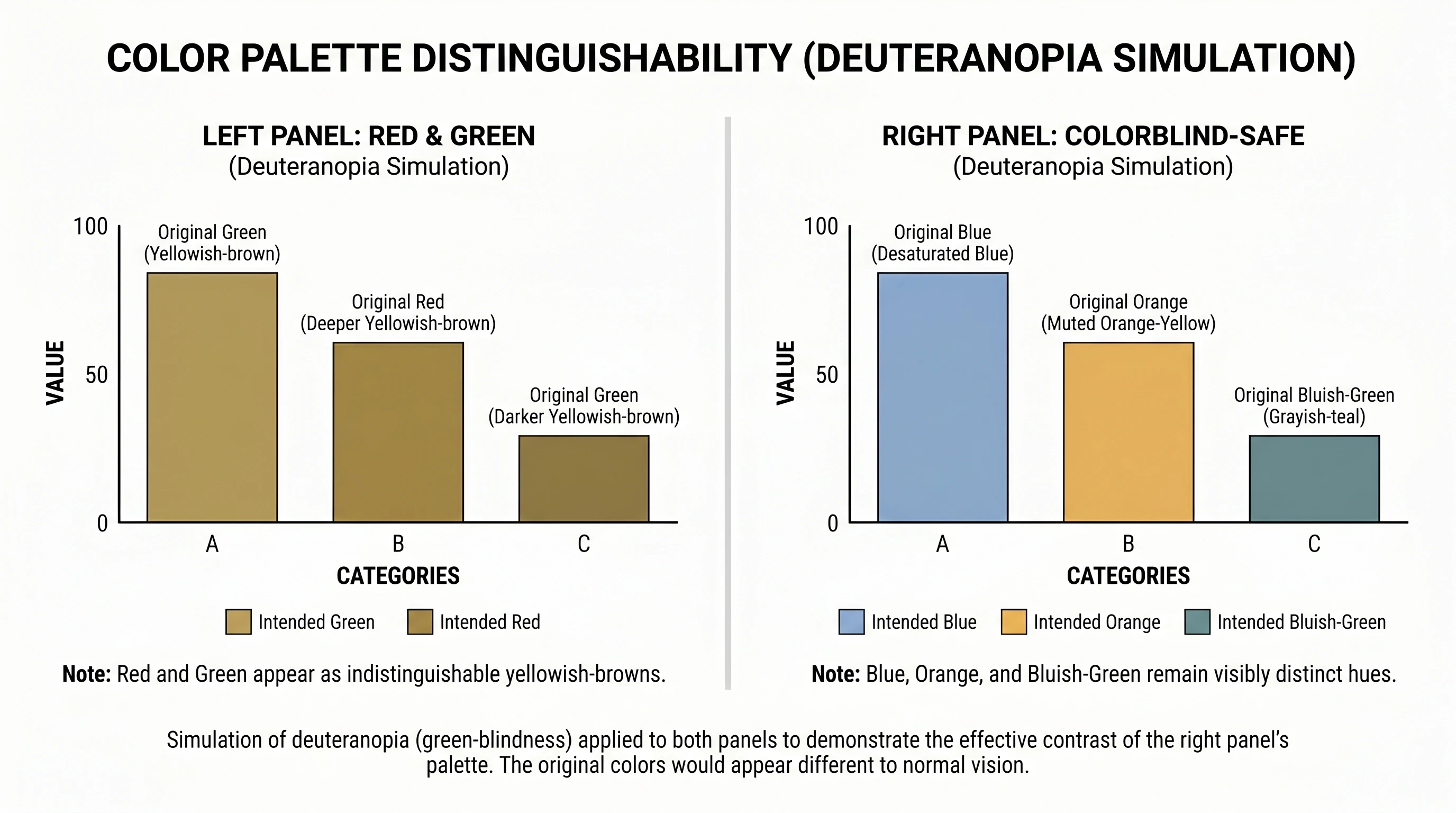
Two habits make any palette safer. First, never encode meaning with red versus green alone — pair color with a second channel like position, shape, line style, or a direct label. Second, run both a grayscale check and a color-vision-deficiency simulation. Grayscale tests luminance contrast; it does not replace simulation of protanopia, deuteranopia, and tritanopia. The example below compares red-green encoding with an Okabe-Ito encoding under deuteranopia.
A figure shown twice — red-green encoding versus Okabe-Ito palette — each simulated under deuteranopia to show which stays readable (Figure generated with SciFig)
See Vector Canvas Editing in Action
Edit every shape, label, and color in SciFig's live vector canvas — no Illustrator required.
The right palette depends on what the scientific figure does, not on personal taste. Matching palette type to data type is a practical first decision when setting figure colors.
Line, bar, and other scientific plots — use a muted categorical palette, capped at about six colors. If you have more series than that, split into small multiples rather than adding colors.
Box plots and grouped comparisons — two to four high-contrast categorical colors; keep the within-group fill light so the median line stays visible.
Heatmaps — a sequential palette for one-directional magnitude, or a diverging palette when there's a meaningful center (zero, baseline, control). Avoid rainbow heatmaps entirely.
Pie charts — if you must use one, cap at five slices, order them clearly, and rely on strong luminance contrast between adjacent wedges. The best pie chart colors are distinct but not loud.
Combo charts — use one saturated accent for the primary series, then keep supporting bars, areas, or lines muted. The best colour combination for a combo chart is usually one dominant accent plus restrained support colors, so the hierarchy stays obvious instead of letting every series compete at full intensity.
Pathway and mechanism diagrams — use a small palette where color means something (one hue per molecule class, for example), not a different color per object. Consistency across the figure matters more than variety.
The unifying principle: color should reduce the reader's work, not add to it. Good color palettes for graphs do not just look attractive; they make categories, order, and emphasis legible at a glance. When a palette makes you reach for the legend repeatedly, it's doing the opposite of its job. For the broader set of avoidable figure errors, see 5 common mistakes when creating scientific figures.
How to Choose a Color Palette for Scientific Plots and Graphs
If you are choosing a color palette for scientific plots rather than illustration-style figures, the safest workflow is procedural rather than aesthetic. Start by identifying the data relationship: categories call for a qualitative palette, magnitude calls for a sequential palette, and deviation around a center calls for a diverging palette.
Then decide what the reader should notice first. In a combo chart, that usually means assigning one accent color to the dominant series and keeping the supporting series quieter. In a pie chart, it means using fewer slices with clearer contrast rather than trying to make eight similar wedges coexist.
Finally, test the palette in context. Check it against a white background, grayscale export, and color-vision-deficiency simulation. Good color palettes for graphs keep their hierarchy in all three views. If that hierarchy disappears in any of them, the palette is not ready for publication no matter how good it looked in the picker.
Poster-Specific Color Palettes
Posters change the color math because the viewing distance changes. A palette that's elegant at journal-figure scale can wash out when viewed from two meters away in a poster hall, so posters favor slightly higher contrast and a tighter palette — often just two or three colors plus neutrals. One practical scheme pairs a deep navy or teal for structure with a single accent color reserved for the key finding, on a white or very light background. The same rule applies to graphs on a poster: fewer colors, stronger contrast, and one clearly dominant visual message.
The discipline is the same as for figures, only stricter: fewer colors, more contrast, and color reserved for meaning. For the full anatomy of a poster that works — hierarchy, hero figure, and how color supports both — see our guide to scientific poster examples.
Apply a Palette Consistently with SciFig
SciFig's scientific color palette generator helps you choose a qualitative, sequential, or diverging scheme and returns the HEX values. Apply those values in the vector canvas, keeping each category or semantic role mapped to the same color across every panel.
The workflow has three steps: choose the palette type from the data relationship, copy one documented set of HEX values, and reuse that mapping across the paper. For example, if the control is blue in Figure 1, keep it blue in Figures 2–6. This simple palette ledger prevents semantic drift when multiple panels or coauthors are involved.
For most figures, a muted categorical palette capped near six colors is a practical default. For ordered data use a single-hue sequential palette, and for data with a meaningful midpoint use a diverging palette. If you want one categorical set that is both restrained and accessible, Okabe-Ito is a widely used starting point.
A colorblind-safe palette is designed to preserve distinctions under common forms of color vision deficiency. Among people of Northern European ancestry, the common red-green form affects as many as 8% of men and 0.5% of women, according to Wong's Nature Methods guidance. Never rely on red versus green alone; add shape, position, line style, or direct labels.
Cap categorical colors at about six as a practical starting point. If you have more groups, use shape, texture, direct labels, or small multiples instead of adding more hues. Sequential and diverging palettes use continuous ranges rather than discrete categories, so the count rule does not apply in the same way.
A good color palette for scientific diagrams uses a small number of semantically consistent colors, so each hue maps to a role such as molecule class, compartment, or state rather than to random decoration. In most cases, three to five carefully separated colors plus neutrals are enough. If you need a faster starting point, SciFig's scientific color palette generator can suggest a diagram-ready palette with HEX codes.
The best pie chart colors use strong contrast, limited slice counts, and a restrained palette — usually three to five wedges with clearly separated hues and luminance values. Avoid rainbow ordering and avoid putting similar mid-tone colors next to each other. If the chart needs more than five categories, a bar chart is usually the better scientific choice.
For most combo charts, the best combination is one saturated accent for the primary series and quieter companion colors for the supporting series. For example, a dark blue line can carry the main message while muted gray or soft teal bars provide context without competing for attention. The goal is visual hierarchy, not equal emphasis.
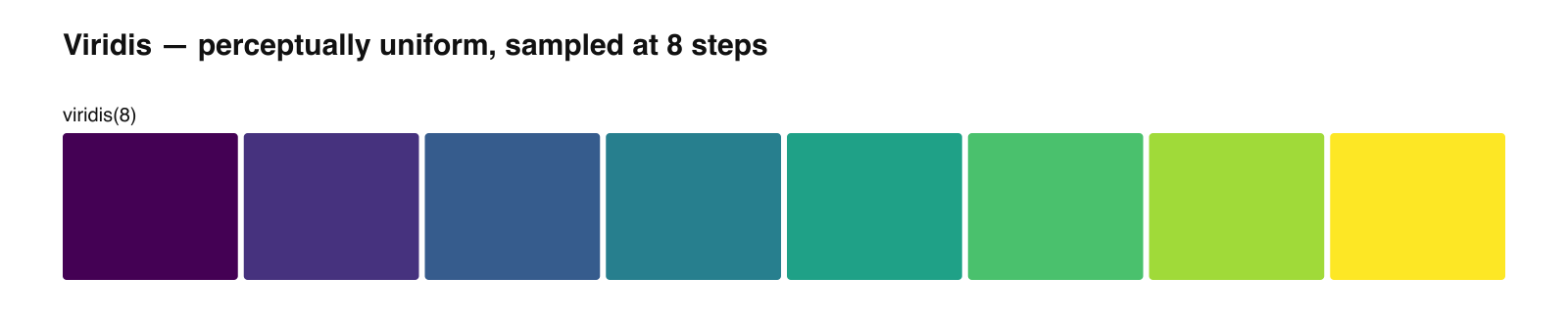
The rainbow or jet colormap creates false visual boundaries because its color steps are not perceptually uniform, so some transitions look sharper than the underlying data warrants. The 2020 Nature Communications perspective also identifies accessibility failures. Use a perceptually uniform sequential palette for one-directional magnitude instead.
Define the palette once as a set of HEX values and keep each category mapped to the same color in every figure. SciFig's palette generator provides the values, and the vector canvas lets you apply them while editing. Keep a small palette ledger so coauthors use the same mapping.
Keep going
Recommended resources
Templates, tools, and further reading for your research