
Free Image to Editable SVG Converter
Drop in a raster figure and get an editable SVG with real vector paths — ready to relabel, recolor and export at any size without going blurry.
Start with up to 150 free credits|No credit card required
Get up to 350 free credits on day one when you join through an invite.
Updated
Free Image to Editable SVG Converter— templates & examples
Everything you need to turn a raster figure into an editable SVG
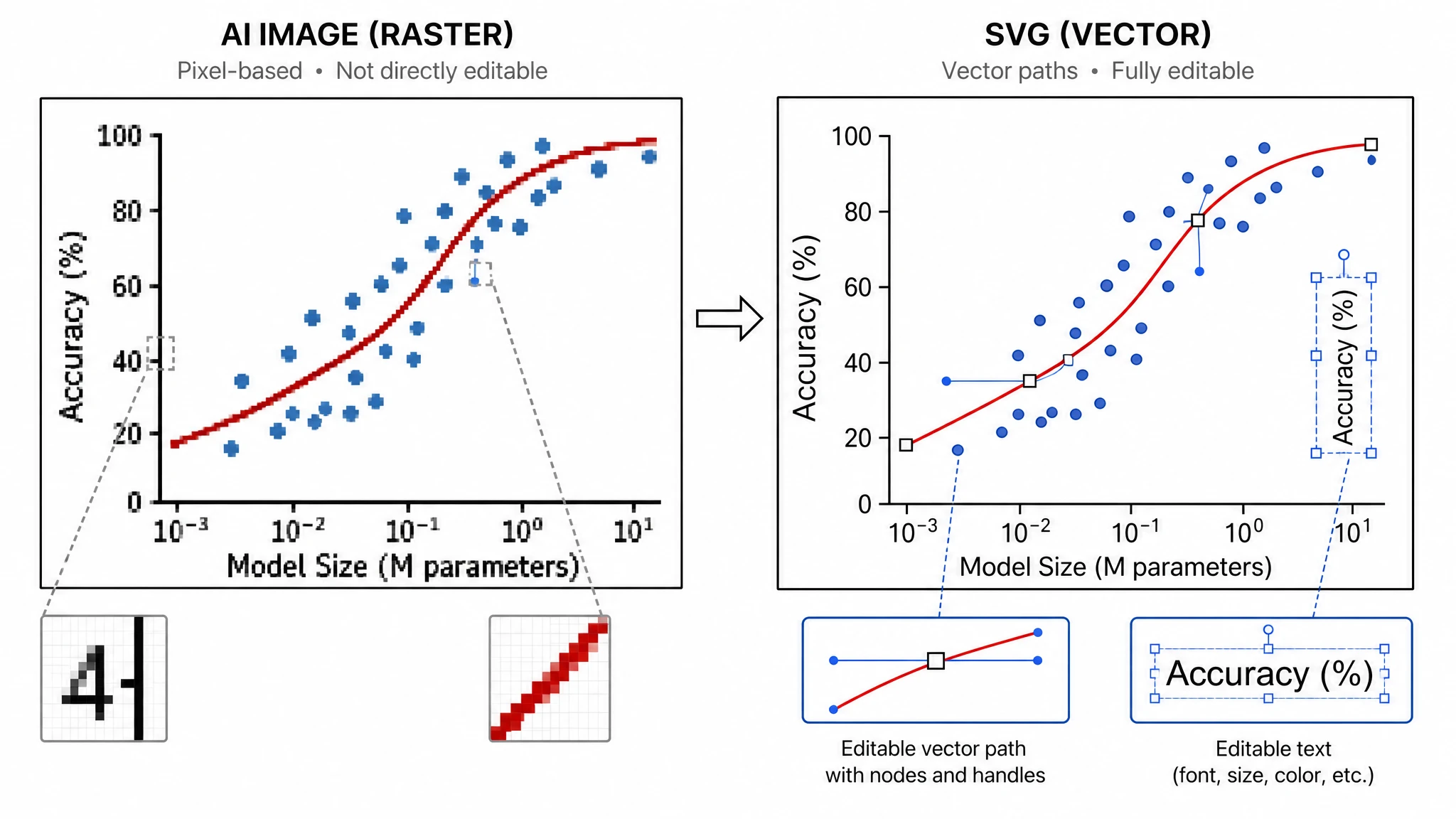
Real vector paths, not an upscaled bitmap
The trace produces editable paths and flat fills rather than a smoothed copy of the pixels, so the figure stays sharp at poster size and every shape can still be selected and recolored. That is what separates an ai image to editable svg conversion from an upscaler: a raster to vector pass outputs geometry, not a bigger grid of pixels.
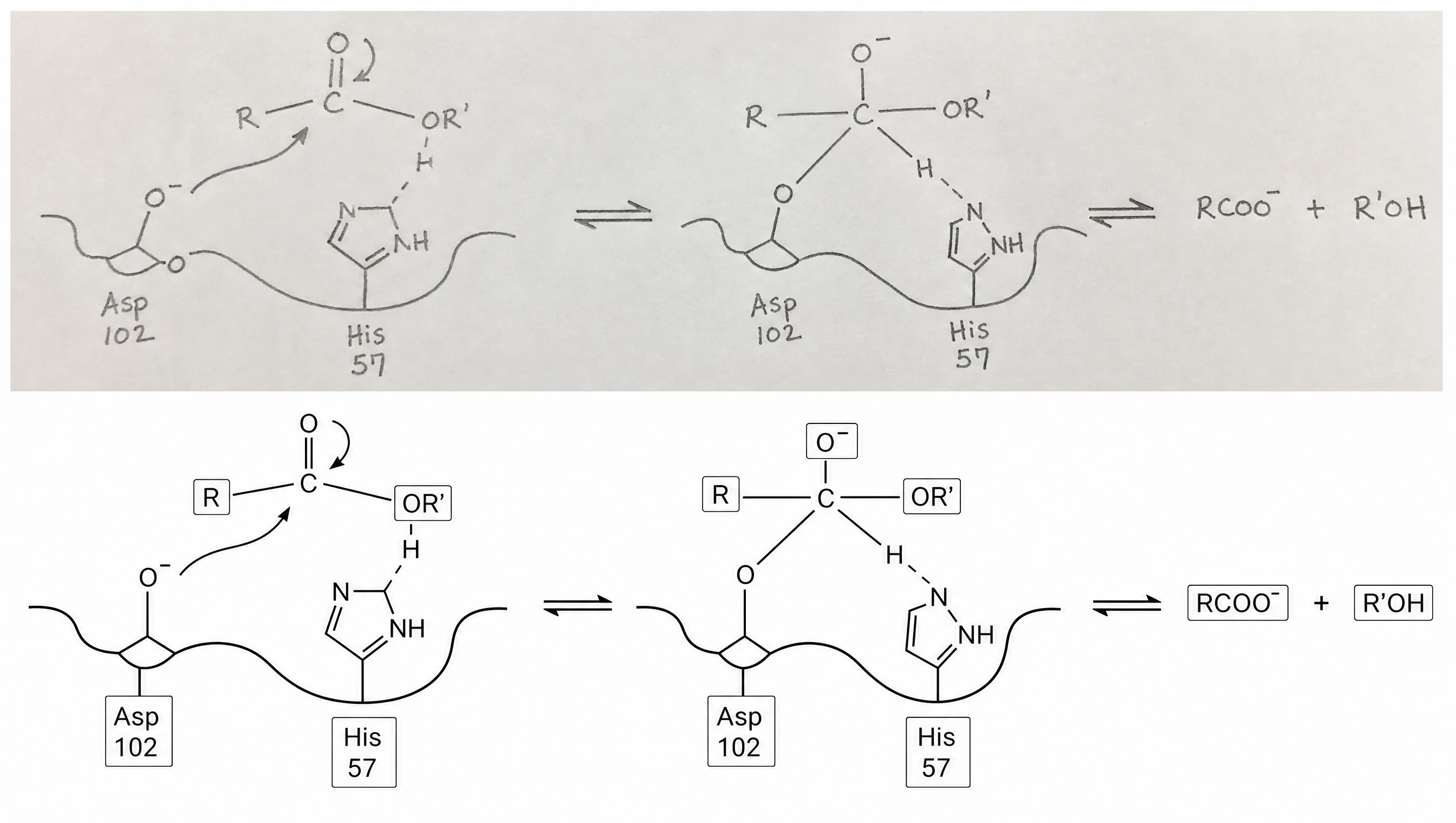
Labels come back as editable text
OCR runs over the upload and recovers readable text as real text objects, so a mislabelled axis is a retype rather than a rebuild. Whatever the reader cannot resolve is preserved as vector shapes instead of being dropped, so no part of the original figure goes missing — a plain svg converter usually loses it.
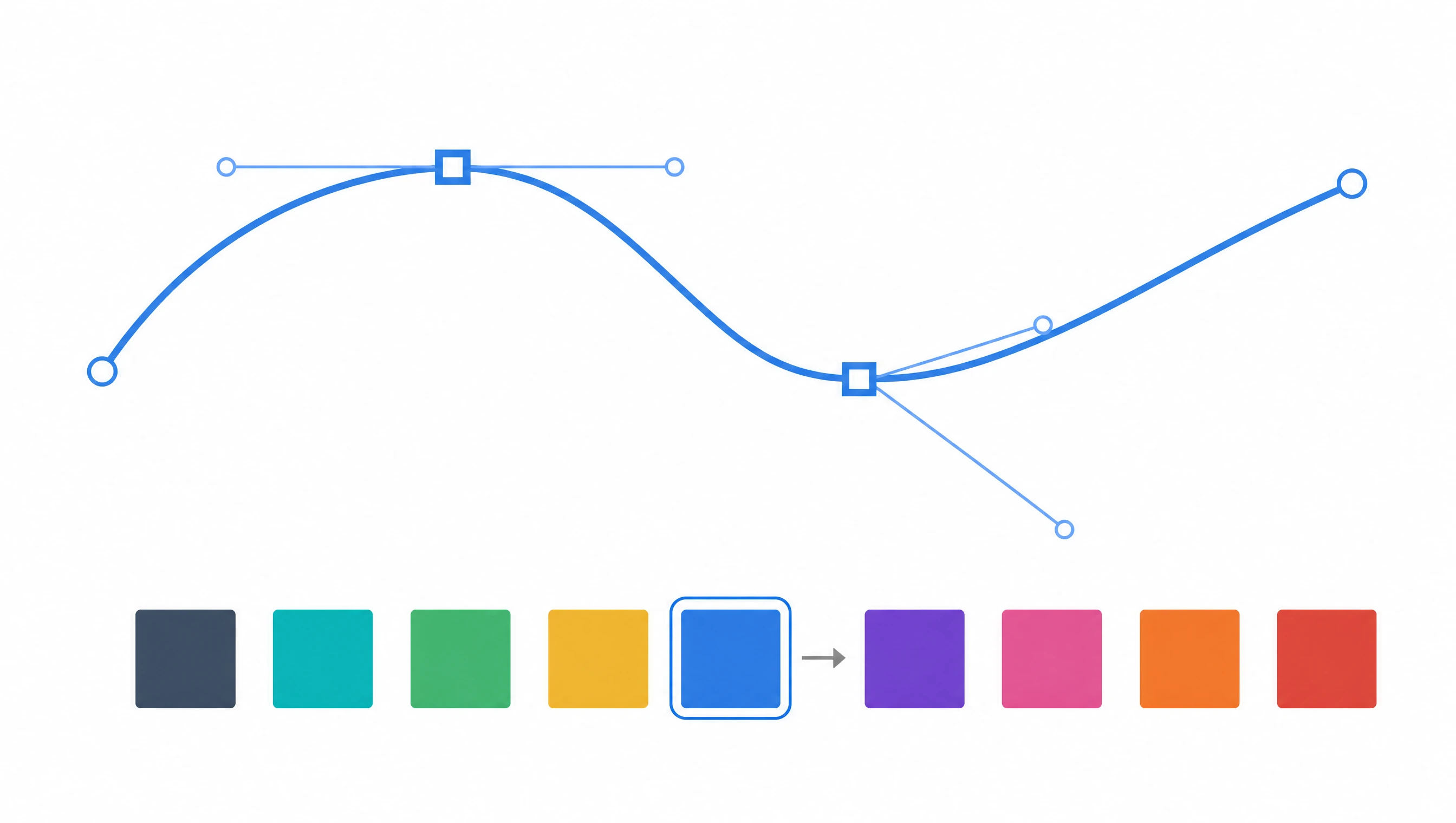
Keep editing in the browser, then export for the journal
The converted file opens directly in Vector Canvas, where editing happens in your browser with no install and no license. Move nodes, retype labels, swap a palette for a color-blind-safe one, then export to SVG, PNG or JPG at the resolution your target journal asks for.
What is an editable SVG?
An editable SVG stores a figure as vector paths and text objects instead of a grid of pixels, so every line and label stays sharp at any zoom and stays changeable. Turning an ai image to editable svg is what lets you fix a typo in an axis label or resize a panel to a journal column width without starting the figure again. Unlike a plain png to svg dump, SciFig runs the raster to vector trace on our servers, recovers the text it finds as editable objects, and opens the result in Vector Canvas.
Why convert a figure to an editable SVG
- Raster exports go blurry the moment a journal asks for a larger panel; vector paths do not.
- A typo in an axis label costs a full re-render in the original tool — in an editable SVG you retype it.
- Color-blind-safe palettes can be swapped afterwards, without regenerating the underlying plot.
- Most journals accept vector artwork and several prefer it, because it prints at press resolution.
- A raster to vector pass recovers figures whose source files are lost or were made by a co-author.
- Vector files stay small at large physical sizes, keeping submission packages under upload limits.
What an image to SVG converter should give you
- Vector paths traced from the edges in your image, grouped so related shapes move together.
- Text objects recovered by OCR, so labels can be retyped instead of traced again by hand.
- Flat fills and strokes you can recolor individually rather than as one flattened bitmap.
- A layered document that opens straight in Vector Canvas for further editing.
- Export to SVG, PNG or JPG at the resolution your target journal asks for.
Where researchers vectorize image files
- Rescuing a figure from a published PDF or an old slide deck when the source file is gone.
- Converting a hand-drawn mechanism sketch into a clean vector diagram for a methods section.
- Running png to svg on raster plots for journals that require vector artwork on submission.
- Relabelling a collaborator’s figure into another language without touching the drawing.
- Scaling a small screenshot up to poster size without the pixelation a raster upscale leaves.
- Recoloring an existing figure to a color-blind-safe palette before resubmission.
How to make an editable SVG
Describe your editable SVG
Tell SciFig what to draw in plain language — no design tools required.
Generate with SciFig
Get a clean, publication-ready figure that matches your description in seconds.
Edit & export
Vectorize it into editable SVG, relabel everything, and export for your paper, poster, or slides.
Free Image to Editable SVG Converter — Frequently Asked Questions
Common questions about Free Image to Editable SVG Converter.
More tools
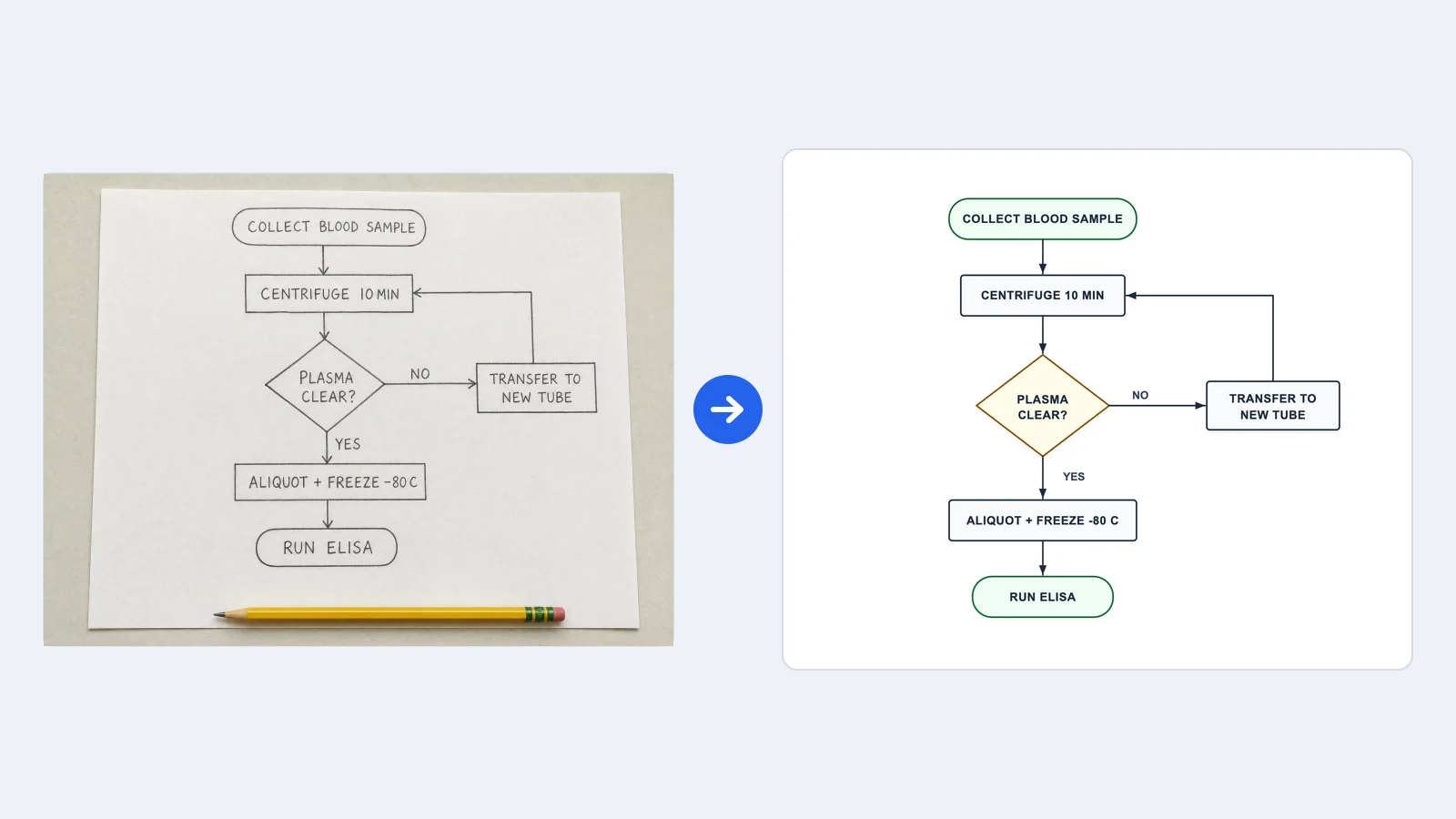
Image to Flowchart Converter
Rebuild a flowchart image as editable boxes and arrows

Circuit Diagram Maker
Draw electronic circuit schematics

Free Body Diagram Generator
Show forces acting on an object
SciFig
Free AI Scientific Figure Generator for Illustrations, Images, Charts and Flowcharts
Models
Default to GPT Image 2 for journal papers; switch to Nano Banana Pro for slides and posters; pick Nano Banana 2.1 for routine figure work
Tutorials
Seven short walkthroughs of the AI scientific figure generator
Blog
Tutorials, tool comparisons, and publication tips for researchers.
Inspiration
Explore publication-ready illustrations, charts and flowcharts. Copy a prompt or open any template as the starting point for your own figure.
Pricing
View pricing

Ready to publish?
Make your own editable SVG in minutes.
Start for freeFree to start · No credit card required · Built for researchers