BioRender Leo is a paid AI agent: you need BioRender's AI Add-On to use it.
This BioRender Leo review explains how Leo builds a figure step by step, what Leo costs in 2026, whether a free BioRender account can use it, where its limits are, and which Leo alternatives cover the same job.
Leo by BioRender launched in October 2026. It plans a figure with you in a chat, shows rough sketches, then builds an editable figure on the BioRender canvas. To use it you need the AI Add-On, from $48 a year on top of a paid BioRender plan for publication use.

What is BioRender Leo?
BioRender Leo is a chat-based AI agent inside the BioRender illustration canvas. Instead of turning one prompt into one picture, Leo asks about your figure first, proposes a layout and then builds the figure from BioRender icons, labels and arrows.
- Where it lives. Leo opens from the left toolbar of a BioRender illustration. It only works inside BioRender.
- What it starts from. A short description, a guided prompt (protocol or workflow, mechanism of action, visual overview, study design), an existing figure to remake, or a reference file: PDF, PPTX, DOCX, JPEG, PNG, CSV or XLSX.
- What you get. A finished figure added to your canvas either as a flat image or as separate, editable labels, arrows, icons and shapes.
- What it is not. Leo is one of several BioRender AI tools. Generate Editable Figure, the Protocol, Timeline and Flowchart generators, icon editing and the MCP connector are separate tools; see our guide to BioRender AI for the whole set.
How to use BioRender Leo: the five stages
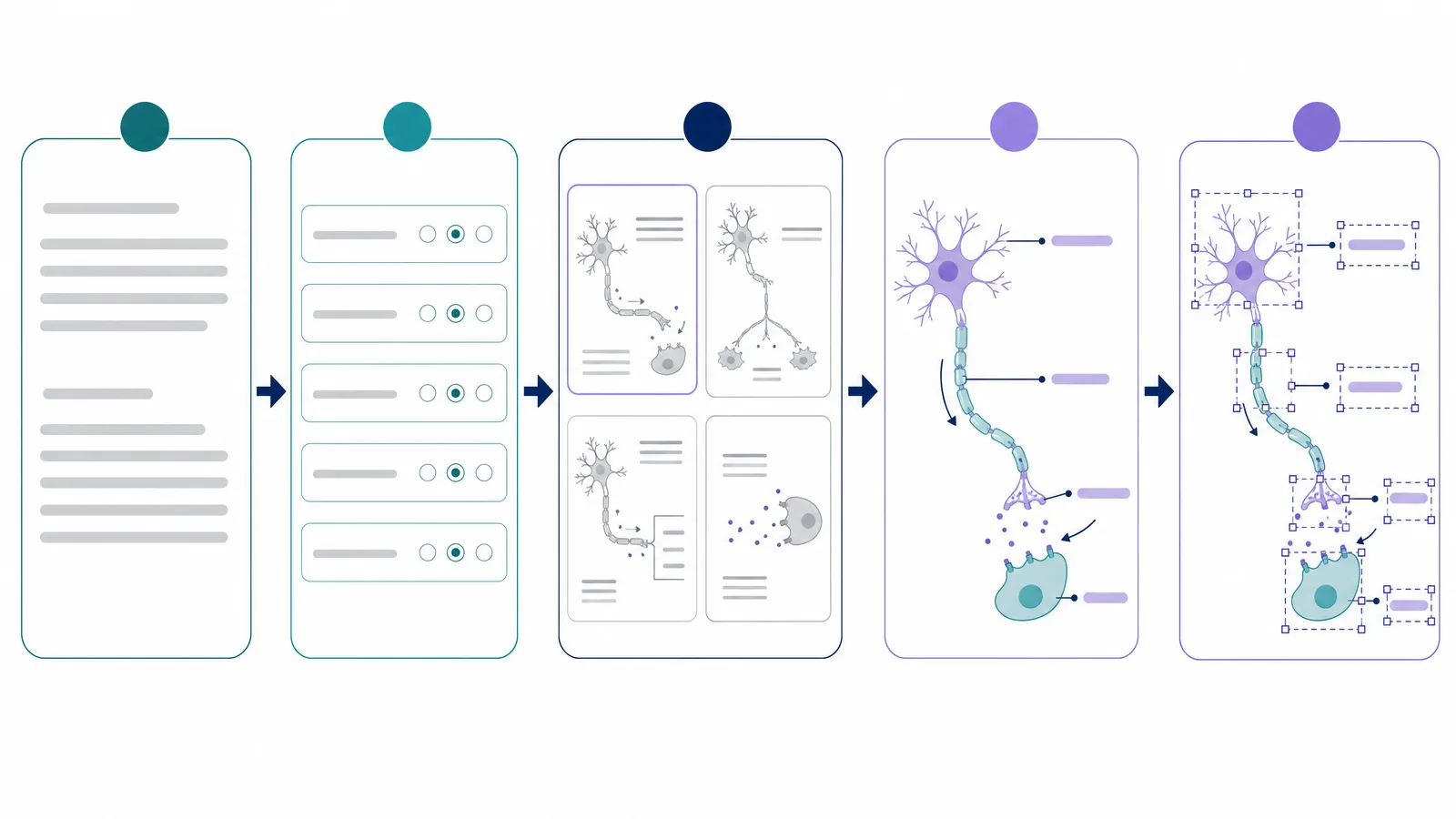
Every Leo chat runs through the same five stages, and you can step back at any point.
- Describe the figure. Type your own prompt or pick a guided start, and attach a file if you have one. BioRender recommends a short description over a long pasted prompt.
- Answer planning questions. Leo asks about structure, audience, use case and level of detail in a figure brief panel. You can answer, add context, skip a question or let Leo decide.
- Pick a sketch. Leo draws four grayscale layout sketches. You choose one, cross out parts, draw a missing step or add comments before it continues.
- Review the color draft. Leo builds a colored figure from the approved sketch. You can keep marking it up.
- Add it to your canvas. Add it as a flat image, or make it editable so each element becomes its own object you can move or swap.
BioRender Leo pricing: what Leo costs in 2026
To use Leo you need an AI Add-On plan. Asking Leo questions is free; generating a draft figure and asking for sketches beyond the first round use AI credits. BioRender does not publish how many credits one Leo figure uses, so the add-on is measured in approximate custom figures.
| AI Add-On plan | Academic individual | Industry individual | Academic lab (shared) |
|---|---|---|---|
| Basic, about 5 custom figures a month | $5/month or $48/year | $25/month or $240/year | $25/month or $240/year (about 25 figures per team) |
| Pro, about 4× Basic | $15/month or $144/year | $75/month or $720/year | $75/month or $720/year |
| Max, about 20× Basic | $35/month or $420/year | $175/month or $1,680/year | $175/month or $1,680/year |
| SciFig, per standard AI figure | About $0.35 on yearly Starter ($8.33/month) | — | — |
| Paid credits roll over, never expire | SciFig: yes, on every plan | BioRender: no | BioRender: no |
Can you use BioRender Leo for free?
Refine Figures in the Vector Canvas
Open any AI-generated figure in the editable canvas — layered SVG, 8K PNG, or editable PPTX.
Try FreeIs BioRender Leo good? Features and limits
Leo asks planning questions and shows sketches before it builds a figure from BioRender icons, so a first draft takes longer than a direct prompt. Here is what it does and where it falls short.
- Plans first. Leo asks about audience and structure and lets you mark up a sketch before the full figure is built.
- Local edits. On an editable figure, one label, icon or arrow can change without regenerating the rest.
- Library icons. Figures are built from BioRender's icon library.
- File inputs. Papers, slide decks, documents and images can be used as a starting point.
- Paid only. Leo needs the AI Add-On, and publication use needs a paid BioRender plan as well.
- Slower to a first draft. BioRender itself recommends Generate Editable Figure when you already know what the figure should look like.
- You still check the science. BioRender asks you to review every icon and label for scientific accuracy before you use a Leo figure.
- Short conversations. Ten messages per chat means longer revisions span several chats.
- Expiring, opaque credits. Credit use per figure is not published, and unused add-on credits expire each billing period.

BioRender Leo alternatives: SciFig, FigureLabs and FigPad
If the add-on cost, the subscription it sits on or the planning-first workflow does not fit, these BioRender Leo alternatives cover the same job of turning research into an editable figure.
| Tool | How figures are made | Free start | Paid plans from | Paid credits | Export |
|---|---|---|---|---|---|
| SciFig | AI Illustration from text, PDFs, sketches or photos; DataChart from your data; FlowChart for SVG diagrams | 3 figures on day one, up to ~44 in the first month; publication and commercial use | $8.33/month billed yearly | Never expire, on any plan | PPTX, SVG, 8K PNG, JPG; SciFig DataChart adds PDF, EPS, TIFF |
| BioRender Leo | Guided chat that plans, sketches and builds from BioRender icons | Not available on the free plan | $35/month billed yearly plus AI Add-On from $48/year (academic) | Expire each billing period | PNG, JPG, PPTX, PDF |
| FigureLabs | AI generation for illustrations, flowcharts and data plots | 150 one-time credits + 50 a day; non-commercial use only | $9/month billed yearly | Reset each billing cycle | PNG, JPG; SVG and PPTX on paid plans |
| FigPad | AI generation from text, sketches, reference images or papers, with six image models | 2 credits (one generation), valid 30 days | $12 credit pack; $12/month billed yearly | Packs never expire; plan credits expire | PNG, JPG; SVG and editable PPTX after conversion |
FigureLabs
FigureLabs generates illustrations, research flowcharts and data plots in one product. Its free plan gives daily credits, but free figures are for non-commercial use only, and each vector export uses 150 credits.
SciFig: the free BioRender Leo alternative
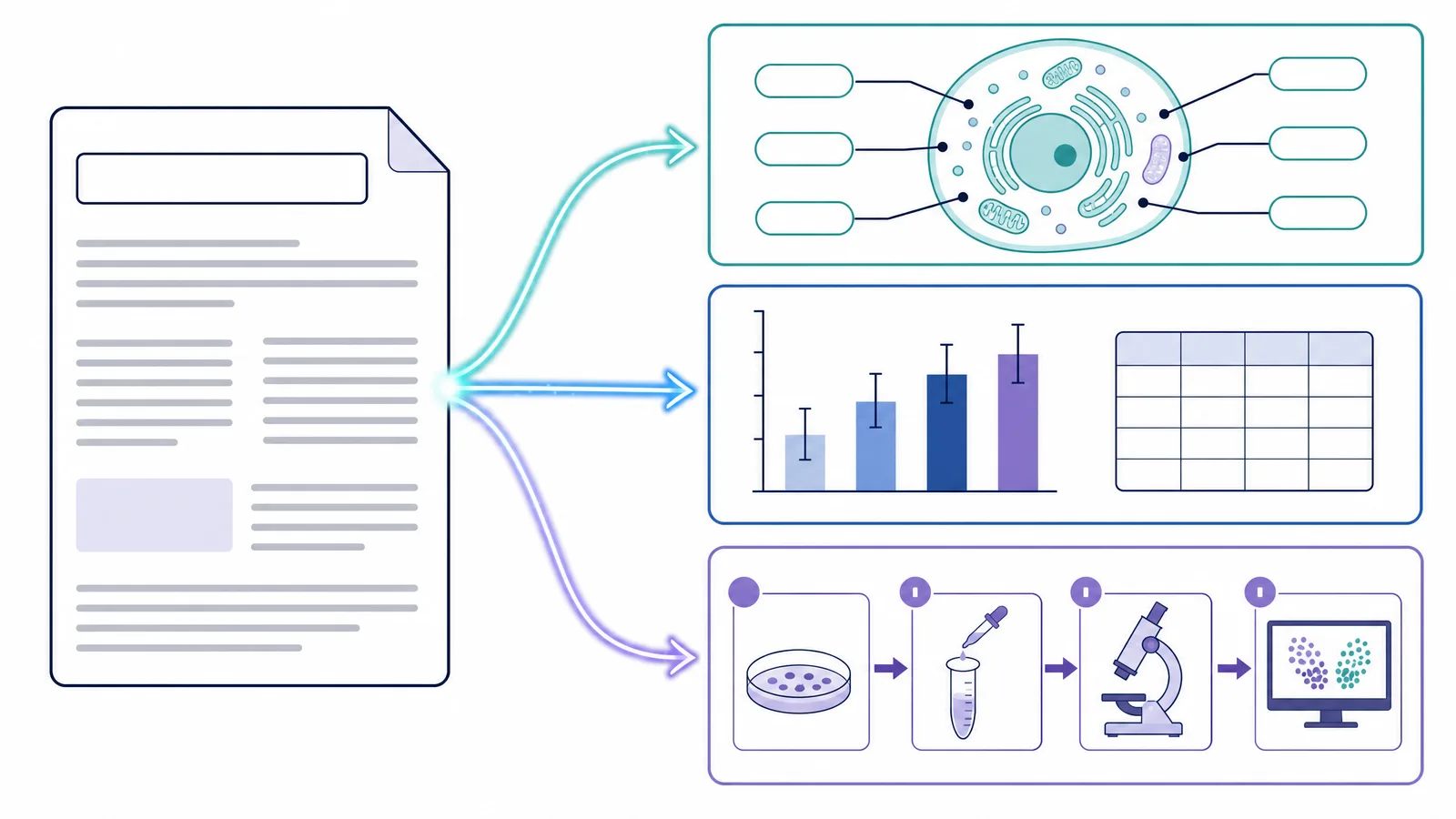
Leo plans a figure in a chat, then builds it from library icons. SciFig takes you from your own material to an editable, publishable figure, and it covers the parts of a paper that Leo does not:
- Start from what you have. SciFig AI Illustration (AI scientific illustration) builds a figure from a text description, a paper PDF, a photo, a reference image or an existing figure, in a style you pick, such as Flat, 3D, Line-Art or Watercolor.
- Your sketch, your layout. Draw the layout yourself in Sketch mode and SciFig AI Illustration turns it into a finished figure, so the structure you planned is the structure you get.
- Fix one part, keep the rest. Edit Text corrects any label in place, Region Redraw changes only the area you select, and Quick Edit applies a change you describe.
- Fully editable delivery. Convert the figure into an editable SVG or open it in Vector Canvas to change every label, shape and color, then export SVG, PPTX, PNG or JPG, with upscaling to 8K.
- Charts and flowcharts too. SciFig DataChart (charts and graphs from your data) builds 50 chart types from your CSV or Excel data, and SciFig FlowChart (flowcharts) draws study workflows, timelines and cycle diagrams as native SVG from a description or an attached PDF, Word document or image.
- Free to test, yours to publish. Make 3 figures on day one, own what you make and download a free license PDF.
FigPad
FigPad generates figures with a choice of six image models at a low cost per attempt. New accounts get 2 free credits, and converting a figure to editable SVG is a separate paid step.
See AI Scientific Figure Generation in Action
Watch how researchers create publication-ready scientific figures from text descriptions.
Explore the Tool