Is BioRender free? Yes, BioRender Basic is free, but it allows only 3 figures and no publication use.
BioRender Basic is free forever and needs no card, which makes it a fine place to try the editor. The limits show up the moment a figure is meant for a paper, a poster or a grant: exports are low-resolution with a watermark, and figures made on the free plan cannot be published or used commercially. This guide sets out exactly what BioRender's free plan includes, what the paid plans cost, and how to make scientific figures you can publish without paying.
Is BioRender Free in 2026? The Short Answer
| Question | Answer |
|---|---|
| Is there a free BioRender plan? | Yes. BioRender Basic is a permanent free account, no card required |
| How many figures can I make for free? | Up to 3 figures, with up to 50 objects per canvas |
| Can I publish figures from the free plan? | No. Only BioRender's subscription plans include publication and commercial rights |
| What export quality do I get for free? | PNG or JPG at 72 DPI, with a watermark |
| Is the 14-day free trial the same as the free plan? | No. The trial needs a credit card, converts to a paid plan unless canceled, and still has no publishing rights |
| Is there a free way to make figures I can publish? | Yes. SciFig is free to start, and you own the scientific figures you generate and can use them for publication and commercial purposes |
What the BioRender Free Plan Includes
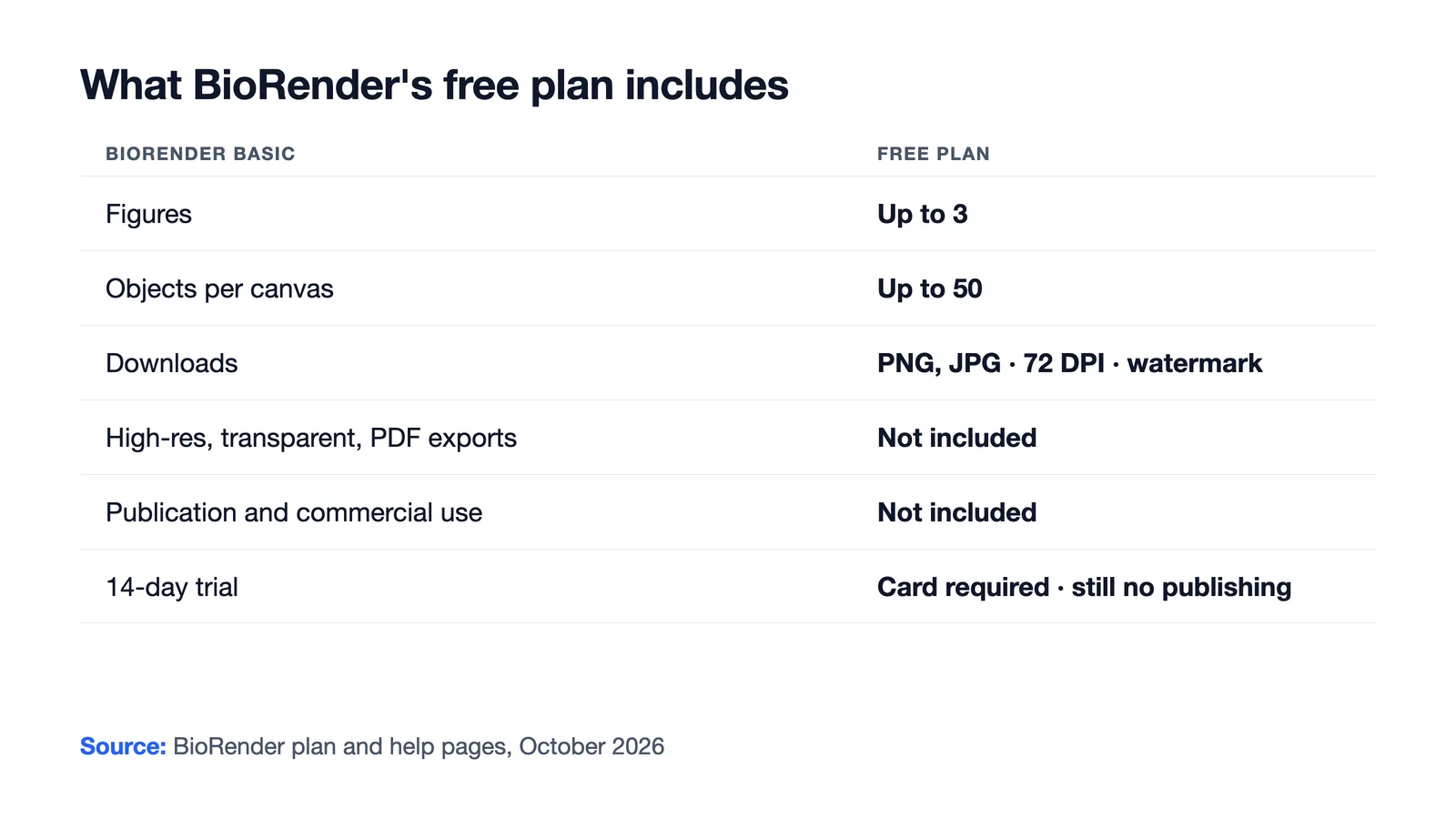
BioRender Basic is the account you land on after signing up. According to BioRender's own plan pages, it includes:
| Feature | BioRender Basic (free) |
|---|---|
| Figures | Up to 3 figures |
| Objects per canvas | Up to 50 |
| Graphing | 1 Graphing file |
| AI | Free credits for the Generate a Custom Figure tool (flat figures only) |
| Downloads | PNG and JPG at 72 DPI, with watermark |
| High-resolution, transparent and PDF exports | Not included |
| Publication and commercial use | Not included |
| Attribution | "Created with BioRender.com" required where use is permitted |
That makes the free plan useful for simple presentations, teaching and personal use. It is not designed for figures that go into a manuscript.
BioRender Free Trial vs. the Free Plan
BioRender runs two different free options, and they are easy to confuse:
- BioRender Basic is permanent, needs no card and never upgrades on its own.
- The 14-day Free Trial unlocks unlimited illustrations and objects, but it requires a credit card and converts to a paid subscription unless you cancel before it ends. Even during the trial, exports keep the watermark, high-resolution downloads stay locked, and figures cannot be published.
If the goal is a figure for a paper, neither free option gets you there.
How Much Does BioRender Cost in 2026?
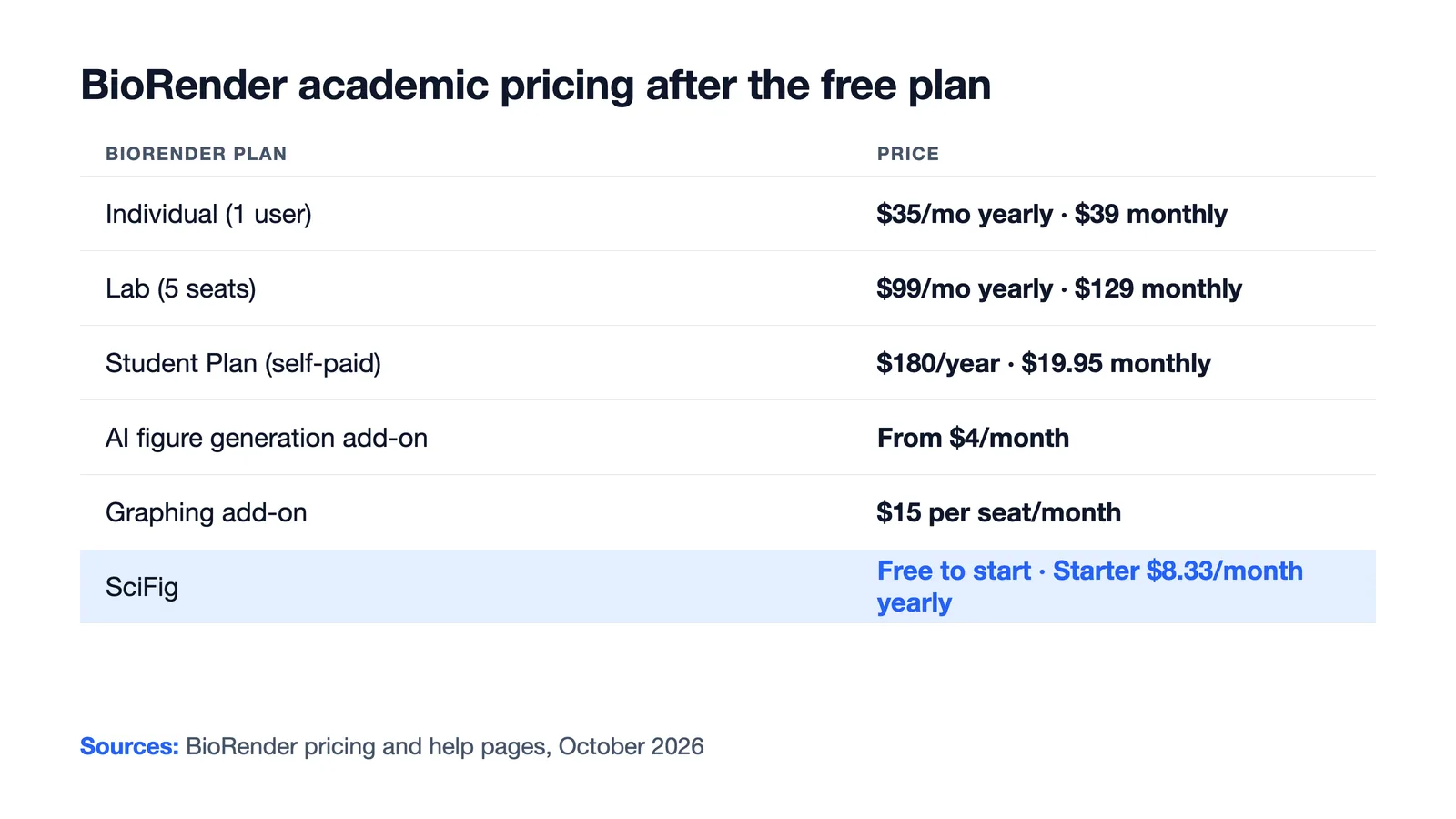
When you outgrow the free plan, BioRender's academic prices are:
| BioRender plan | Billed annually | Billed monthly |
|---|---|---|
| Individual (1 user) | $35 per month | $39 per month |
| Lab (5 seats, up to 19 users) | $99 per month, +$20 per extra seat | $129 per month |
| Institution (20+ users) | Custom price | — |
| AI-assisted figure generation add-on | From $4 per month ($48 per year, about 5 custom figures a month) | $5 per month |
| BioRender Graphing add-on | $15 per seat per month | — |
| Student Plan (students paying out of pocket) | $180 per year | $19.95 per month, or $68 for 4 months |
The Student Plan is for students paying out of pocket, undergraduates are asked to contact sales, and registered nonprofits get academic pricing. Paid plans add unlimited figures, watermark-free high-resolution exports and PowerPoint and PDF exports, and most include academic publishing rights. AI generation is a separate add-on on top of the subscription.
See AI Scientific Figure Generation in Action
Watch how researchers create publication-ready scientific figures from text descriptions.
Explore the ToolBioRender Free vs. SciFig Free
| BioRender Free (Basic) | SciFig, free to start | |
|---|---|---|
| Card required | No (the 14-day trial needs one) | No |
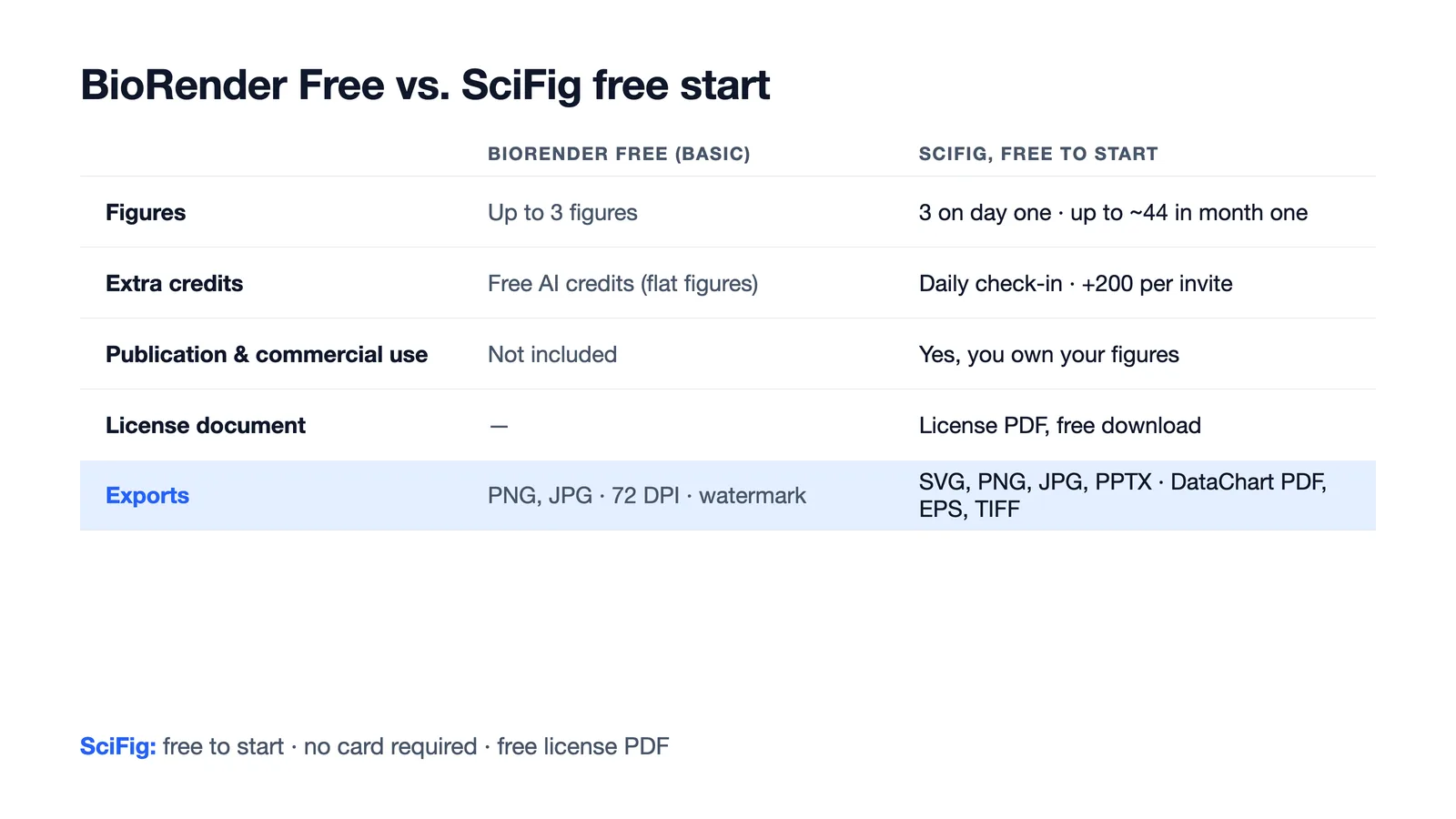
| How many figures | Up to 3 figures | 150 credits on day one (3 figures), daily check-in credits up to 150 a day, up to about 44 figures in your first month |
| Extra credits | Free AI credits for flat figures | Invite a friend and you both get 200 credits; failed tasks return their credits automatically |
| Publication and commercial use | Not included | You own the scientific figures you generate and can use them for publication and commercial purposes |
| License document | — | Download a one-page license PDF for free |
| How figures are made | Drag-and-drop icons and templates; AI flat figures with free credits | Generate from text, sketches, PDFs, photos or reference figures; charts calculated from your data; flowcharts in native SVG |
| Editing and export | Free downloads: PNG and JPG at 72 DPI | Edit every label and element; export SVG, PNG, JPG and PPTX, plus PDF, EPS and TIFF from SciFig DataChart |
More Ways to Get Free Figures with SciFig
The free start is built around steady, daily use rather than a fixed cap:
- Day one: 150 credits, enough for 3 figures.
- Daily check-in: credits every day, with a 2× bonus on day 3 and 3× on day 7 of each weekly streak, up to 150 a day.
- First month: up to about 44 figures if you check in every day.
- Invites: you and each friend you invite both receive 200 credits, about 4 more figures.
- Failed tasks: credits come back automatically.
Every figure you make is yours. You own the scientific figures you generate with SciFig and can use them for publication and commercial purposes, and you can download a license PDF for free. SciFig claims no ownership of your figures.
What You Can Make with SciFig
BioRender is known for its icon library and templates. Most of the figures researchers build there fall into a handful of jobs, and SciFig delivers each one directly:
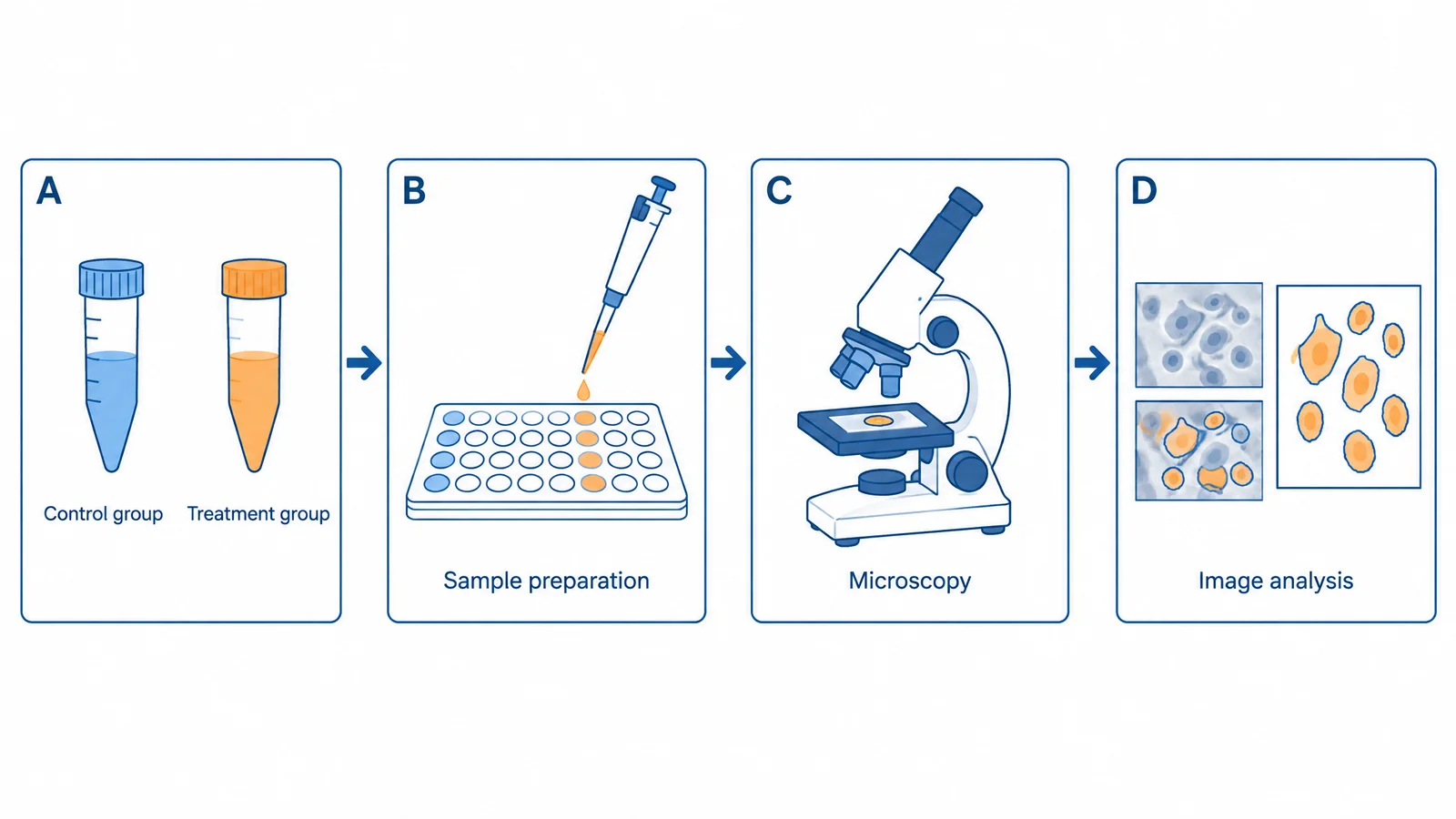
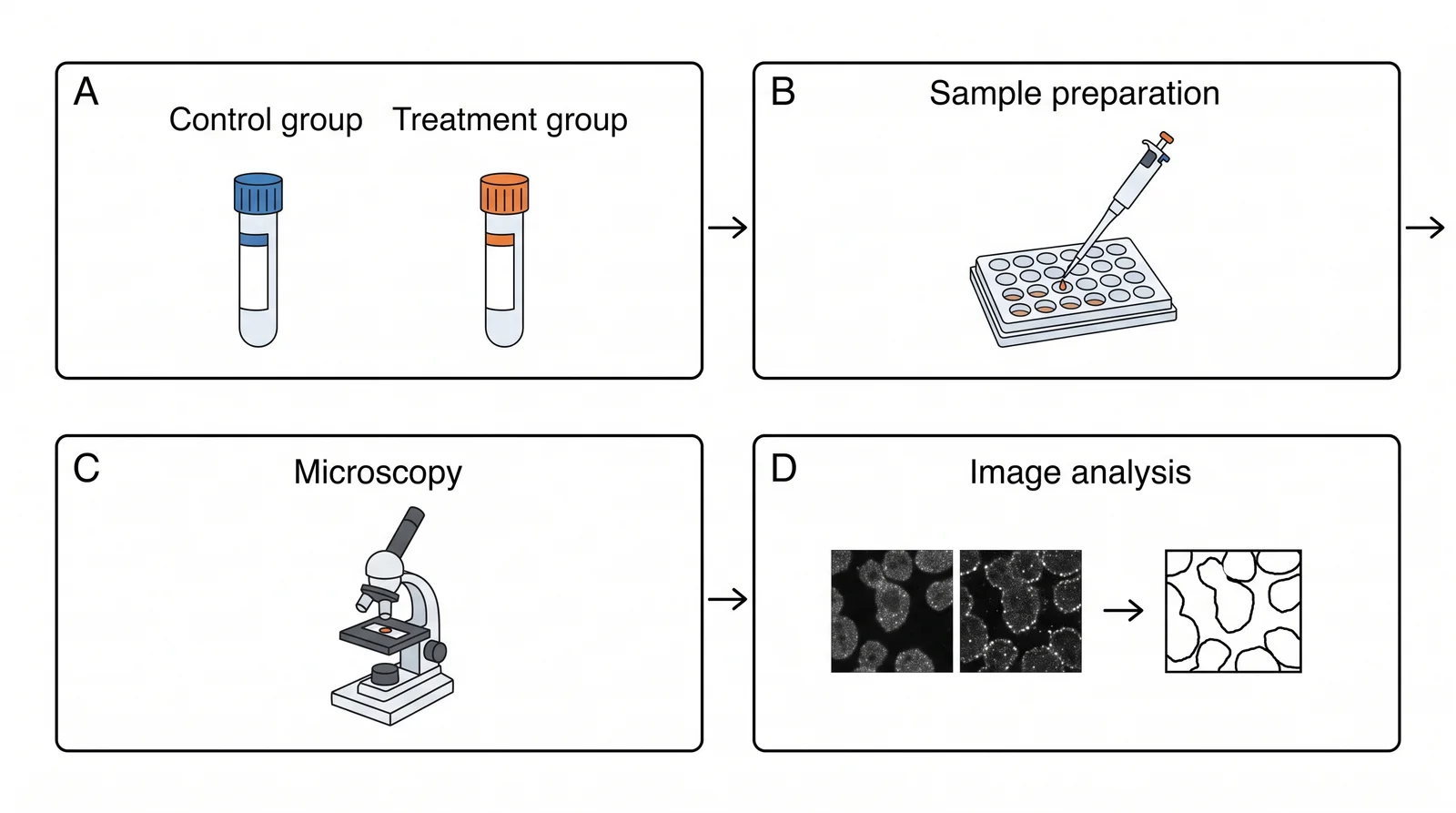
- Pathway, mechanism and cell diagrams. Describe the process, or start from a sketch, a paper PDF or a reference figure, and SciFig AI Illustration (AI scientific illustration) generates the figure. Change any label, arrow or color in place instead of redrawing, then vectorize it to an editable SVG. Start with text to figure or sketch to figure.
- Graphical abstracts. Turn the main finding of a paper into a single summary figure with the graphical abstract maker, or begin from your manuscript with PDF to figure.
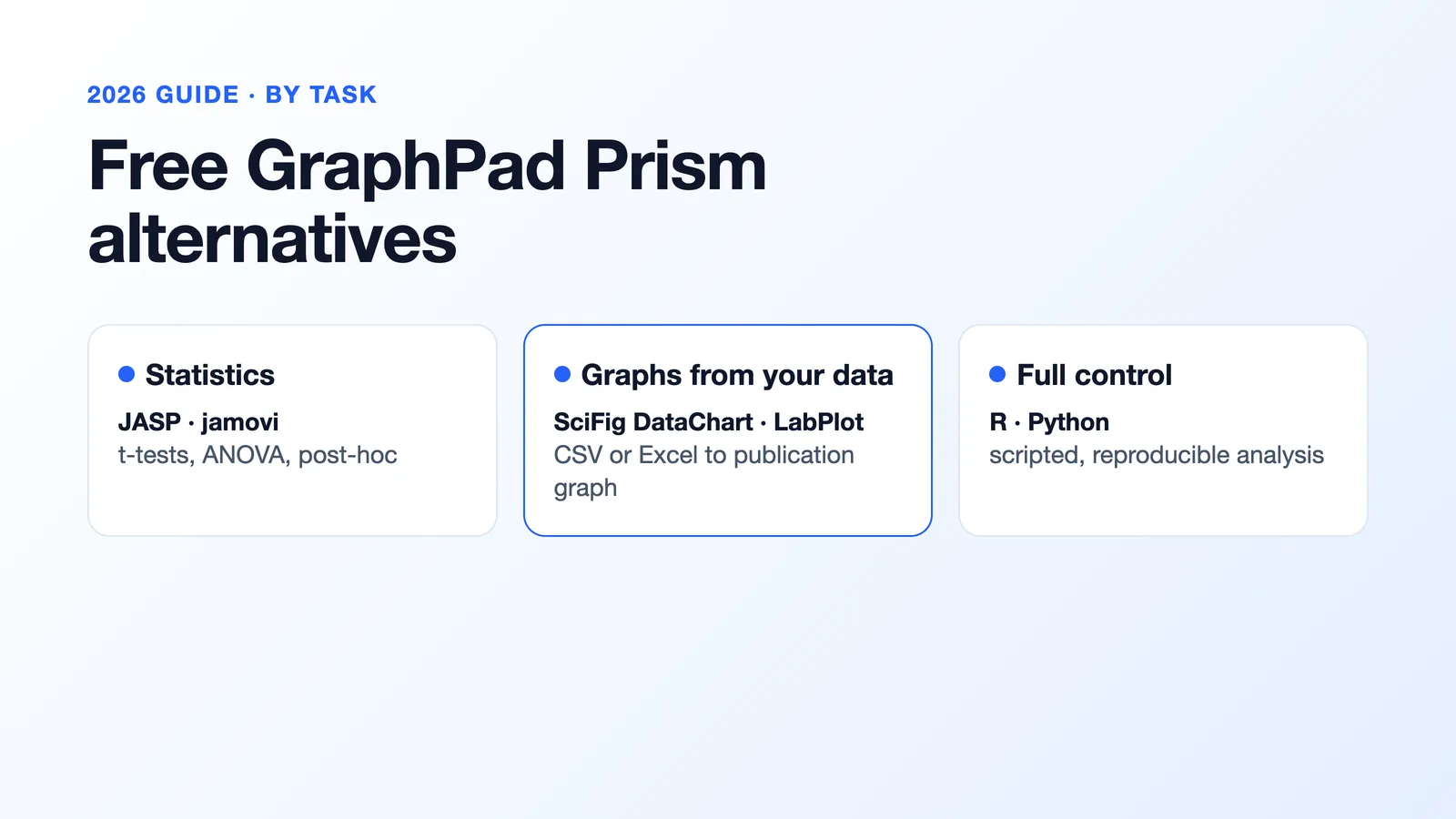
- Graphs from your data. Upload a CSV or Excel table to SciFig DataChart (charts and graphs from your data) and it calculates every value, runs the statistical tests that fit your design and draws one of 50 chart types. Try the AI chart generator.
- Study workflows and flowcharts. SciFig FlowChart (flowcharts) builds PRISMA, CONSORT, experimental workflows, timelines and model diagrams as native SVG, editable box by box. See the text to diagram generator.
- Polishing and assembling. Bring finished panels into the vector canvas to align, relabel and export the full figure as SVG or PPTX.
How to Start Free with SciFig
- Sign up free, no card required, and collect your day-one credits.
- Pick the workspace for the figure you need: SciFig AI Illustration for schematics, SciFig DataChart for graphs, SciFig FlowChart for workflows.
- Generate, edit and export the figure, then download its license PDF for free.
Create Scientific Figures Now
Describe your scientific figure in natural language — get publication-ready illustrations in minutes.
Try FreeOther Free BioRender Alternatives
Related Reading
Related reading: Best Free BioRender Alternatives (2026): 7 Tools Compared, SciFig vs BioRender (2026): Generative AI or Icon Library, How to Make Scientific Figures: A Practical Guide (2026).