CVPR 2027 runs June 20–25, 2027, in Seattle, Washington; the venue has not been announced yet.
This is a practical guide to the official poster and presentation rules for the IEEE/CVF Conference on Computer Vision and Pattern Recognition: poster size and template, the poster image and video upload, oral talks, and the figures a computer vision poster needs.
It also covers the CVPR 2027 LLM policy for authors and where accepted papers are published. Every date and specification below links to official CVPR materials; any prior-year planning reference is labeled with its year.
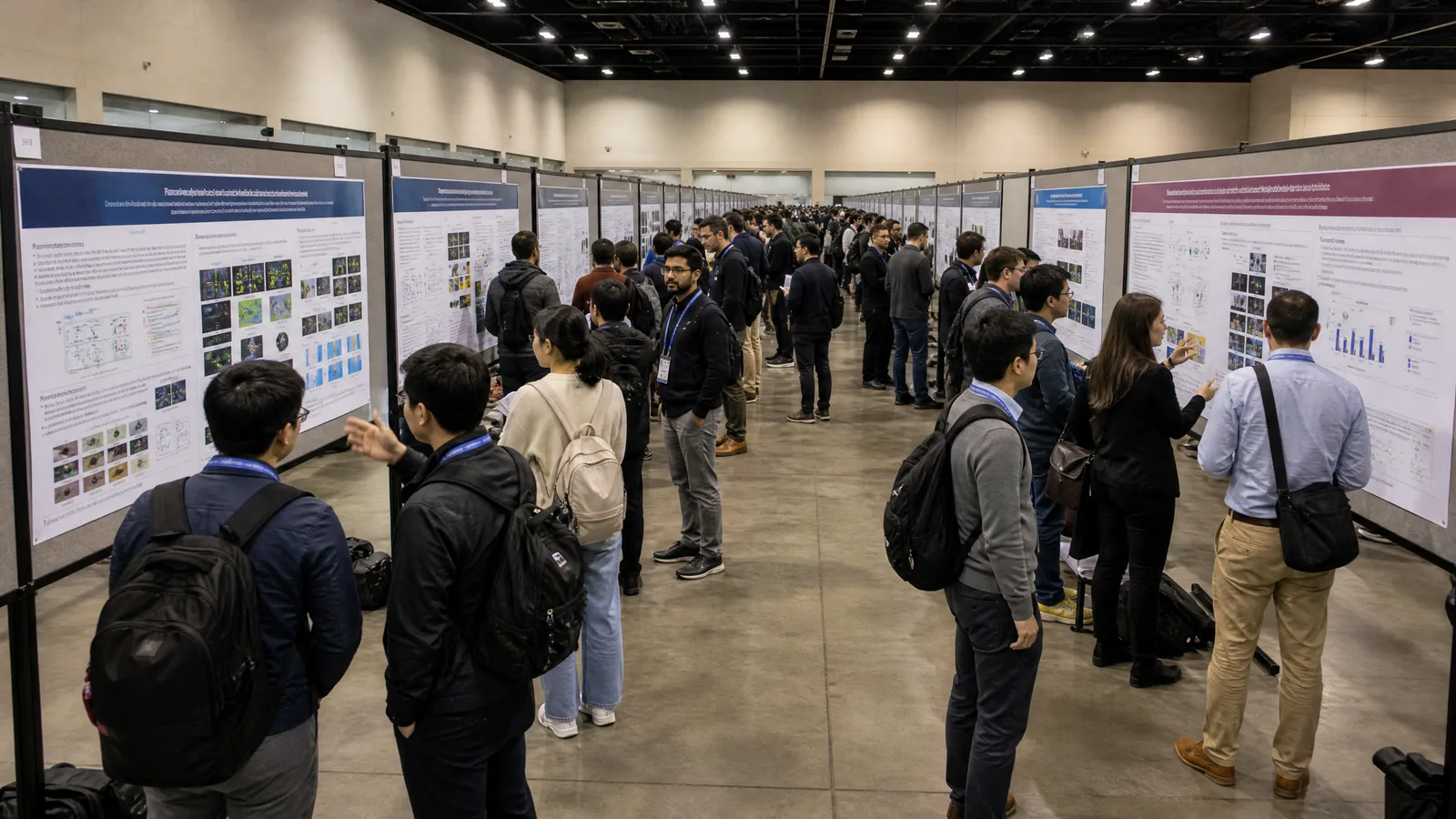
1. CVPR 2027 at a Glance: Dates, Location, and Paper Timeline
| Date | CVPR 2027 milestone |
|---|---|
| November 10, 2026 | Paper enrollment deadline |
| November 16, 2026 | Paper submission deadline |
| November 23, 2026 | Supplementary materials deadline |
| January 25 – February 1, 2027 | Reviews released; rebuttal period |
| February 25, 2027 | Final decisions |
| June 20–21, 2027 | Workshops and tutorials |
| June 22–25, 2027 | Main conference sessions |
2. CVPR 2027 Poster Size and Template: The 2026 Rules to Plan With
| CVPR poster question | 2026 rule (planning reference for 2027) |
|---|---|
| Main conference poster size (including Findings) | 84 × 42 in = 213 × 107 cm, width × height, 2:1 landscape |
| Workshop poster size | Half size, 42 × 21 in; main-conference authors may also use this size |
| Recommended layout | Three or four columns, little text, a few large and expressive figures |
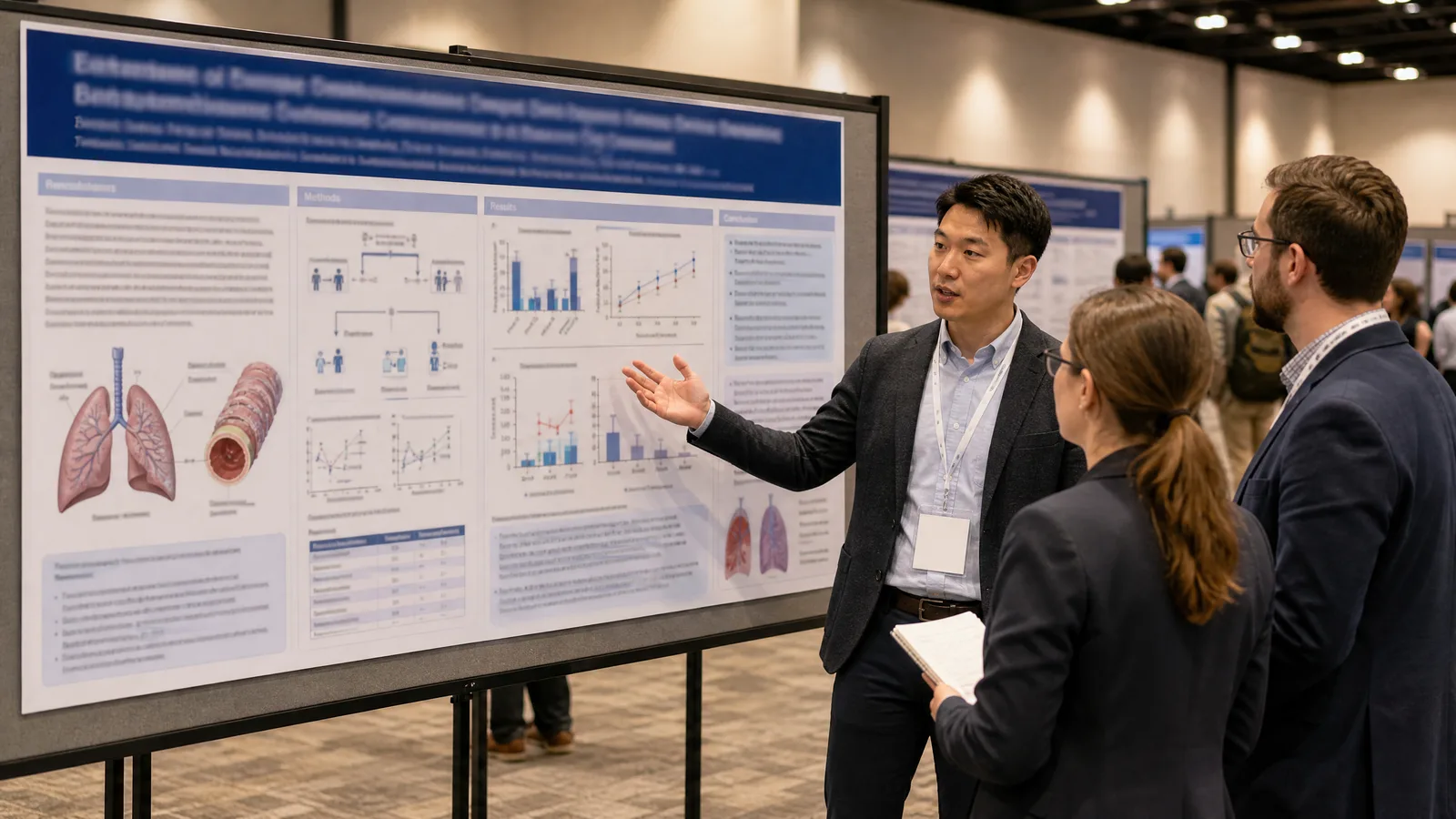
| Purpose | Not a copy of the paper; the tools for a 5–10 minute presentation to any attendee |
| File for the official printing service | PDF preferred; 100 DPI or vector art at full size; no bleed |
| Official printing service | Printed on satin poster paper and delivered rolled to the convention center; the uploaded file is final |
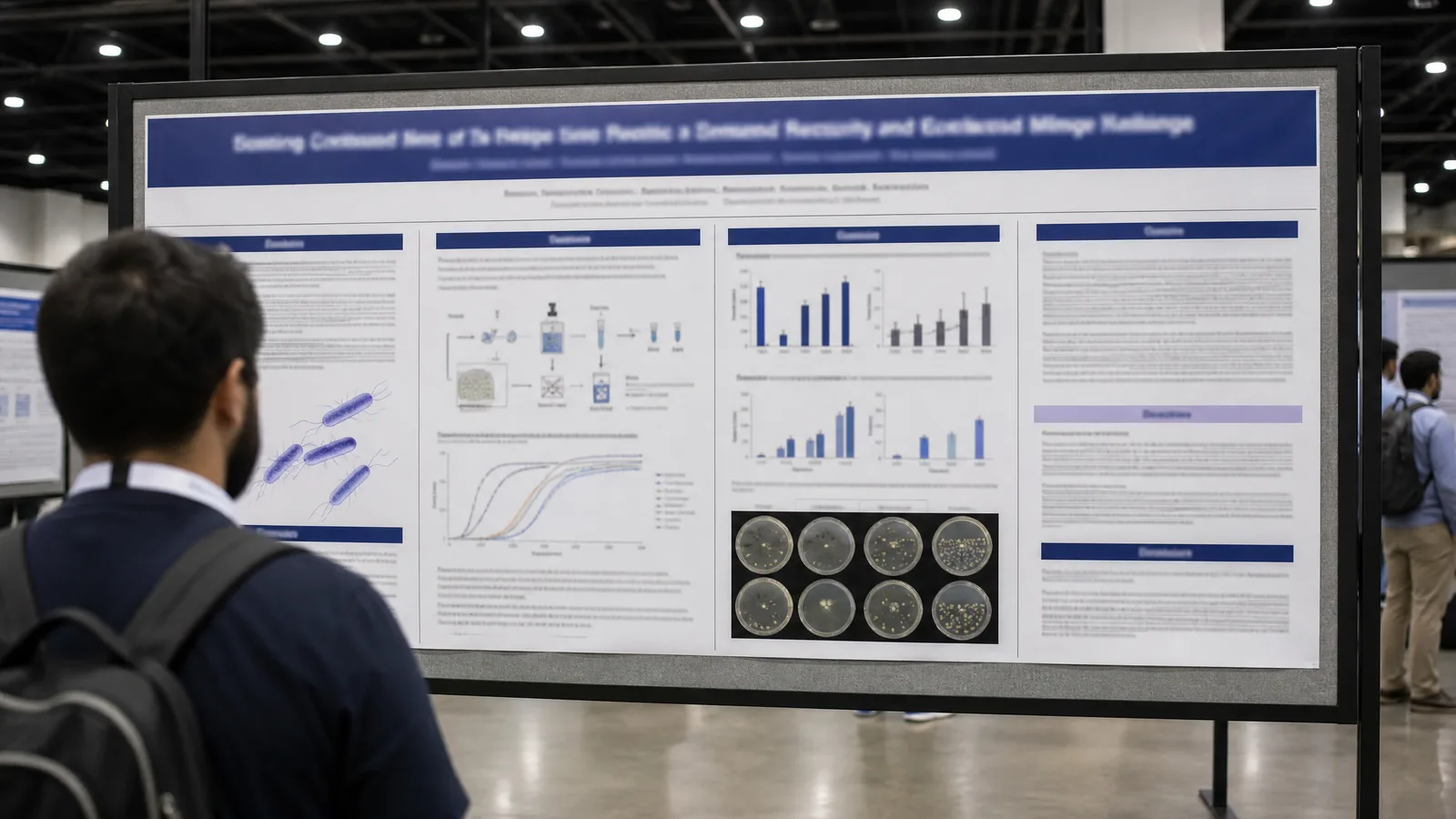
Those official 2026 instructions call for few, large figures rather than dense text, so the poster usually gets built around one method figure and one or two results panels. A 2:1 board is much wider than a standard 4:3 or A-series sheet, which leaves room for that dominant figure in the middle with the problem statement on the left and results on the right.
Build the hero figure for your CVPR poster
Start with the method figure that carries your paper, then lay out the wide 2026-size board (84 × 42 in) around it.
Explore the Tool3. CVPR 2027 Poster Upload: PNG Size, Thumbnail, and 5-Minute Video
The 2026 upload instructions add these practical points:
- Video first. Presenters linked a 5-minute YouTube video to their poster page by May 20, 2026 AOE, even if the poster and video were not final; both could be updated at any time. Where YouTube is unavailable, no video was required.
- Thumbnail. An eye-catching graphic from the paper, shown on the poster page.
- Full poster image. Optional but helpful for virtual attendees; upload by June 3, with re-uploads allowed afterwards.
- Orals. Papers accepted as orals had both a poster page and an oral page; the video linked on the poster page appeared on the oral page automatically.
- Findings and workshops. Findings papers were poster only and did not need uploads, and video and poster uploads were not supported for workshop papers.
4. CVPR 2027 Oral Presentations and Official CVPR Logos
5. What Figures Do You Need for a CVPR 2027 Poster or Talk?
Here is how each CVPR poster figure type maps to a figure workspace:
- Model architecture diagram: the backbone, heads, losses, and where features are fused or upsampled. Start one in the neural network diagram generator, which builds it in SciFig FlowChart (flowcharts) with every block and connection editable.
- Teaser or concept figure: the problem setting or the idea behind the method, such as a camera ray through a scene or a before-and-after task sketch. SciFig AI Illustration (AI scientific illustration) can generate it from a text description or your paper PDF.
- Data and training workflow: data collection, annotation, training, and evaluation steps. SciFig FlowChart turns a written description into native SVG boxes and arrows.
- Quantitative results: accuracy or mAP curves, ablations, and benchmark comparisons. These come from your measured numbers, so SciFig DataChart (charts and graphs from your data) plots them from your table.
- Qualitative results: image grids, segmentation masks, and renderings come from your own model outputs on real inputs; use those actual outputs rather than generated pictures.
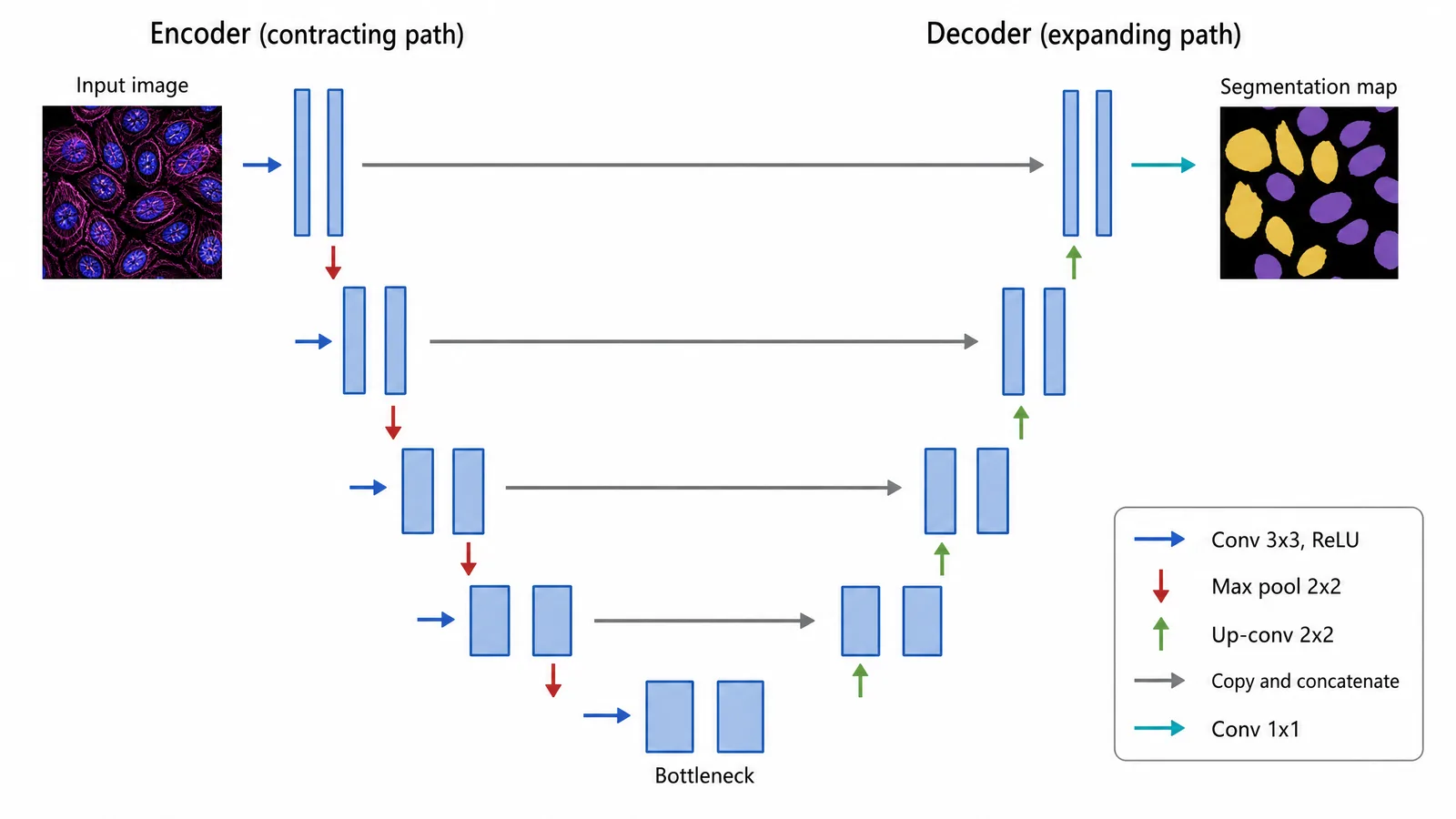
Draw your network as an editable architecture diagram
Describe the backbone, heads, and connections once, then adjust any block or arrow until it matches your implementation.
Try Free6. Designing a Winning CVPR 2027 Poster: Figures a Vision Audience Will Check
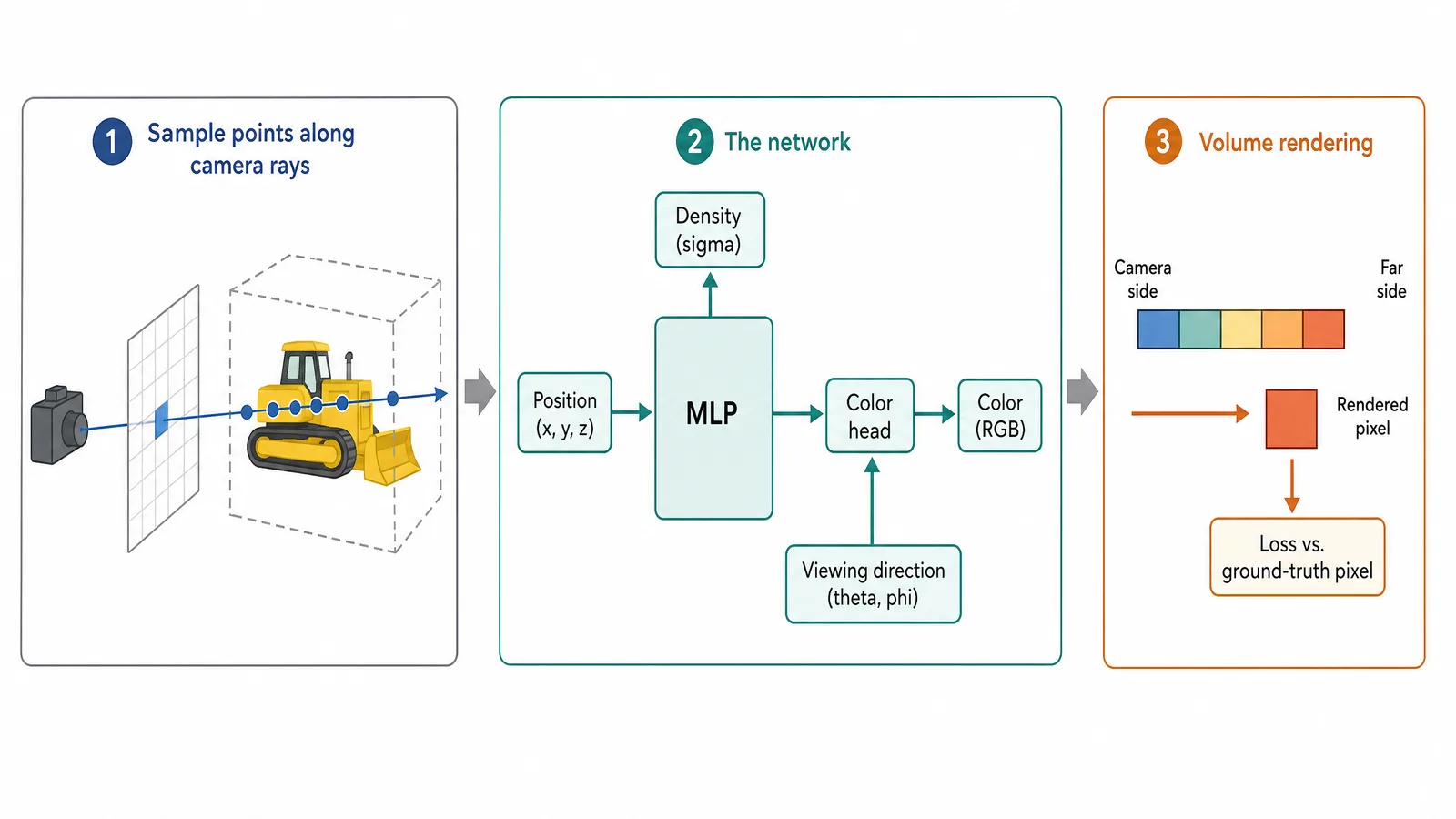
Three details are worth checking on any CVPR poster figure:
- Inputs go where the method uses them. In a neural radiance field figure, viewing direction feeds only the color branch, while density depends on position alone. An arrow from viewing direction into density describes a different model.
- Rays and rendering order. Points are sampled along a ray that starts at the camera and passes through one pixel, and volume rendering composites them from the camera side outward into that pixel's color.
- Skip connections match resolution. In an encoder–decoder network, each skip joins two stages at the same spatial size; a skip drawn between mismatched levels describes a different architecture.
7. Create Your CVPR 2027 Figures with SciFig
| What you need for your poster or slides | Use | What it helps with |
|---|---|---|
| Explain your method, the problem setting, or a teaser figure | SciFig AI Illustration | Start from text, PDF, sketch, photo, reference, or old figure; edit any element; export PPTX or SVG |
| Turn results into mAP curves, ablation bar charts, or benchmark comparisons | SciFig DataChart | Upload CSV or Excel for a publication chart; change chart type and colors; export the data chart as PNG or PDF |
| Show the model architecture or data workflow | SciFig FlowChart | Generate from text or a template; edit text, boxes, and connectors; export SVG or PPTX |
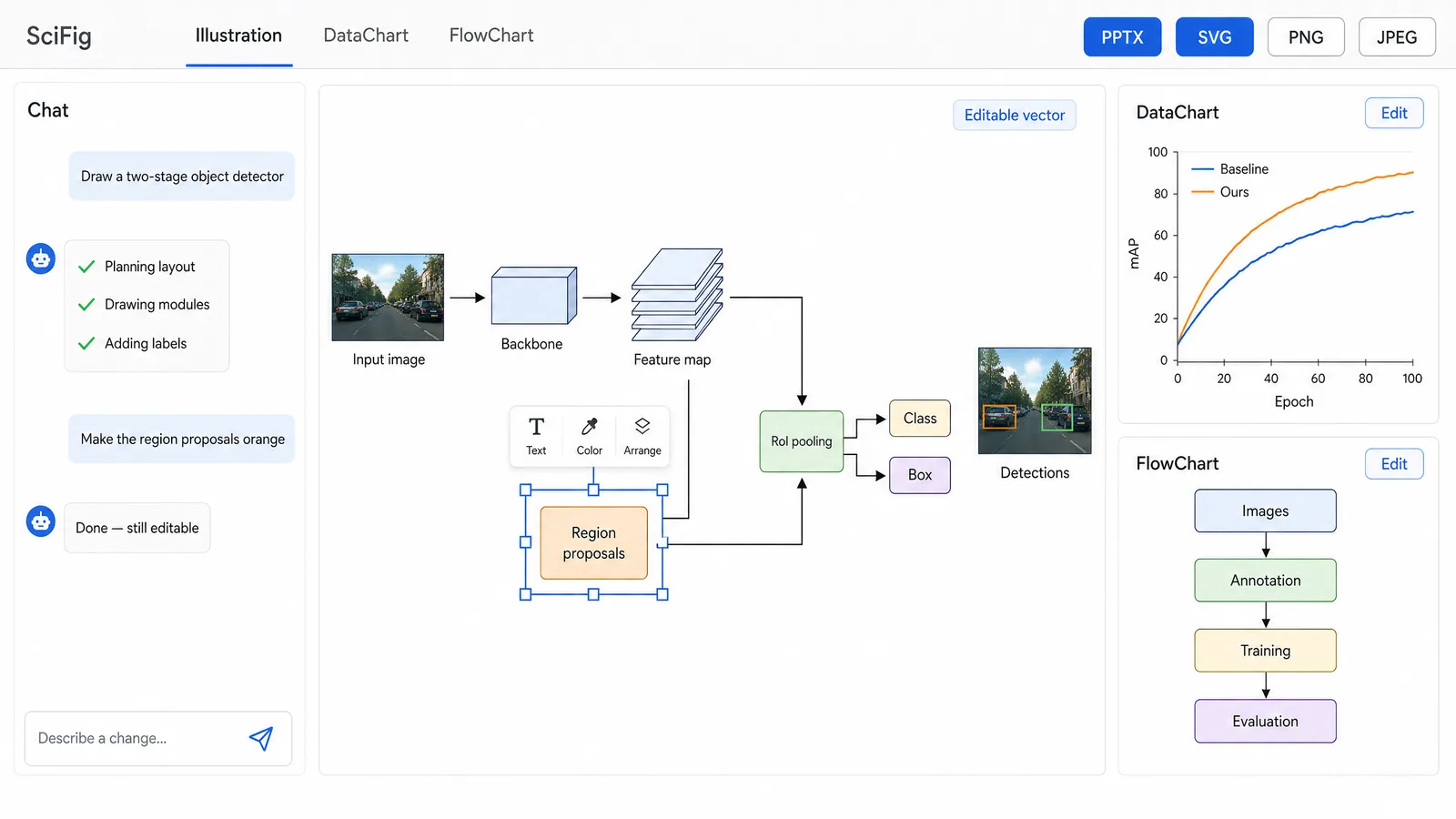
Spelling out the topology tells SciFig exactly which structure to draw. Copy and adapt:
two-stage object detector: input image to backbone, backbone to feature map,
feature map to region proposals, feature map and region proposals to RoI
pooling, RoI pooling to a class head and a box head.
Start from your CVPR paper, a prompt, or a sketch
Pick the source you already have, then edit every block and connection and export to PPTX or SVG for the poster and slides.
Try Free8. CVPR 2027 LLM Policy: The Mandatory LLM Usage Statement and Your Figures
The policy sets out what the statement must do and who is responsible:
- Disclose and describe. Name the tool or tools used, identify the parts of the paper or research affected (the guidelines give text, figures, code, experiments, related work, or ideation as examples), and briefly describe the nature and extent of the use.
- Say so if none were used. In that case the statement reads "No LLMs or generative AI tools were used in this work".
- Authors stay responsible. Authors may use LLMs and other AI tools but are fully responsible for everything they submit, and existing standards on research integrity, attribution, reproducibility, and image integrity apply equally to human- and AI-generated content. An LLM should not be listed as an author.
The policy covers the paper; CVPR has not published a separate AI rule for posters or slides. If you make a figure with SciFig, you can name it in the LLM Usage Statement or in the figure caption. For example: Figure created by the authors using SciFig (scifig.ai). Use it only when it describes how you actually made the figure.
9. Where CVPR 2027 Papers Are Published: CVF Proceedings
Two details about that record matter for poster authors:
- Public disclosure date. The Call for Papers notes that a paper's official public disclosure date is two weeks before the conference, or the date the authors make the paper public themselves, whichever comes first.
- Submissions stay confidential until then. Submissions, reviews, and rebuttals are not made public, and papers must not be discussed with the media mentioning CVPR until they are accepted.
Because the CVF page is what people cite, make sure the architecture figure on your poster matches the one in the camera-ready paper.
Frequently Asked Questions
References
- IEEE/CVF Conference on Computer Vision and Pattern Recognition. CVPR 2027. cvpr.thecvf.com. Accessed November 15, 2026. https://cvpr.thecvf.com/Conferences/2027
- IEEE/CVF Conference on Computer Vision and Pattern Recognition. CVPR 2027 Meeting Dates. Accessed November 15, 2026. https://cvpr.thecvf.com/Conferences/2027/Dates
- IEEE/CVF Conference on Computer Vision and Pattern Recognition. CVPR 2027 Call for Papers. Accessed November 15, 2026. https://cvpr.thecvf.com/Conferences/2027/CallForPapers
- IEEE/CVF Conference on Computer Vision and Pattern Recognition. CVPR 2027 Author Guidelines. Accessed November 15, 2026. https://cvpr.thecvf.com/Conferences/2027/AuthorGuidelines
- IEEE/CVF Conference on Computer Vision and Pattern Recognition. CVPR 2026 (2026 conference site). Accessed November 15, 2026. https://cvpr.thecvf.com/Conferences/2026
- IEEE/CVF Conference on Computer Vision and Pattern Recognition. CVPR 2026 Poster Printing Information (2026 rules). Accessed November 15, 2026. https://cvpr.thecvf.com/Conferences/2026/PosterPrinting
- IEEE/CVF Conference on Computer Vision and Pattern Recognition. CVPR 2026 YouTube Video and Poster Uploads (2026 rules). Accessed November 15, 2026. https://cvpr.thecvf.com/Conferences/2026/YouTubeVideoPosterUpload
- IEEE/CVF Conference on Computer Vision and Pattern Recognition. CVPR 2026 FAQ (2026 rules). Accessed November 15, 2026. https://cvpr.thecvf.com/Conferences/2026/FAQ
- IEEE/CVF Conference on Computer Vision and Pattern Recognition. CVPR 2026 Author Guidelines (2026 rules). Accessed November 15, 2026. https://cvpr.thecvf.com/Conferences/2026/AuthorGuidelines
- OpenReview. CVPR 2027 Conference. Accessed November 15, 2026. https://openreview.net/group?id=thecvf.com/CVPR/2027/Conference
- Computer Vision Foundation. CVF Open Access. Accessed November 15, 2026. https://openaccess.thecvf.com/menu