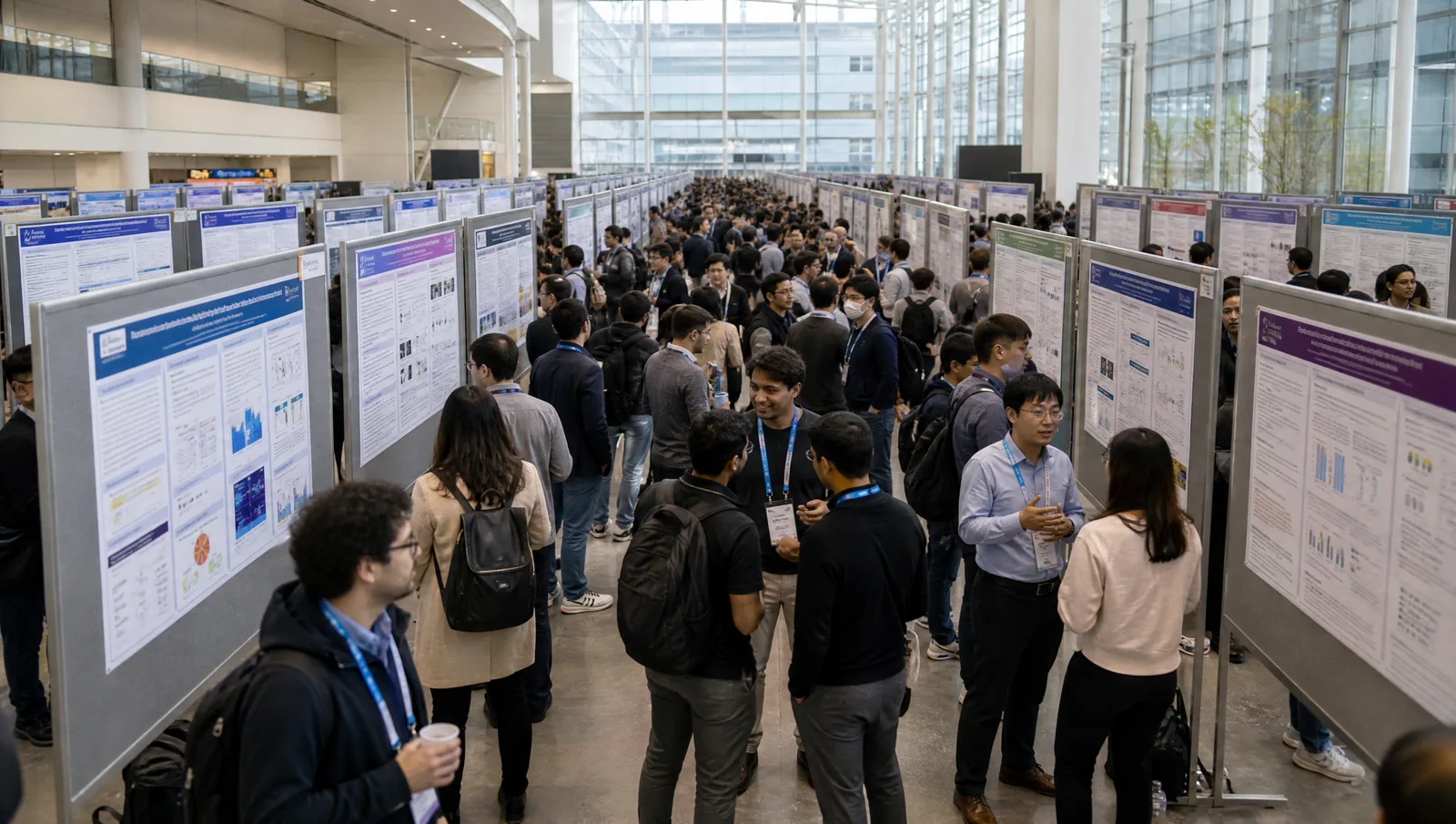
ICLR 2027 poster guide: 2026 size limits (1.90 × 0.90 m landscape, 61 × 91 cm workshop), PNG upload specs, oral slides, AI disclosure, and OpenReview.
SciFig Team
SciFig editorial team
ICLR 2027 runs April 26–30, 2027, in California; the venue has not been announced yet.
This is a practical guide to the official poster and presentation rules for the Fifteenth International Conference on Learning Representations: poster size and format, the PNG poster upload, oral slides, and the figures an ML poster needs.
It also covers the ICLR 2027 AI policy for authors and where accepted papers are published on OpenReview. Every date and specification below links to official ICLR materials; any prior-year planning reference is labeled with its year.
Need the file, not just the specs? Download our ICLR poster templates — editable PowerPoint layouts in A0 landscape for the main conference and A1 portrait for workshops — or the scientific presentation templates for your talk.
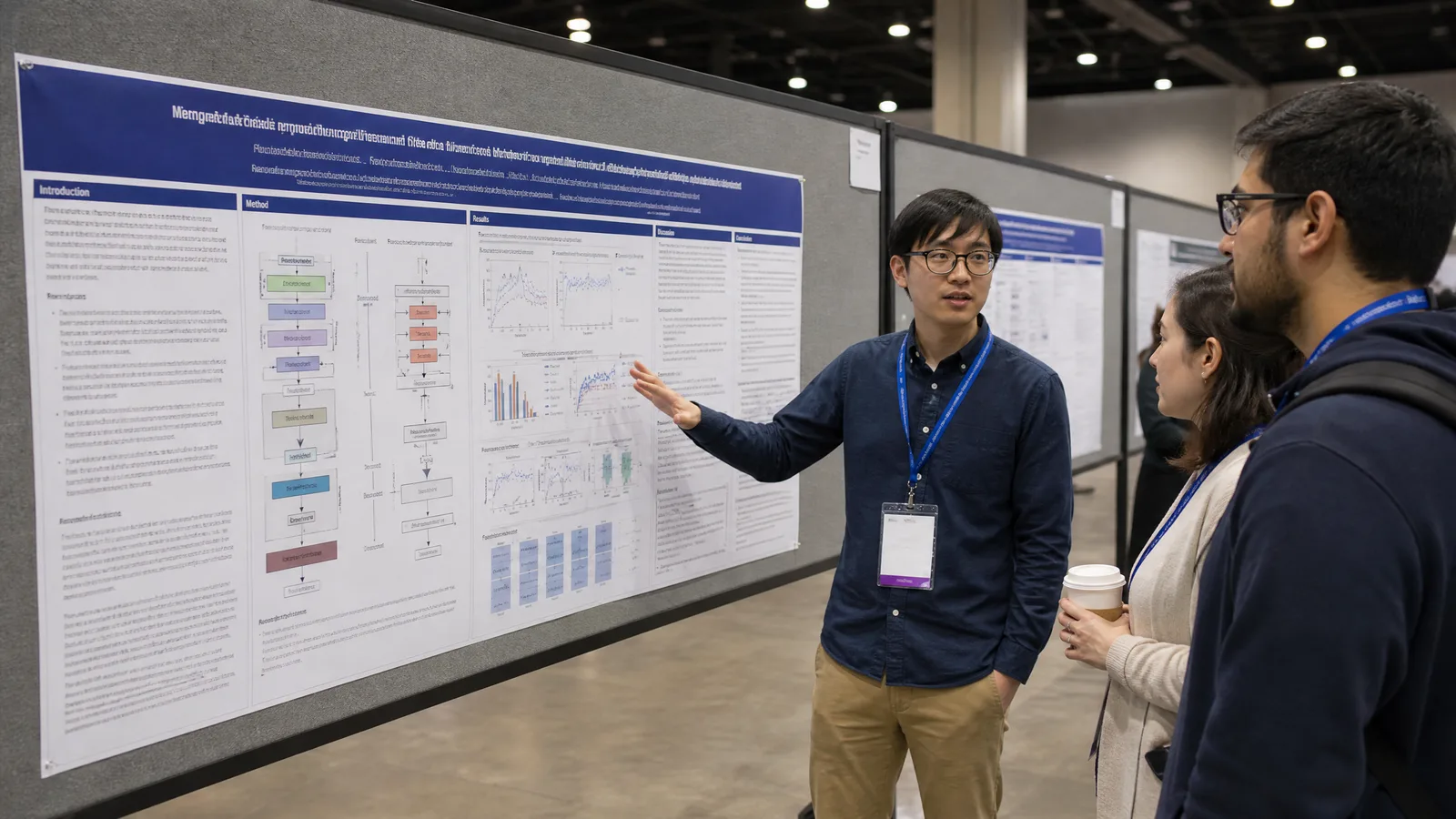
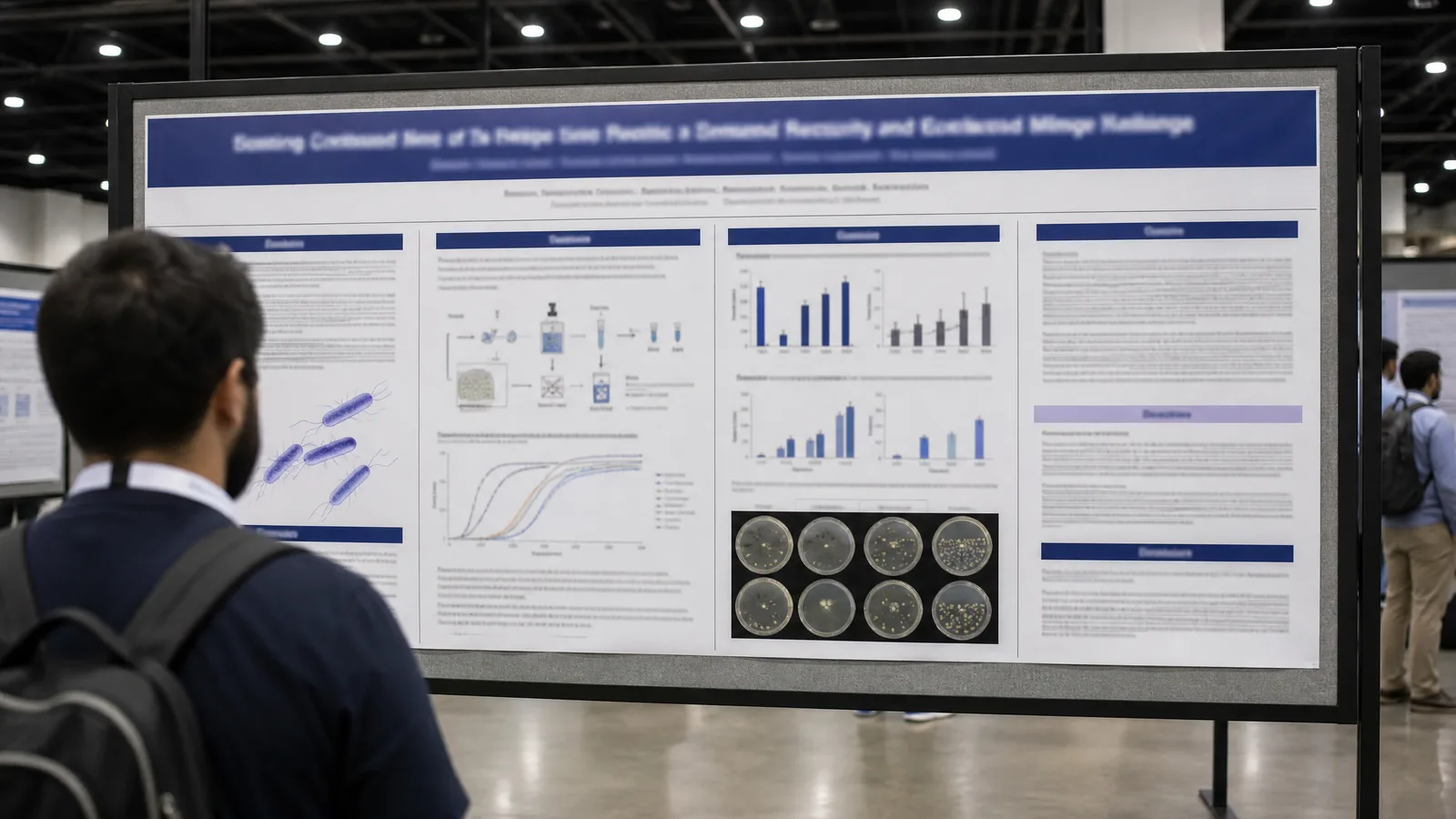
ICLR 2027 poster guidelines cover: a presenter explaining a wide landscape machine learning poster with title band, author row, and architecture diagrams to two attendees in a poster hall (Figure generated with SciFig)
1. ICLR 2027 at a Glance: Dates, Location, and Review Timeline
ICLR 2027 runs April 26–30, 2027, in California: the main conference is April 26–28 and the workshops are April 29–30, and final paper decisions are scheduled for December 16, 2026. The official ICLR home page describes a five-day, multi-track event with invited talks, oral paper presentations, and poster sessions, with the fourth and fifth days given to workshops. It names California as the location but says venue information will be posted later, and the ICLR 2027 dates page still lists the location as to be announced.
The review timeline below comes from the official dates page and the ICLR 2027 Author Guide. All paper deadlines are Anywhere on Earth (AOE).
The camera-ready paper keeps the 10-page limit of the rebuttal version, so the figures you redraw for the poster can usually go straight back into the paper. ICLR has not posted a 2027 poster printing or poster upload deadline yet. In 2026, the optional poster printing service took main-conference orders until April 5, 2026, and the 2026 Author Guide required at least one author of each accepted paper to hold a "Conference and Workshops" registration, with at least one author registered in person. Treat those 2026 rules as a planning reference and check the ICLR 2027 dates page for the 2027 schedule.
2. ICLR 2027 Poster Size and Format: The 2026 Limits to Plan With
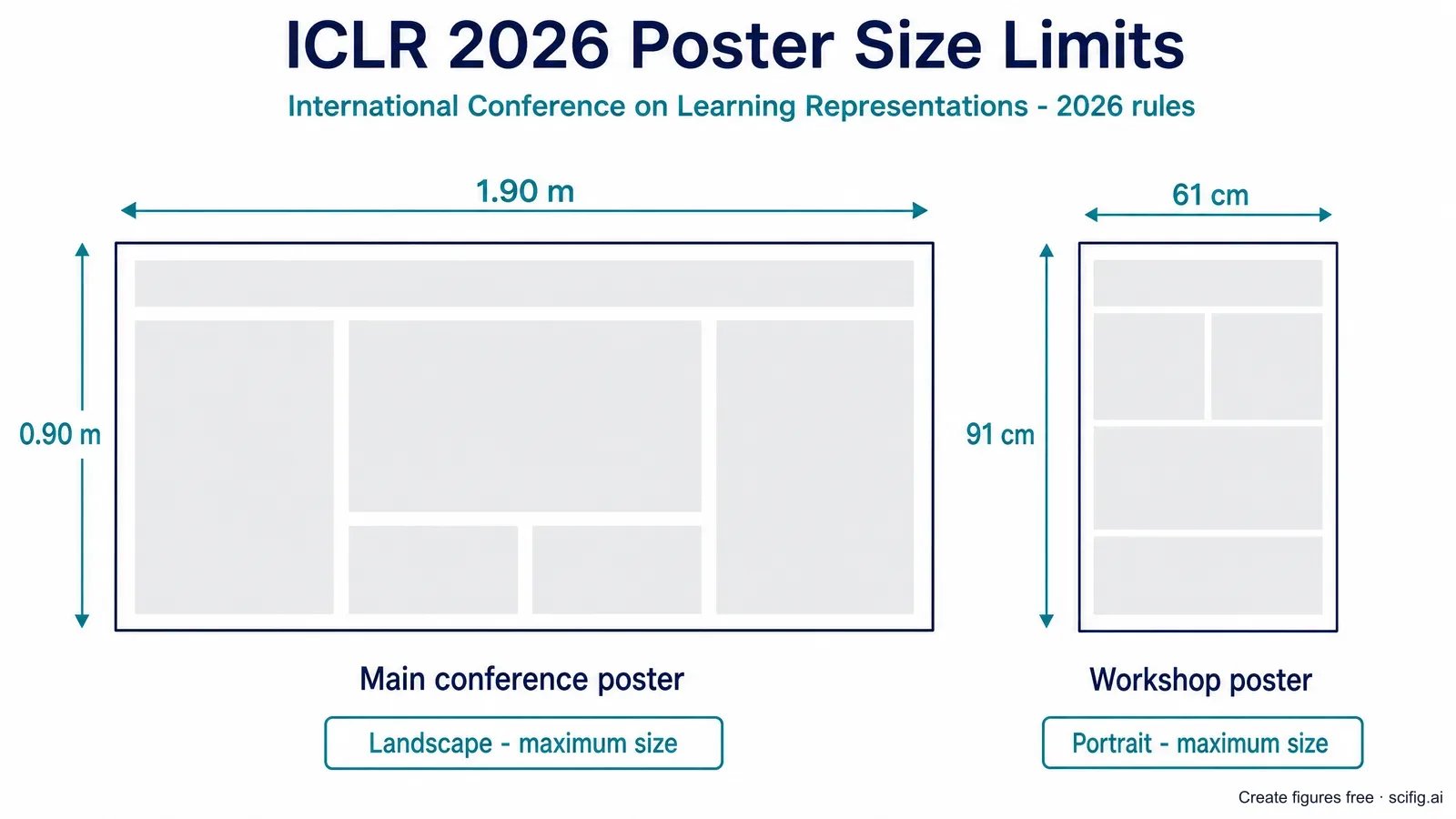
In 2026, ICLR main-conference posters were landscape with a maximum size of 1.90 m wide × 0.90 m high, and workshop posters were portrait with a maximum size of 61 cm wide × 91 cm high. ICLR has not published its 2027 poster instructions yet, so use these 2026 limits as a planning reference rather than as the 2027 rule.
Landscape, maximum 1.90 m × 0.90 m (width × height)
Workshop poster size
Portrait, maximum 61 cm × 91 cm; portrait is required because wall space is limited
Mounting
Approved tape only; command strips and painter's tape are provided in the poster room
Not allowed
Adhesive-backed self-sticking posters or anything that can damage poster boards or walls
When to put it up
No more than one hour before your poster session
After the session
Posters left on the boards are not available to retrieve later
Printing
Any printing service; an optional service delivered on-site was offered
ICLR 2027 poster size planning figure showing the 2026 limits: a 1.90 m × 0.90 m landscape main conference poster and a 61 cm × 91 cm portrait workshop poster (Figure generated with SciFig)
The official 2026 page prints "(76.4in x 37.4in)" next to the main-conference limit. Those inch figures do not match the metric limit, so design to the metric size: 1.90 × 0.90 m converts to about 74.8 × 35.4 in. The same inch figures appeared on the ICLR 2025 poster page, where the limit was 1.94 m × 0.95 m.
That difference matters for one common format. A 48 × 36 in layout is 121.9 × 91.4 cm, about 1.4 cm taller than the 0.90 m metric limit. An A0 landscape poster (118.9 × 84.1 cm) fits inside it, as does a custom canvas wider than A0, because the board is more than twice as wide as it is tall. That wide shape suits a three- or four-column ICLR poster with one dominant figure in the middle.
Two more 2026 details affect layout. Picking a paper topic was required, because ICLR used it to assign each poster's position in the session. Spotlight papers were recognized with a "Spotlight" sign placed on the poster board during the session.
Build the hero figure for a wide ICLR poster
Start with the architecture or method figure that carries your paper, then lay out the 1.90 × 0.90 m board around it.
ICLR publishes no official poster template; its only official templates are the LaTeX style files for the paper. Our ICLR poster templates give you editable PowerPoint layouts: the A0 landscape layout prints inside the 2026 main-conference limit, and the A1 portrait layout (59.4 × 84.1 cm) prints inside the 2026 workshop limit. Build your layout now, then re-check the size against the 2027 poster instructions when ICLR posts them on the ICLR 2027 site.
3. ICLR 2027 Poster Upload: PNG Size, Thumbnail, and Video
In 2026, ICLR asked presenters to upload a virtual poster and a thumbnail to the conference website, marked "highly recommended"; the poster must be a landscape PNG of at most 5120 × 2880 pixels and 10 MB, and the thumbnail a PNG of at most 320 × 256 pixels and 5 MB. The PNG rules come from the EventHosts poster upload guide, the shared help wiki that ICLR's poster page links to; it covers several conferences, not ICLR 2027 alone.
The upload guide adds these practical points for the ICLR poster PNG:
Use a solid background for the poster and thumbnail, not a transparent one.
Re-uploads are allowed until two hours before your poster is presented, and new files replace old ones.
There is no hard upload deadline for conferences without a virtual poster session. ICLR 2026 had no virtual poster session; its poster page recommended uploading at least one week before the conference.
A "Scale images to fit" option on the upload page resizes larger files to the limits.
A 1.90 × 0.90 m board is wider than the 16:9 upload frame, so a full-width export at 5120 × 2425 pixels keeps the printed proportions without padding. Export the PNG from the same file you send to the printer.
In 2026, authors who registered to attend also recorded a five-minute summary video through SlidesLive, which ICLR hosted on iclr.cc for viewing at any time. ICLR has not published its 2027 upload and video rules yet; check the ICLR 2026 poster guide for the full 2026 list and watch for the 2027 version.
4. ICLR 2027 Oral Presentation Slides and the Official ICLR Logo
In 2026, ICLR oral presenters uploaded a PDF slide deck from their paper's event page, recommended for papers selected for an oral and optional for others; the 2026 pages gave no official slide template, talk length, or slide aspect ratio. The 2026 Author Guide also said that authors who registered in person and were offered an oral spot presented the oral in person. For the ICLR 2027 presentation format, wait for the 2027 guide and your decision email.
ICLR does publish one rule on branding. Every iclr.cc page carries this statement: "The ICLR Logo above may be used on presentations. Right-click and choose download. It is a vector graphic and may be used at any scale." Download the logo from iclr.cc itself rather than reusing a copy found elsewhere, so the slide or poster gets the current vector version.
Without an official slide template, the deck starts from an empty file. Our scientific presentation templates are 16:9 academic decks already ordered the way a conference talk runs, and the same architecture and results figures you build for the poster drop straight into them.
5. What Figures Do You Need for an ICLR 2027 Poster or Talk?
Most ICLR posters rest on three figure types: a model architecture diagram, a training or inference flow diagram, and results plots from your own experiments. The same diagrams usually have to work in the 10-page camera-ready paper, on the poster board, and on slides. At submission the main text is limited to 9 pages, rising to 10 pages for the rebuttal and camera-ready versions, and papers use the official LaTeX style files listed in the ICLR 2027 Author Guide.
Here is how each ICLR poster figure type maps to a figure workspace:
Model architecture diagram: the modules, tensor flow, and where attention, normalization, and residual connections sit. This is usually the first figure a passerby reads. Start one in the neural network diagram generator, which builds it in SciFig FlowChart (flowcharts) with every block and connection editable.
Training or inference flow: data sources, preprocessing, the training loop, evaluation, and deployment steps. SciFig FlowChart turns a written description into native SVG boxes and arrows.
Method concept figure: the idea behind the method, such as a diffusion process, a contrastive objective, or a representation space. SciFig AI Illustration (AI scientific illustration) can generate it from a text description or your paper PDF.
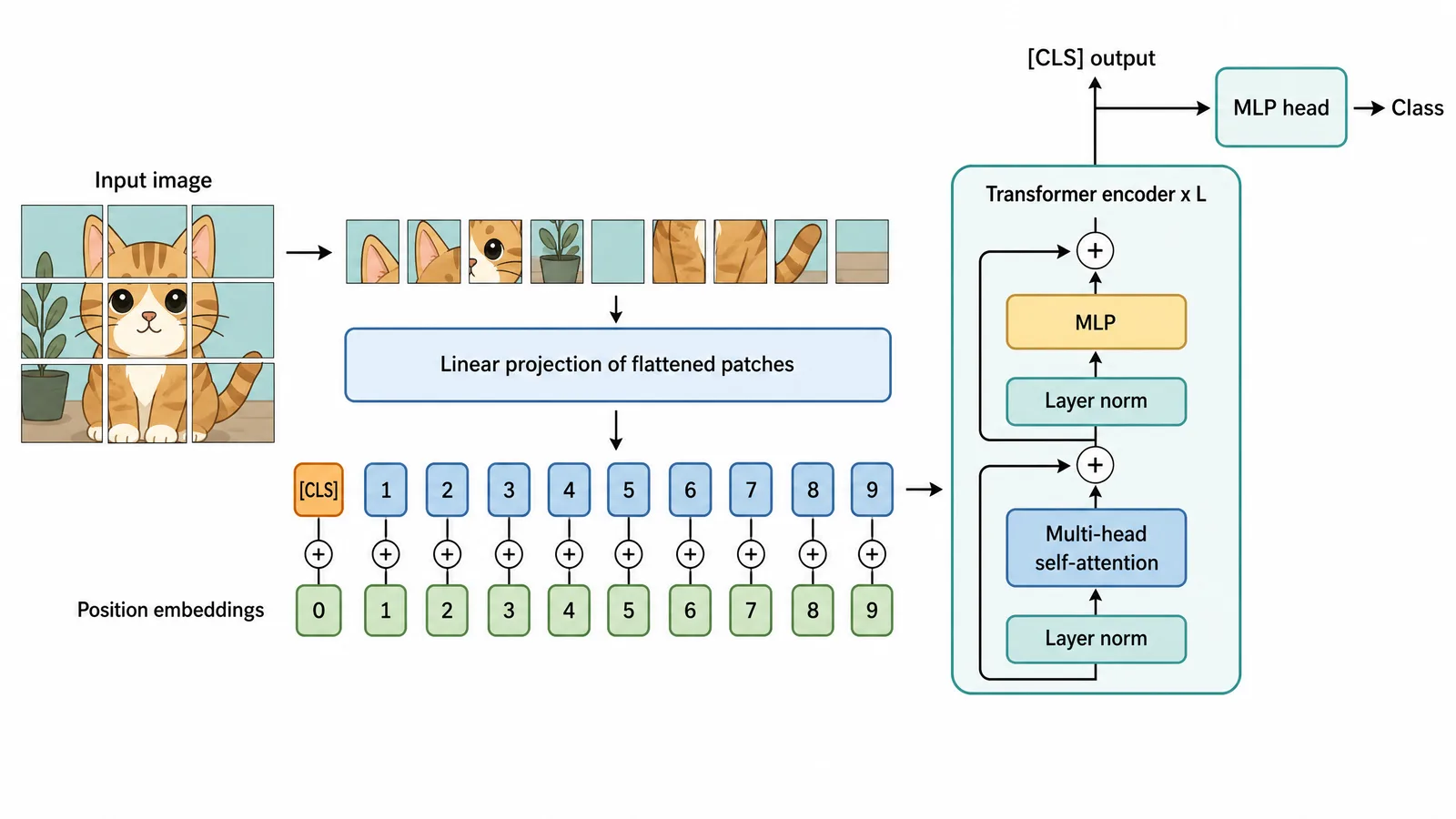
ICLR 2027 poster figure: a Vision Transformer architecture diagram with image patches, linear projection, CLS token and position embeddings, a Transformer encoder block with residual connections, and an MLP head (Figure generated with SciFig)
The Vision Transformer diagram above shows the level of detail an ICLR audience expects: patch tokens, the class token, position embeddings, and residual connections that each skip one sublayer. For the drawing conventions readers recognize, see our guide to drawing neural network diagrams.
Turn your model description into an editable architecture diagram
Describe the blocks and connections once, then adjust any arrow or label until it matches your implementation.
6. Designing a Winning ICLR 2027 Poster: Diagrams an ML Audience Will Check
In our view, a winning ICLR poster lets one architecture or method figure carry the story, and every arrow in it survives inspection by someone who has implemented the same model. ICLR reviews are public on OpenReview, and the people at your board may have read them, so a diagram that contradicts the paper is likely to be noticed.
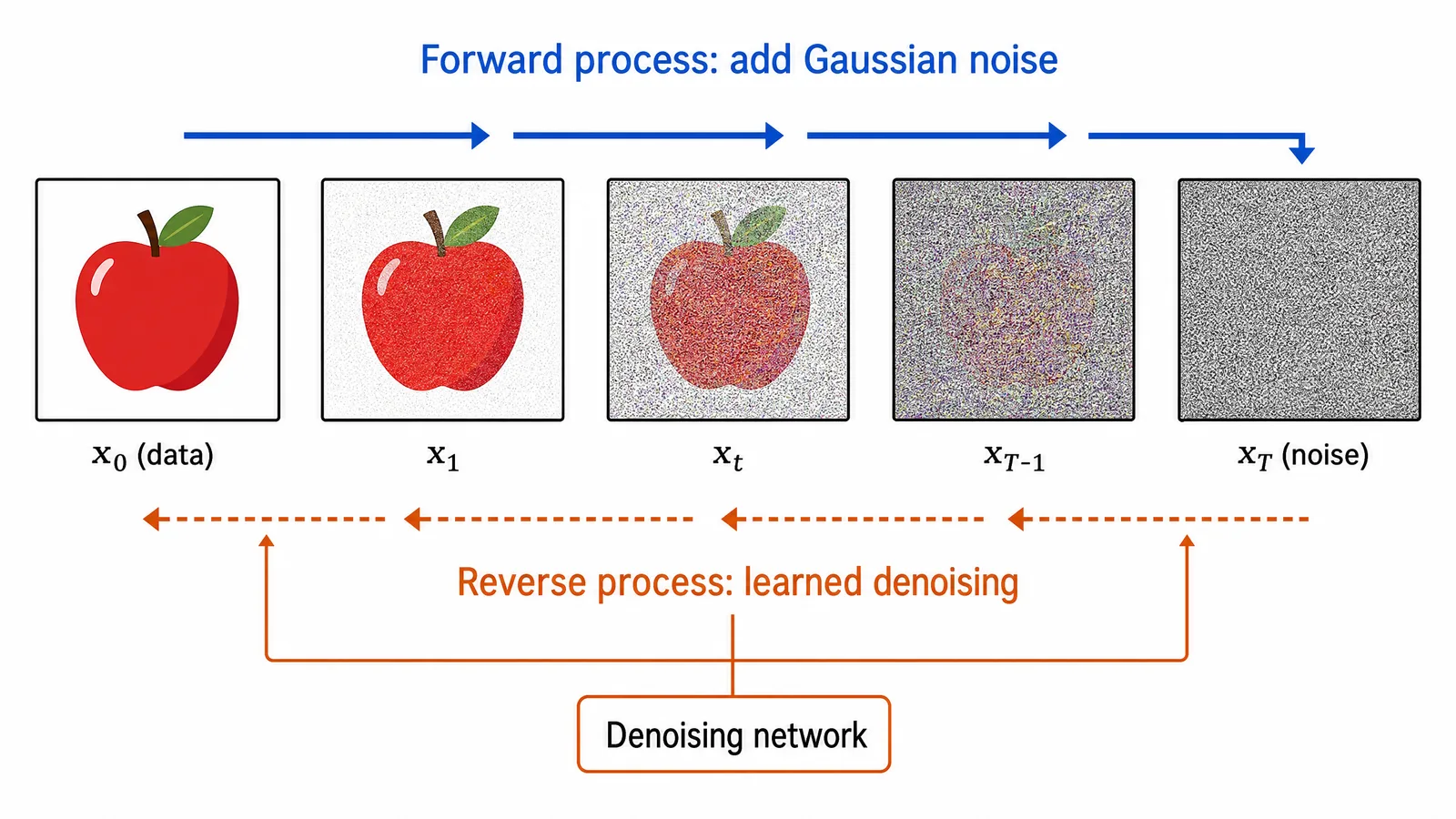
ICLR 2027 poster figure for a machine learning method: a denoising diffusion schematic with the forward process adding Gaussian noise from data to noise and the learned reverse process denoising from noise back to data (Figure generated with SciFig)
Three details are worth checking on any ICLR poster figure:
Process direction. In a diffusion figure, the forward process adds noise from data toward pure noise, and the learned reverse process runs from noise back to data. Arrows that point the same way for both describe a different model.
Residual connections. Each skip connection routes around one complete sublayer and rejoins at its add node; in a pre-norm block, layer normalization sits inside the branch, before the sublayer.
What feeds the output head. In a Vision Transformer classifier, only the class token's final state goes to the MLP head; an arrow from every token describes pooling instead.
A general-purpose image model such as Nano Banana Pro or GPT Image returns one finished picture: when an arrow points the wrong way, you regenerate and hope the next attempt fixes it without breaking something else. In SciFig, the figure opens in an editor where every arrow, block, and label can be selected and changed, so you can reverse a process arrow or reroute a skip connection in place. Color is the other common slip: distinguish model variants by marker or line style as well as hue, and use a color-blind-safe palette such as Okabe–Ito.
SciFig covers the three figures an ICLR poster or talk usually needs — SciFig AI Illustration (AI scientific illustration) for the method concept, SciFig DataChart (charts and graphs from your data) for results, and SciFig FlowChart (flowcharts) for the model architecture — and every result stays editable.
What you need for your poster or slides
Use
What it helps with
Explain your method, a concept, or a teaser figure
Generate from text or a template; edit text, boxes, and connectors; export SVG or PPTX
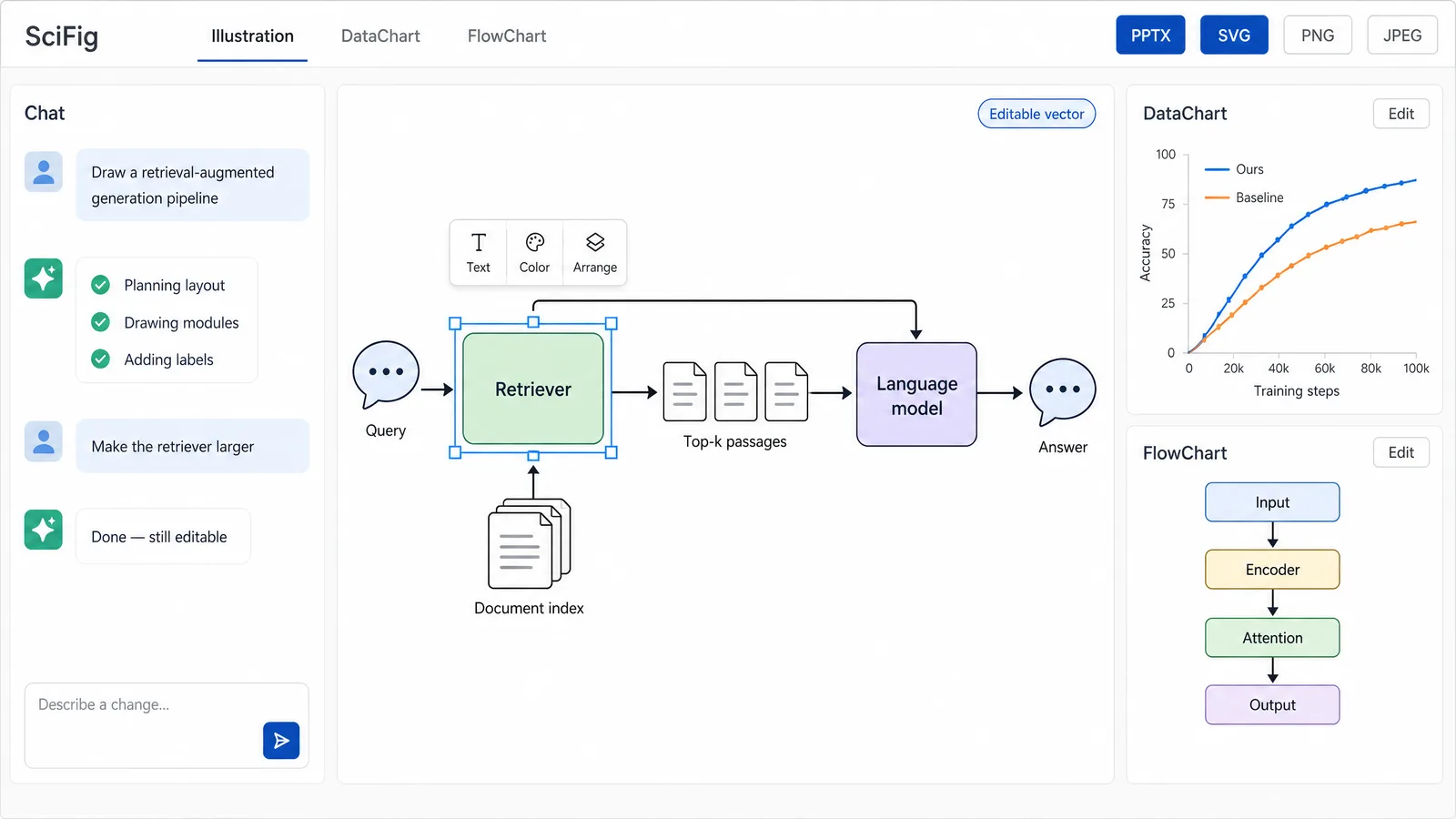
ICLR 2027 SciFig workspace mockup for a machine learning poster: a chat panel generating an editable retrieval-augmented generation pipeline on the canvas, accuracy-curve DataChart and model-architecture FlowChart cards, and PPTX, SVG, PNG, and JPEG export buttons (Figure generated with SciFig)
Spelling out the topology tells SciFig exactly which structure to draw. Copy and adapt:
retrieval-augmented generation: user query to retriever, retriever reads a
document index and returns top-k passages, passages and query go to the
language model, model returns the answer.
Start from your ICLR paper, a prompt, or a whiteboard photo
Pick the source you already have, then edit every connection and export to PPTX or SVG for the poster and slides.
8. ICLR 2027 AI Policy for Authors: Disclosing AI-Made Figures
ICLR 2027 requires every paper to include a mandatory AI use section, and it lists creating or modifying scientific figures as a recommended, not required, disclosure item. The ICLR 2027 AI Policy for Authors states: "we require authors to disclose AI use in a mandatory section in their paper (this section will not be counted towards the page limit)." Its list of recommended disclosures includes tasks that "create or modify scientific figures or images."
The policy also keeps responsibility with the authors: a substantial falsehood, plagiarism, or misrepresentation produced by an LLM is treated as a Code of Ethics violation by the paper's authors and might lead to desk rejection. The Author Guide lists the AI use statement as required. The policy covers the paper; ICLR has not published a separate AI rule for posters or slides.
If you make a figure with SciFig, you can mention it in the paper's AI use section or in the figure caption. For example: Figure created by the authors using SciFig (scifig.ai). Use it only when it describes how you actually made the figure.
9. Where ICLR 2027 Papers Are Published: OpenReview Proceedings
ICLR has no abstract book or journal supplement: accepted papers are published on OpenReview, which ICLR links as its proceedings, and ICLR 2027 submissions sit in the ICLR 2027 Conference group. The paper PDF on OpenReview is the citable record, so a reader who finds your poster will usually open that page next.
The abstract is a text field. At the abstract deadline only the "Abstract" field is mandatory; the PDF comes later. Abstracts must be genuine, and placeholder or duplicate abstracts are removed.
Everything is deanonymized after notification. All submitted papers, whether accepted, rejected, or withdrawn, are deanonymized after the December 16 decisions, and the submissions and reviews are released to the public.
Papers that are not accepted are non-archival. They may be submitted elsewhere, while OpenReview keeps the reviews and comments.
Because the OpenReview page is what people cite, make sure the architecture figure on your poster matches the one in the camera-ready PDF. The full ICLR archive is linked from ICLR Proceedings at OpenReview.
Frequently Asked Questions
ICLR 2027 runs April 26–30, 2027, in California, with the main conference April 26–28 and workshops April 29–30. ICLR has not announced the venue yet. See §1 ICLR 2027 at a Glance.
In 2026, main-conference posters were landscape with a maximum of 1.90 m × 0.90 m, and workshop posters were portrait with a maximum of 61 cm × 91 cm. ICLR has not published its 2027 poster size yet, so design to these metric limits. See §2 ICLR poster size.
Under the 2026 metric limit, a 48 × 36 in poster (121.9 × 91.4 cm) is about 1.4 cm taller than the 0.90 m maximum. An A0 landscape poster (118.9 × 84.1 cm) fits. See §2 ICLR poster size.
The ICLR poster upload is a landscape PNG of at most 5120 × 2880 pixels and 10 MB, with a PNG thumbnail of at most 320 × 256 pixels and 5 MB. Use a solid background. See §3 ICLR poster upload.
No. ICLR publishes LaTeX style files for the paper but no official poster or slide template. It does allow the ICLR logo to be used on presentations. See §2 ICLR poster size and §4 oral slides and logo.
ICLR 2027 requires a mandatory AI use section in every paper and lists creating or modifying scientific figures as a recommended disclosure. Authors remain responsible for all content. See §8 ICLR 2027 AI policy.
No. ICLR has no abstract book; accepted papers are published on OpenReview, which ICLR links as its proceedings. The abstract is a text field in the OpenReview submission. See §9 OpenReview proceedings.
References
All dates, specifications, and policies above are drawn from official ICLR materials, accessed November 14, 2026:
International Conference on Learning Representations. ICLR 2027 Home Page. iclr.cc. Accessed November 14, 2026. https://iclr.cc/
International Conference on Learning Representations. ICLR 2026 Dates (2026 schedule). Accessed November 14, 2026. https://iclr.cc/Conferences/2026/Dates
Disclaimer: This article is educational content about scientific figure design for ICLR posters and presentations. SciFig is an independent AI scientific figure platform covering illustrations (SciFig AI Illustration), charts and graphs from your data (SciFig DataChart), and flowcharts (SciFig FlowChart) and is not affiliated with or endorsed by ICLR.
Keep going
Recommended resources
Templates, tools, and further reading for your research