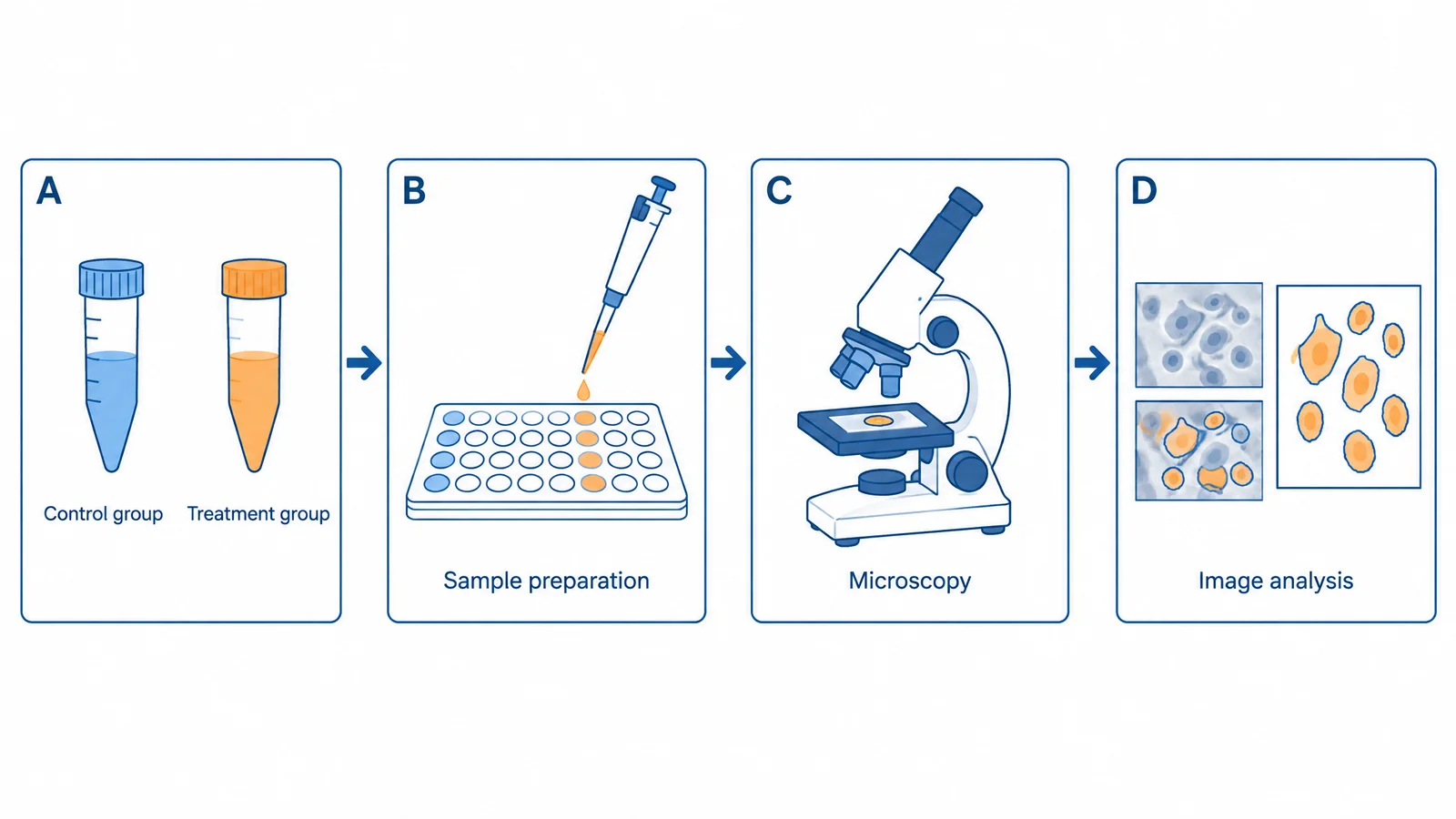
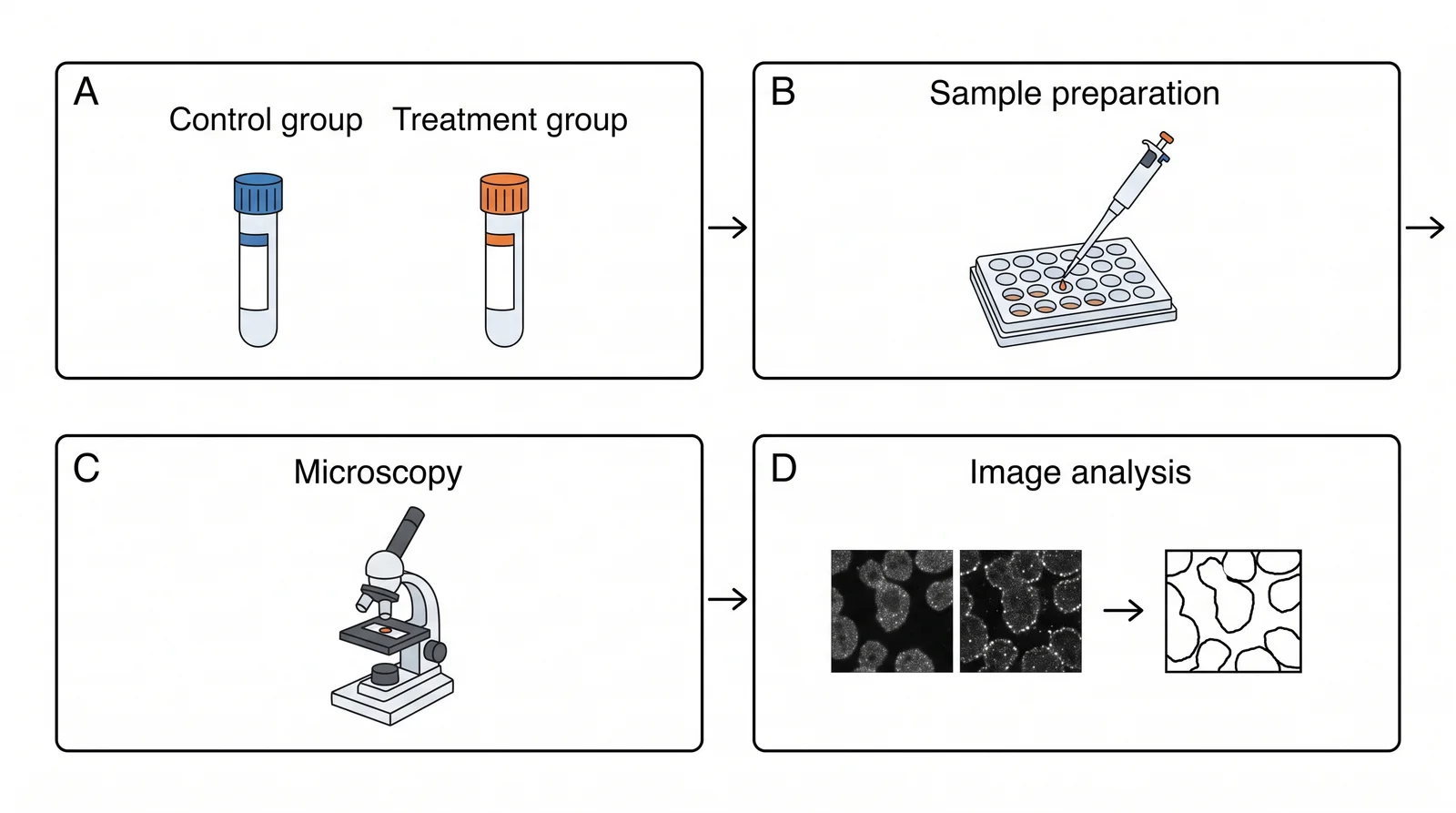
Scientists using Adobe Illustrator for scientific figures need few of its features but all of its export formats.
That asymmetry is the whole problem. Most figure work is assembling panels, aligning labels, fixing fonts, and exporting to a journal specification. None of that requires a professional illustration suite — but the export requirements, particularly EPS and CMYK, are exactly where cheaper tools tend to fall short.
Whether you need alternatives to Adobe Illustrator for biology figures, chemistry schemes or multi-panel layouts, this guide compares the best free Illustrator alternatives on the things journals check — from desktop editors to a free online Illustrator alternative that generates the figure for you.
What Scientific Figure Work Actually Requires
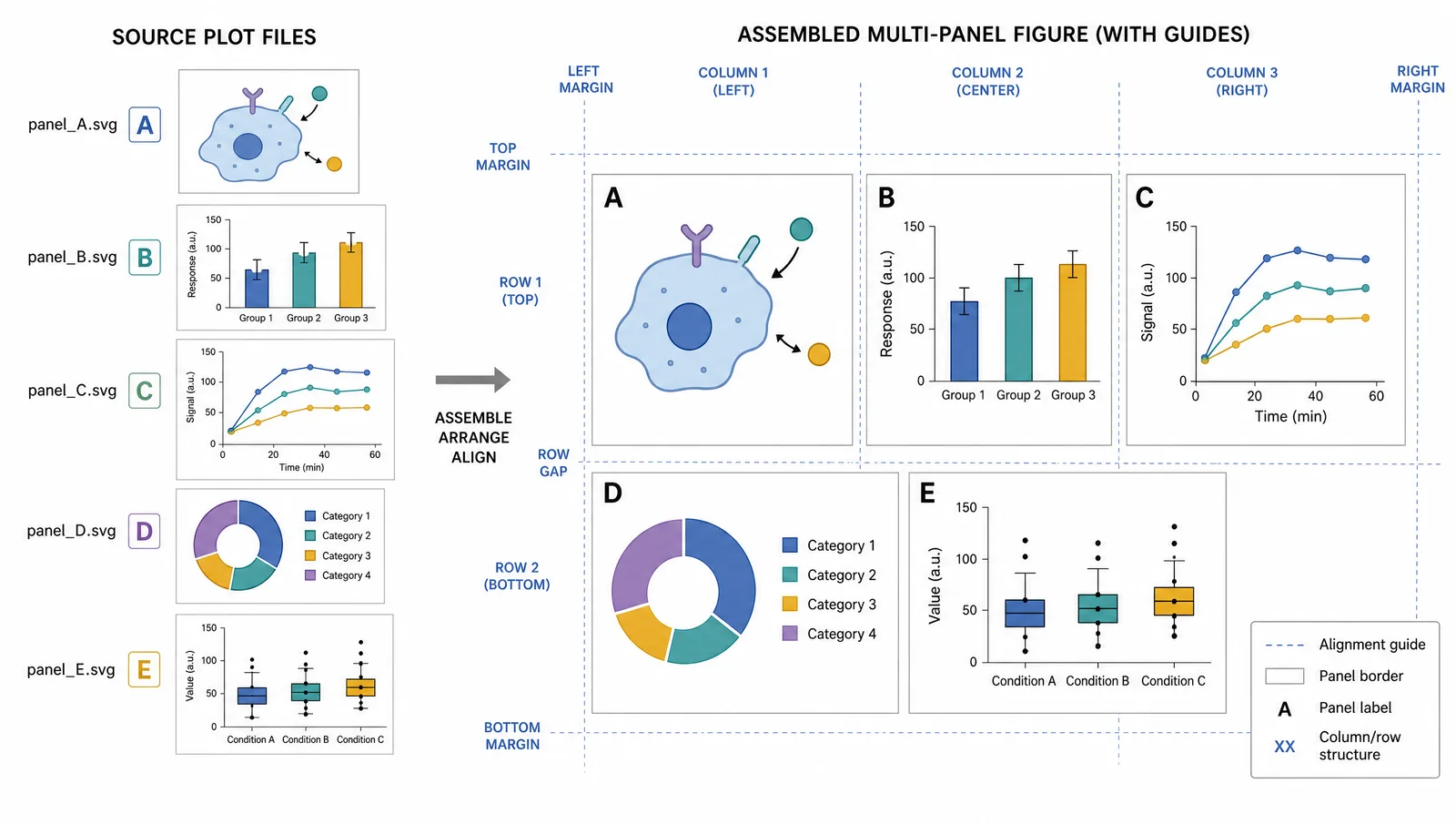
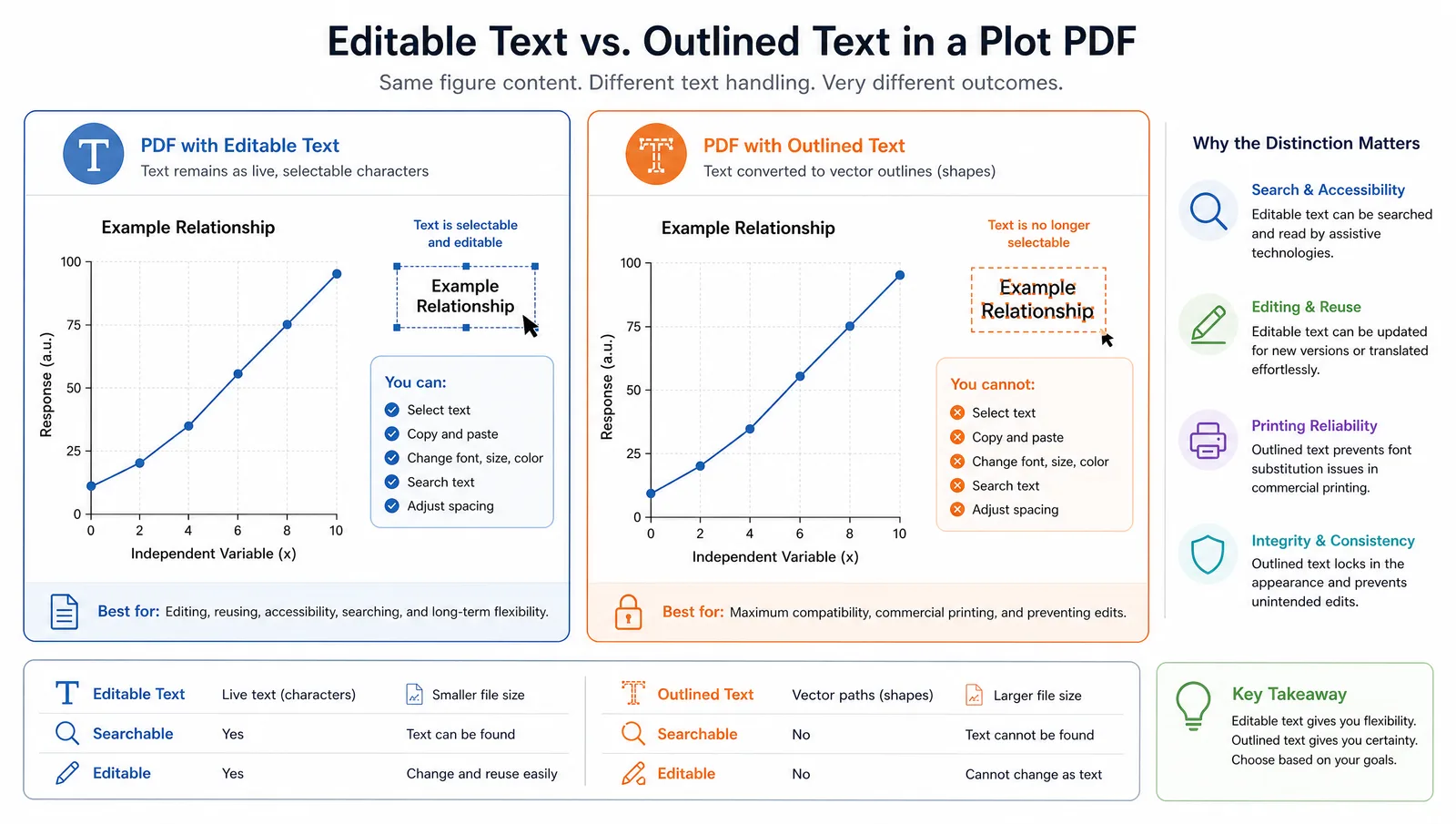
- Open plot output cleanly. PDF and SVG from matplotlib, ggplot2, or GraphPad, with text still editable rather than converted to paths.
- Assemble multi-panel layouts. Align panels, add A/B/C labels, keep consistent spacing.
- Fix typography. Unify fonts across panels produced by different software.
- Export to specification. PDF, EPS, or TIFF at a required resolution, sometimes CMYK, with fonts embedded or outlined.
Everything else — brushes, gradient meshes, 3D effects — is largely irrelevant.
The Alternatives Compared
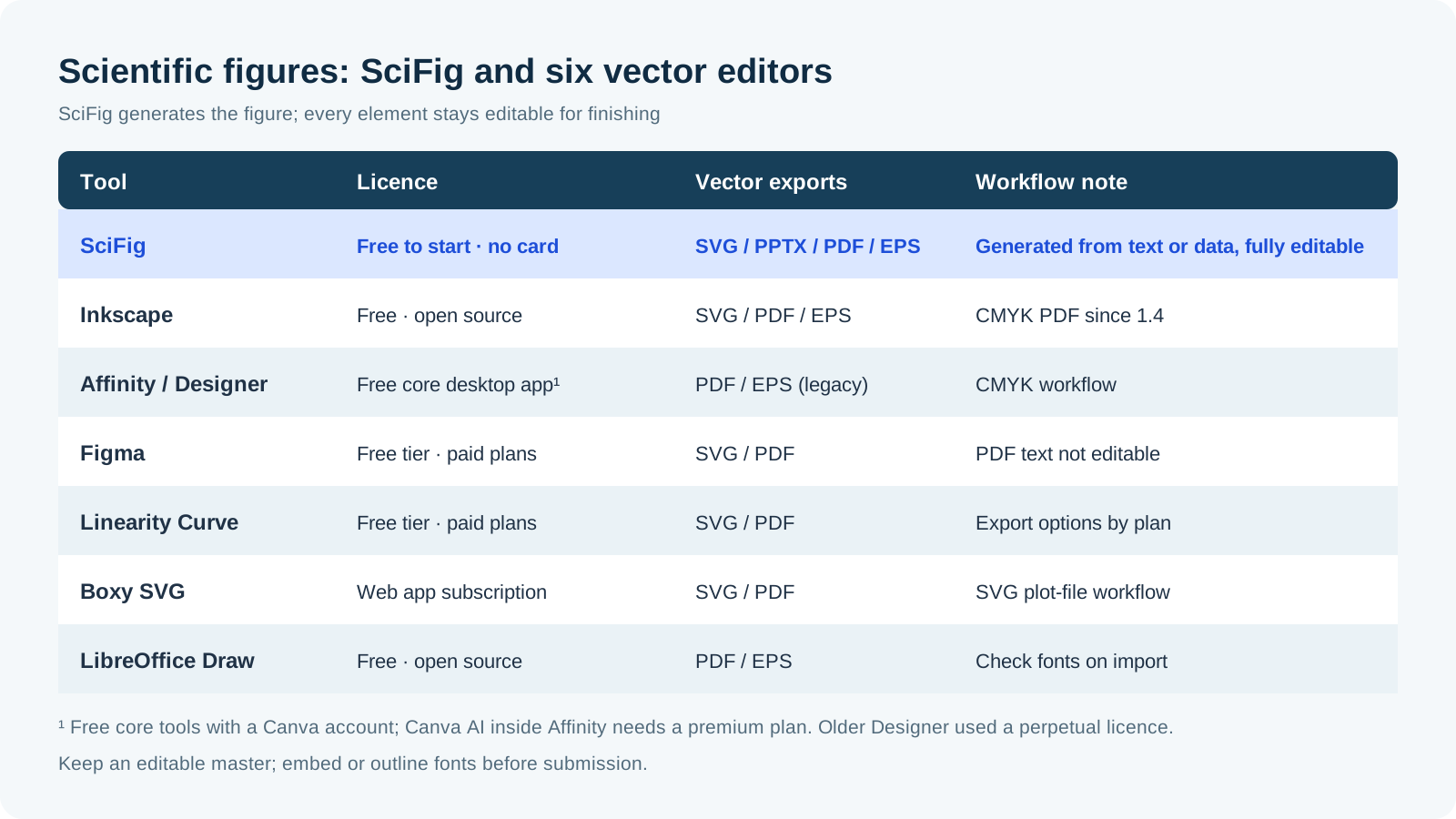
Alongside the general vector editors, SciFig gives you one figure workspace: SciFig AI Illustration (AI scientific illustration) generates scientific artwork you can vectorize into editable SVG, SciFig DataChart (data-driven charts) builds charts accurately from your data, and SciFig FlowChart (flowcharts and diagrams) outputs native, editable SVG diagrams.
| Tool | Licence | EPS export | CMYK | Opens R/Python PDF cleanly | Best for |
|---|---|---|---|---|---|
| Inkscape | Free, open source | Yes | CMYK PDF since 1.4 (with limits) | Import-dependent | Free desktop vector editing and panel assembly |
| SciFig | Free to start, no card; free online | SciFig DataChart: yes, also PDF; illustrations and flowcharts: SVG and PPTX | Separate print conversion | Opens SVG in the vector canvas | Generating a figure from text or data, then editing every element |
| Affinity / legacy Designer | Free core desktop app; Canva AI in Affinity needs a paid plan | Legacy Designer: yes | Yes | Import-dependent | Mixing micrographs with vector annotation for print |
| Figma | Free tier, subscription | No | No | Partial | Collaborative layout in the browser |
| Penpot | Free, open source; browser or self-hosted | No | No | SVG import | Open-source, browser-based vector design |
| Linearity Curve | Free tier; paid subscriptions | Check export route | Check print workflow | Import-dependent | Vector work on Mac and iPad |
| Boxy SVG | Paid app or subscription, depending on platform | No | No | Import-dependent | Lightweight SVG editing |
| LibreOffice Draw | Free, open source | Yes | Limited | Partial | Basic diagrams in an office suite |
See AI Scientific Figure Generation in Action
Watch how researchers create publication-ready scientific figures from text descriptions.
Explore the ToolInkscape
The default recommendation: free, open source, and useful for SVG editing and panel assembly, with PDF and EPS export. PDF import can preserve text when the source contains text and suitable fonts are available; outlined labels remain paths. Since version 1.4 it exports CMYK PDF directly; rasters and filters such as blur need checking, so inspect the final file when CMYK is required.
SciFig — generate the figure, then edit it like vector art
Affinity Designer
The current Affinity desktop app combines vector, pixel, and layout tools and is free with a Canva account. Canva Free includes a small number of AI uses; using Canva AI inside Affinity requires a paid plan. It suits figures mixing micrographs with vector annotation and supports CMYK print workflows. Legacy Affinity Designer supports EPS export; for an EPS-only submission, check the export route in the edition you will use instead of assuming all editions have identical formats.
Figma
Useful for collaboration, with native PNG, JPG, SVG, and PDF export. It has no native EPS export or CMYK print workflow, so those requirements need another finishing route. For editable SVG labels, turn off Outline text; its PDF export does not preserve text as an editable text layer.
Penpot
A free, open-source design tool that runs in the browser or can be self-hosted. It works natively with SVG, exports SVG, PNG, JPG and PDF, and suits labs that want Figma-style collaboration without a subscription. Like Figma, it has no EPS export or CMYK print workflow.
Pick by Route
| Route | Free Illustrator alternative | Why |
|---|---|---|
| Desktop, open source | Inkscape (or LibreOffice Draw for simple diagrams) | Full SVG editing with PDF and EPS export |
| Browser, no install | SciFig, Figma, Penpot | A free online Illustrator alternative for layout and SVG work; SciFig also generates the figure |
| Mac and iPad | Linearity Curve | Native Mac and iPad app with a free tier |
| From a description or your data | SciFig | SciFig AI Illustration, SciFig DataChart and SciFig FlowChart produce the figure, and every element stays editable |
The Font Trap
The most common figure production failure has nothing to do with which editor you use. A figure exported from R using a font not embedded in the PDF will render with a substituted font on the publisher's system, silently changing spacing and sometimes breaking alignment.
Tip
Never let the submitted file be your only copy. Keep the layered source, and export a flattened submission version from it. Reviewers ask for changed panel labels, added significance markers, and rearranged panels routinely, and re-editing a flattened file is far slower than re-exporting from a master.
Refine Figures in the Vector Canvas
Open any AI-generated figure in the editable canvas — layered SVG, 8K PNG, or editable PPTX.
Try Free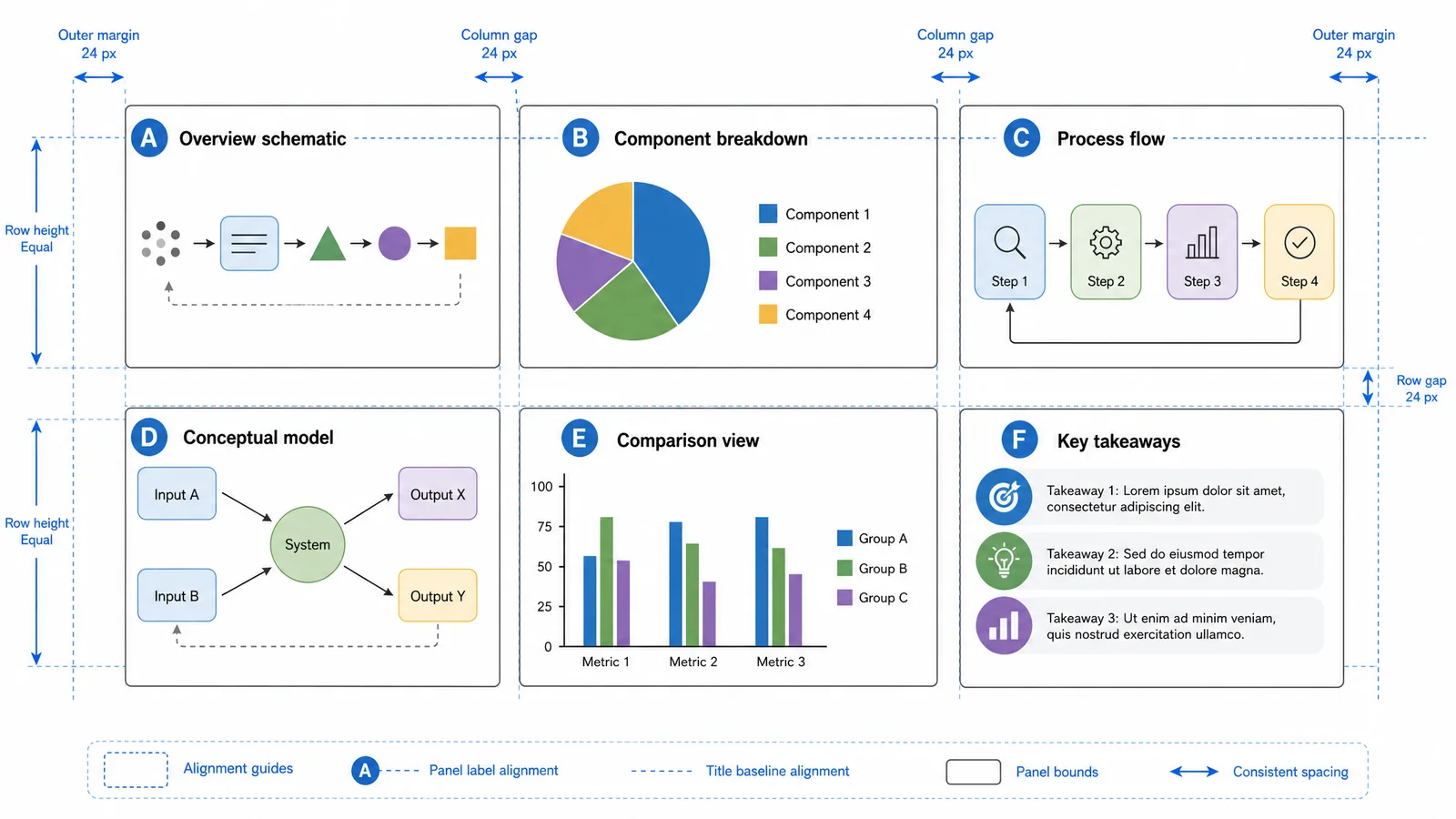
Related Reading
Related reading: Best Free BioRender Alternatives (2026): 7 Tools Compared, Nature-Level Scientific Figures on a Budget.