A beginner's guide to scientific illustration covering what to learn first, tool choices, composition rules, and how to go from sketch to publication figure.
SciFig Team
SciFig editorial team
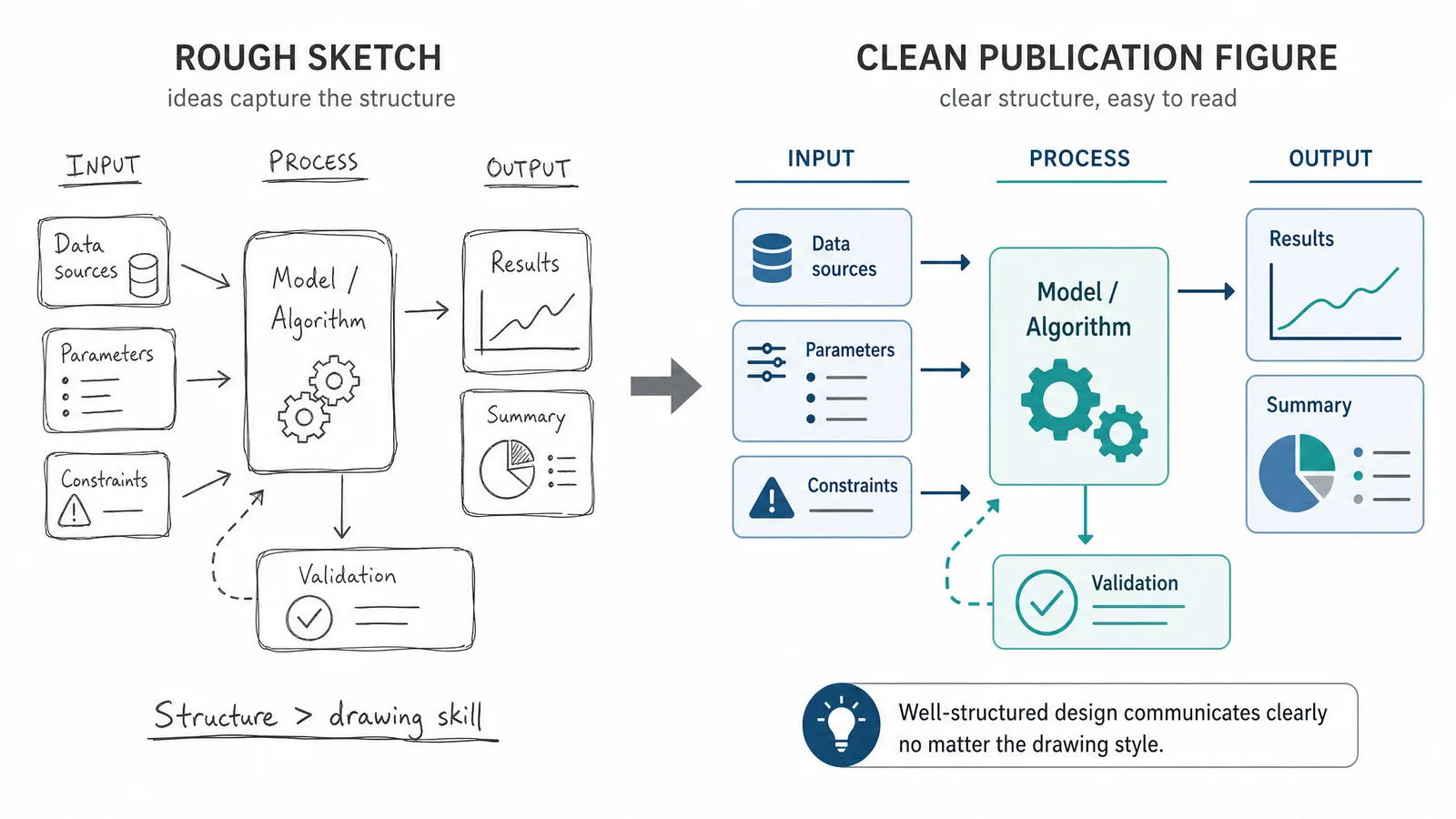
Scientific illustration is about clarity and accuracy, not about drawing skill.
That is the useful thing to learn first. Most researchers assume they cannot make good scientific figures because they cannot draw. In practice the scientific figures that fail do so because of unclear hierarchy, inconsistent conventions, and unlabelled elements — problems of thinking rather than of hand skill.
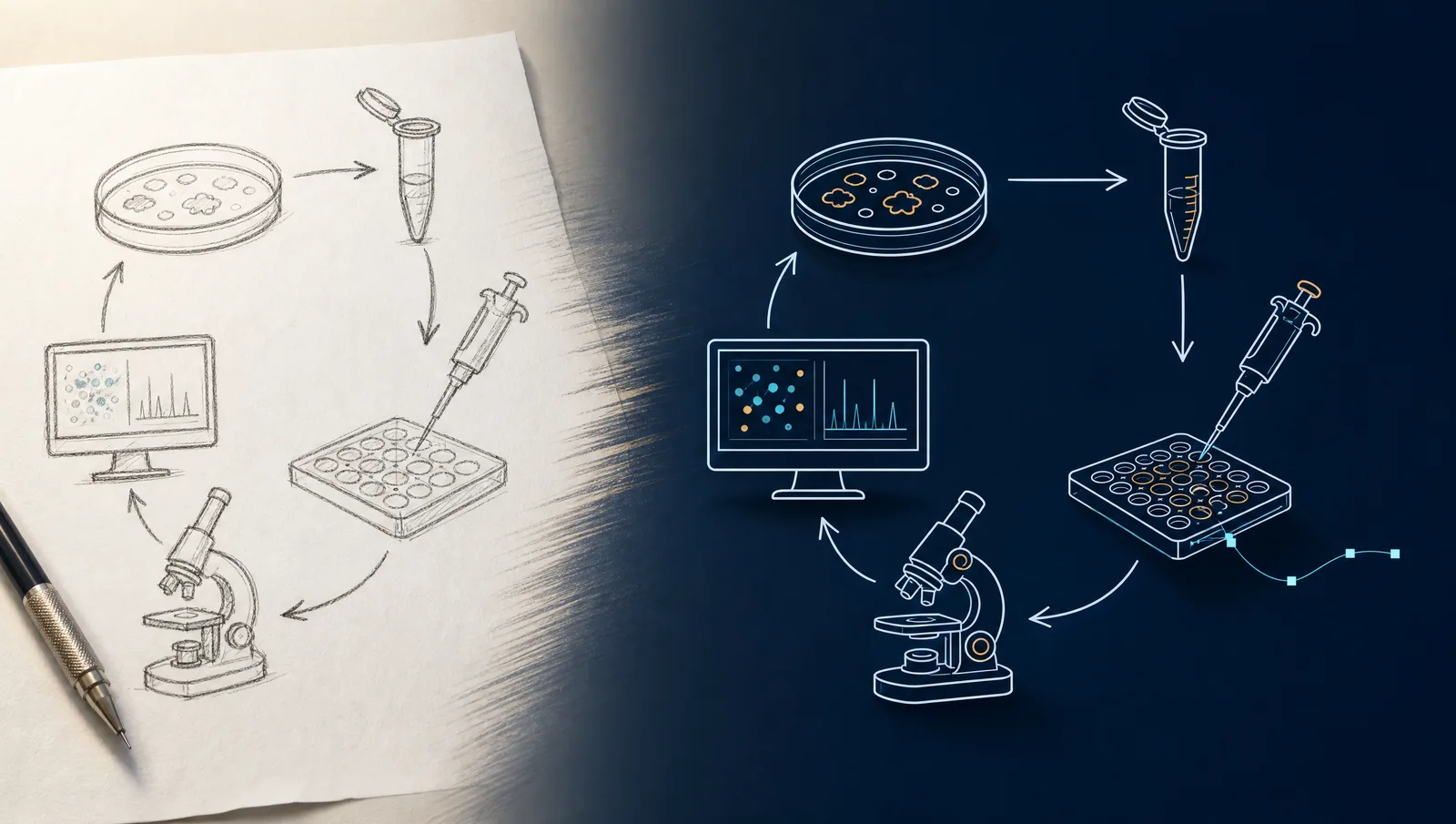
A rough hand sketch beside the clean publication figure derived from it, showing that structure matters more than drawing skill (Figure generated with SciFig)
Start With the Message
Before opening any tool, write one sentence: what should a reader understand from this figure? If you cannot write it, the figure is not ready to draw.
Then decide what the figure must contain to support that sentence, and delete everything else. Most weak scientific figures are not badly drawn — they are trying to say three things at once.
Learn These Four Things First
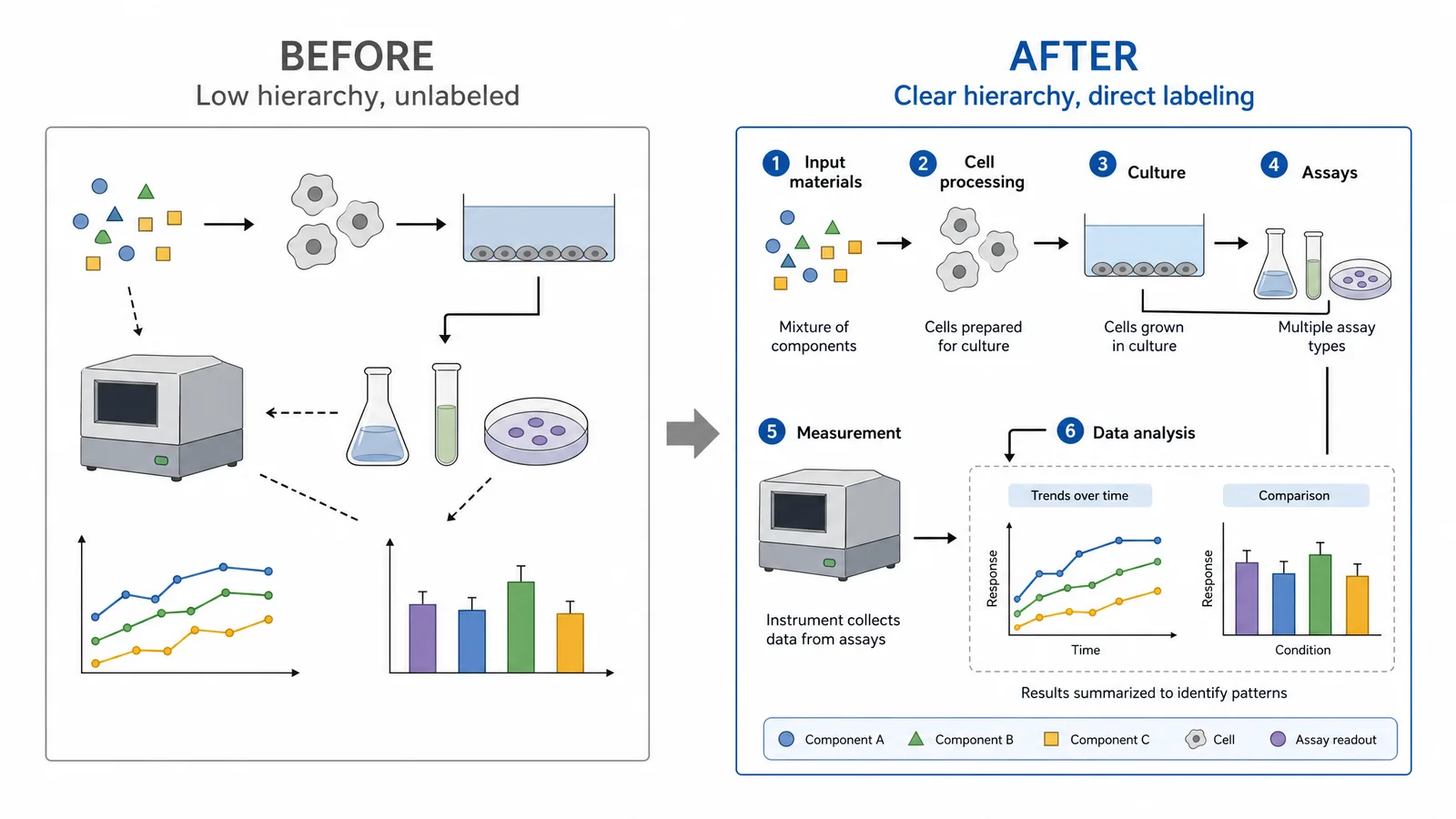
Visual hierarchy. The most important element should be the most visually prominent, through size, contrast, or position. Readers look at the biggest and darkest thing first, so make that the thing that matters.
Consistency. The same concept gets the same shape and colour every time it appears, across every figure in the document. Inconsistency reads as meaning.
Labelling. Direct labels beat legends. A reader who must map colour to legend and back loses the thread. Put the label next to the thing.
White space. Crowding is the most common beginner error. Space between elements is what lets a reader parse groupings.
See Sketch-to-Figure in Action
From napkin sketch to Nature-quality scientific figure — powered by SciFig AI.
draw.io, or SciFig FlowChart (flowcharts and diagrams)
Free, easy, exports vector; SciFig FlowChart generates native editable SVG from a description
Vector finishing
Inkscape
Free, journal-grade export
Data figures
matplotlib / ggplot2, or SciFig DataChart (data-driven charts)
Bound to real data; SciFig DataChart draws the chart precisely from your data table without coding
You do not need a professional illustration suite to start. Begin with paper, then draw.io or SciFig (its sketch to figure mode turns your paper sketch into an editable figure), and add tools only when you hit a specific limit.
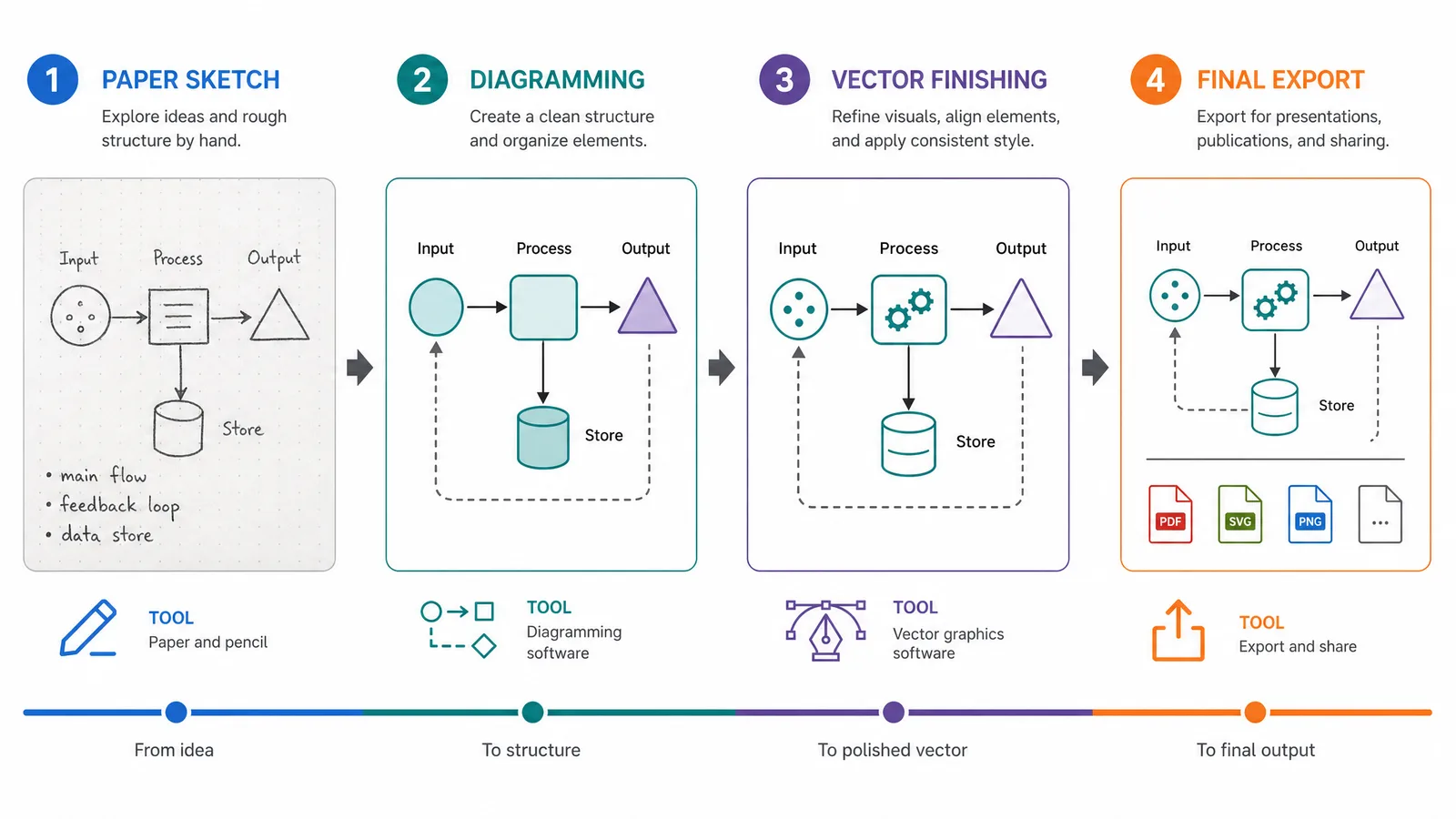
A four-stage workflow from paper sketch through diagramming and vector finishing to final export (Figure generated with SciFig)
The Sketch-First Workflow
Sketch on paper. Two minutes, deliberately rough. You are deciding layout, not drawing.
Try a second layout. The first idea is rarely the best, and the second costs another two minutes.
Build the structure in a diagramming tool without worrying about appearance.
Refine — spacing, alignment, consistent colour.
Export vector at your target's specification.
Sketching first matters because layout decisions are cheap on paper and expensive once elements exist in a file. People who skip it tend to accept the first arrangement because rearranging feels like lost work.
A figure shown before and after applying visual hierarchy and direct labelling (Figure generated with SciFig)
Accuracy Obligations
Scientific illustration carries obligations that general illustration does not:
Do not invent detail you have not observed or cannot cite.
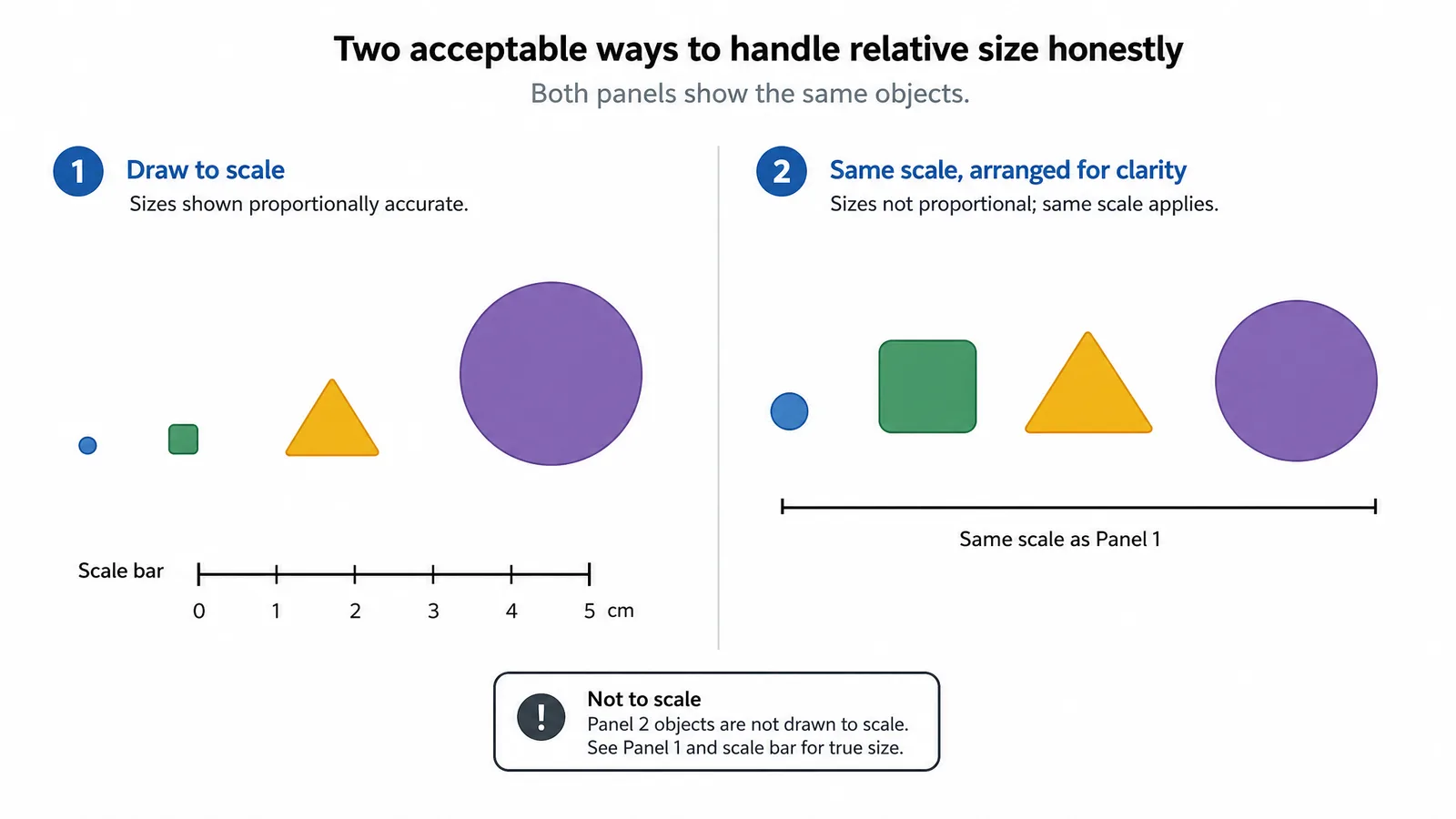
Keep relative scale honest, or state explicitly that it is not to scale.
Match orientation conventions in your field — anatomical position, standard map orientation, conventional axis direction.
Disclose how the figure was made where your journal requires it, including AI assistance.
A figure with a scale bar and a not-to-scale annotation, showing two acceptable ways of handling relative size honestly (Figure generated with SciFig)
Tip
Show an early draft to someone outside your subfield and ask what they think it shows. Their first answer tells you what the figure actually communicates, which is frequently not what you intended. This is the highest-value feedback available and it takes two minutes.
Turn Sketches Into Pro Scientific Figures
Upload your hand-drawn sketch, get a polished scientific illustration instantly.
SciFig AI Illustration (AI scientific illustration) sketch to figure turns a rough hand drawing into a clean publication figure directly, with every label and shape editable after conversion to SVG, which removes the tool-skill barrier while keeping your layout decisions. Our sketch to science walkthrough shows the full workflow on a real example.
No. Most figures that fail do so because of unclear hierarchy, inconsistent conventions, and missing labels rather than poor drawing. These are thinking problems, and tools handle the rendering.
Visual hierarchy, consistency, direct labelling, and use of white space. These four account for most of the difference between a scientific figure that reads instantly and one that does not.
Paper for sketching, then draw.io or SciFig FlowChart (native editable SVG from a text description) for building the diagram; SciFig's sketch to figure mode can also turn the paper sketch into a clean editable figure directly. Add Inkscape when you need manual vector finishing. Starting with a professional illustration suite adds friction without improving your figures.
Because layout decisions are cheap on paper and expensive in a file. Sketching two rough alternatives takes four minutes and usually produces a better arrangement than committing to the first idea.
Show it to someone outside your subfield and ask what it shows. Their first answer reveals what the figure actually communicates, which is often different from what you intended.
Do not invent unobserved detail, keep relative scale honest or state that it is not to scale, follow your field's orientation conventions, and disclose how the figure was produced where the journal requires it.
Keep going
Recommended resources
Templates, tools, and further reading for your research