
SciFigSciFig
  • Tools

    Tools

    All SciFig figure generators and the vector editor in one place.

    Figure Tools

    Text-to-Figure

    Generate a figure from a plain-language description

    Figure Enhancer

    Upscale, recolor, inpaint, or relabel an existing figure

    Sketch-to-Figure

    Turn a hand-drawn sketch into a clean vector figure

    Reference-to-Figure

    Redraw a reference image in SciFig’s publication style

    PDF-to-Figure

    Extract and regenerate any figure inside a PDF

    Photo-to-Figure

    Convert a lab photo into a labeled schematic

    Vector Canvas

    Edit AI figures as layered, fully editable SVG

  • Models

    Models

    Default to GPT Image 2 for journal papers, Nano Banana Pro for slides and posters, Nano Banana 2 for routine figure work.

    Start here

    Models Overview

    Default to GPT Image 2 for journal papers; switch to Nano Banana Pro for slides and posters; pick Nano Banana 2 for routine figure work

    Model pages

    GPT Image 2

    Recommended default — best for journal submission: chemistry, math, dense labels

    Nano Banana Pro

    Editorial-style specialist — best for slides, posters, and BioRender-style figures

    Nano Banana 2

    Balanced everyday model — practical speed-quality balance for routine figure work

  • Library

    Library

    Browse scientific figure templates and icons by discipline.

    Browse by type

    Templates

    Complete figures & diagrams, browse by discipline

    Icons

    Single structures & elements, browse by discipline

  • Inspiration
  • Tutorials
  • Blog
  • Pricing
Get Started Free
English
Get Started Free
  1. Home
  2. /
  3. Blog
  4. /
  5. Tutorials
  6. /
  7. Scientific AI Prompts: S.S.V.D. Framework
Tutorials·2026-01-24·15 min read

Scientific AI Prompts: S.S.V.D. Framework

The S.S.V.D. prompt framework + 10 ready-to-use templates for accurate AI scientific illustrations — pathway diagrams, crystal structures, and more.

SciFig Team

SciFig Team

Scientific Illustration Experts

On this page

  • The Anatomy of a Perfect Scientific Prompt
  • 10 Ready-to-Use Prompt Templates
  • Common Prompt Mistakes (And How to Fix Them)
  • Advanced Techniques: Iterative Refinement
  • Frequently Asked Questions
The quality of your SciFig-generated scientific figure is only as good as your prompt. Most researchers sit down, type something like "draw a cell signaling pathway diagram," and then feel vaguely disappointed when the output misses half the proteins and uses a color scheme suited for a children's textbook. The scientific figure is not wrong, exactly — it just isn't the scientific figure they had in their head.

That gap between intent and output is not an AI limitation. It is a prompting problem, and it is entirely solvable.

Experienced researchers who generate dozens of publication-ready illustrations per week are not doing anything exotic. They are following a simple mental framework: they tell the model what to draw, how to arrange it, what it should look like, and how much detail to include. That four-part structure — once you internalize it — transforms your outputs from adequate to exceptional.

The Anatomy of a Perfect Scientific Prompt

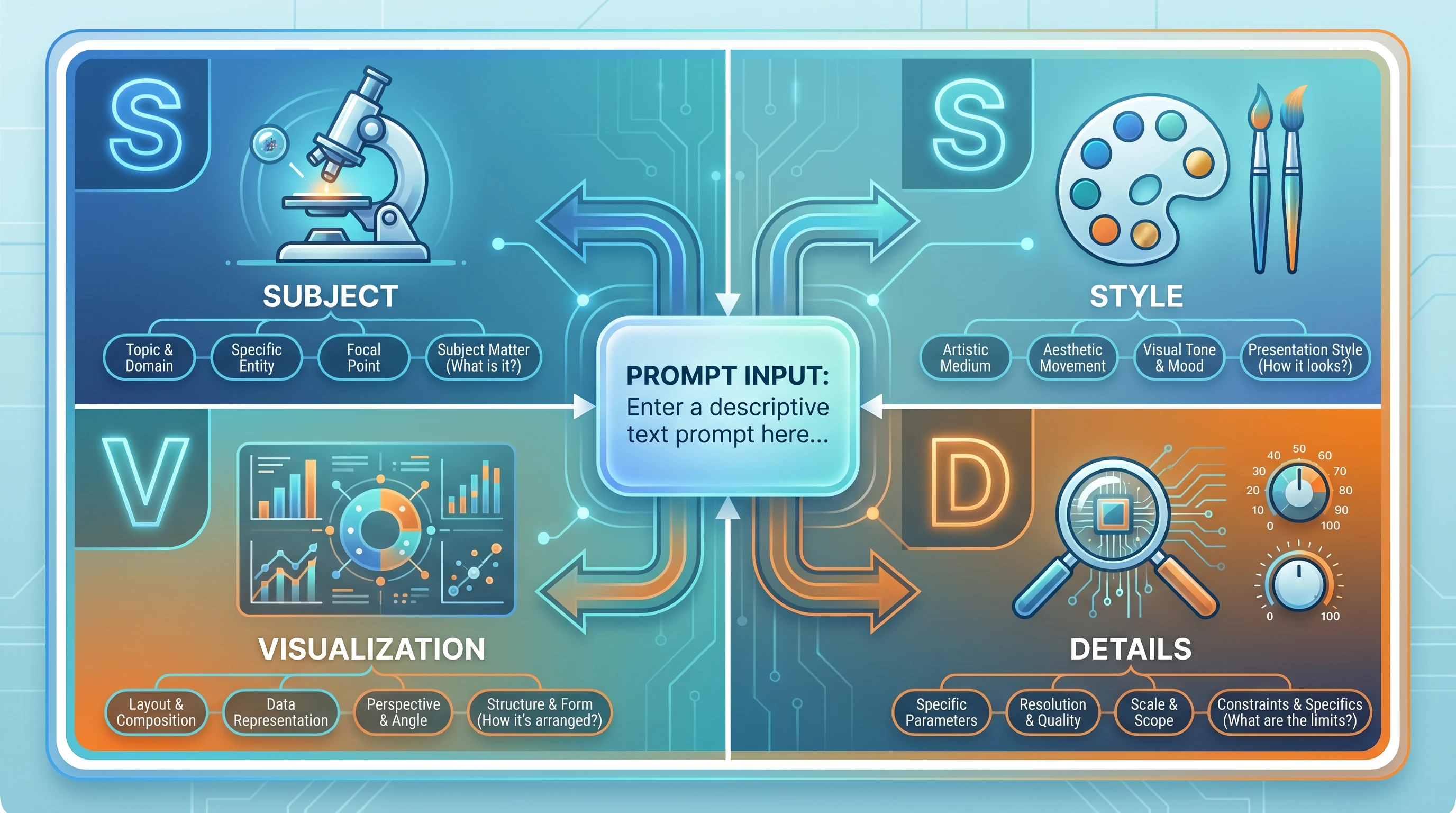
Every strong scientific prompt answers four questions. We call this the S.S.V.D. framework:
S.S.V.D. prompt framework 4-quadrant infographic: Subject (microscope) / Style (palette) / Visualization (chart) / Details (parameters) feeding a central prompt (Figure generated with SciFig)
  • S — Subject: What biological, chemical, or physical system are you depicting? Name the specific molecules, structures, or entities involved, using standard nomenclature (HGNC gene symbols, IUPAC names, anatomical terms).
  • S — Structure: How should the elements be spatially arranged? Which components are upstream or downstream? What relationships — hierarchical, sequential, branching — need to be communicated?
  • V — Visual Style: What color scheme, line weight, label style, and aesthetic conventions apply? Should it read like a Nature methods figure or a teaching illustration? (Avoid these common style mistakes.)
  • D — Detail Level: What should the model include, and what should it leave out? More is not always better — a busy figure obscures the message.
DimensionQuestion to AnswerExample
S — SubjectWhat system or concept?NF-κB signaling pathway
S — StructureHow are elements arranged?Linear cascade, left to right
V — Visual StyleWhat aesthetic?Clean vector, Nature-style
D — Detail LevelWhat to include/exclude?Key proteins only, no cofactors

Think of S.S.V.D. as a checklist you run through before submitting any prompt. A prompt that covers all four dimensions consistently outperforms one that addresses only one or two. The time investment is minimal — adding these details rarely takes more than thirty seconds — and the reduction in revision cycles is dramatic.

Here is the same request written two ways:

Weak prompt: "Draw an apoptosis pathway."
S.S.V.D. prompt: "Create a publication-ready scientific illustration of the intrinsic apoptosis pathway. Show cytochrome c release from the mitochondria, APAF-1 apoptosome formation, caspase-9 activation, and downstream cleavage of executioner caspases 3 and 7. Arrange components top-to-bottom from mitochondrial membrane to nuclear fragmentation. Use a monochromatic blue palette with black labels, clean sans-serif font, and inhibitory arrows (blunt ends) distinct from activating arrows (filled arrowheads). Omit the extrinsic pathway to keep the scientific figure focused."

The second prompt requires perhaps forty additional words. It will save you two or three revision cycles.

10 Ready-to-Use Prompt Templates

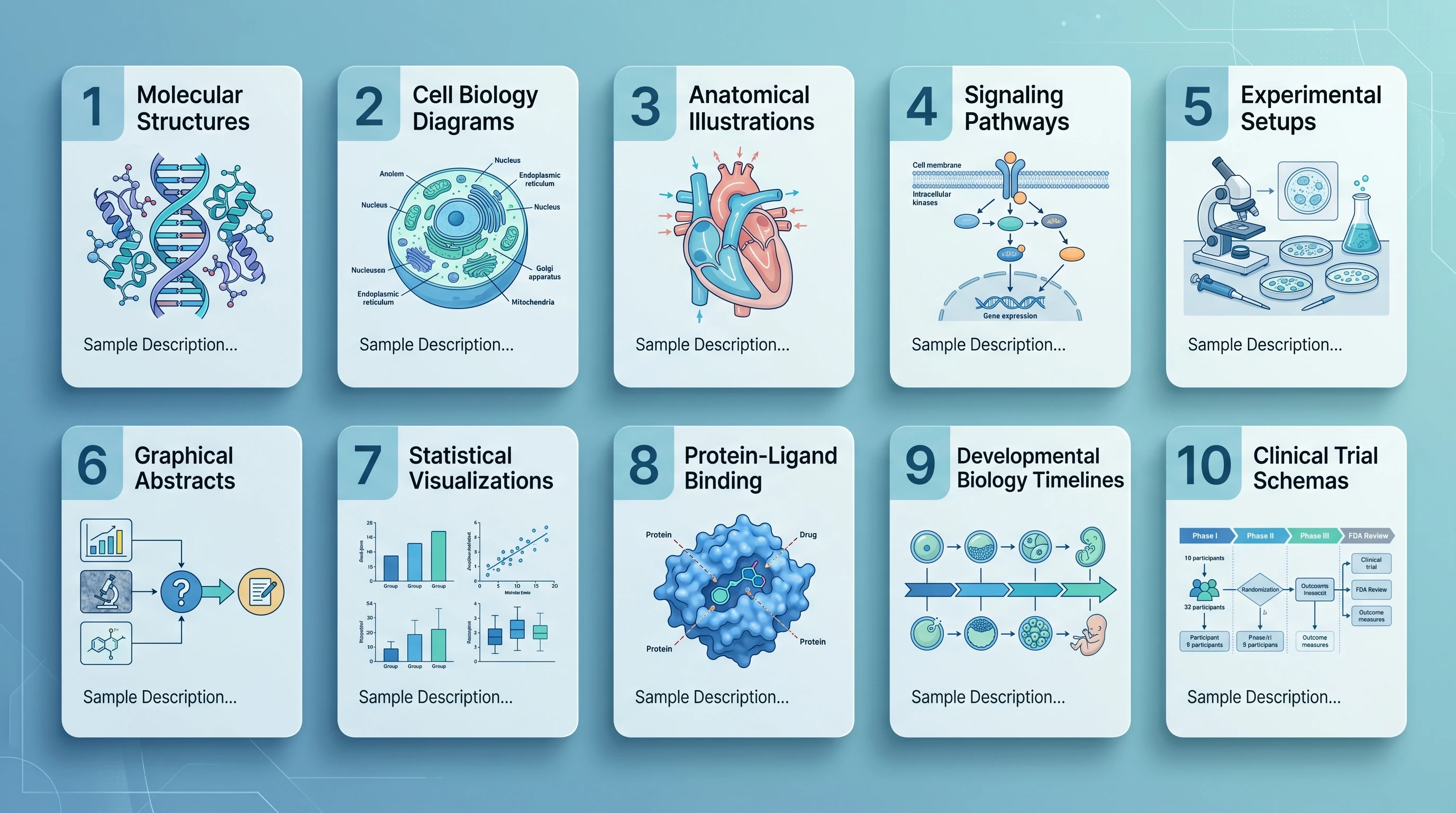
The following templates are designed to be copied, modified, and submitted directly. Replace the bracketed placeholders with your specific molecules, organisms, or experimental details.
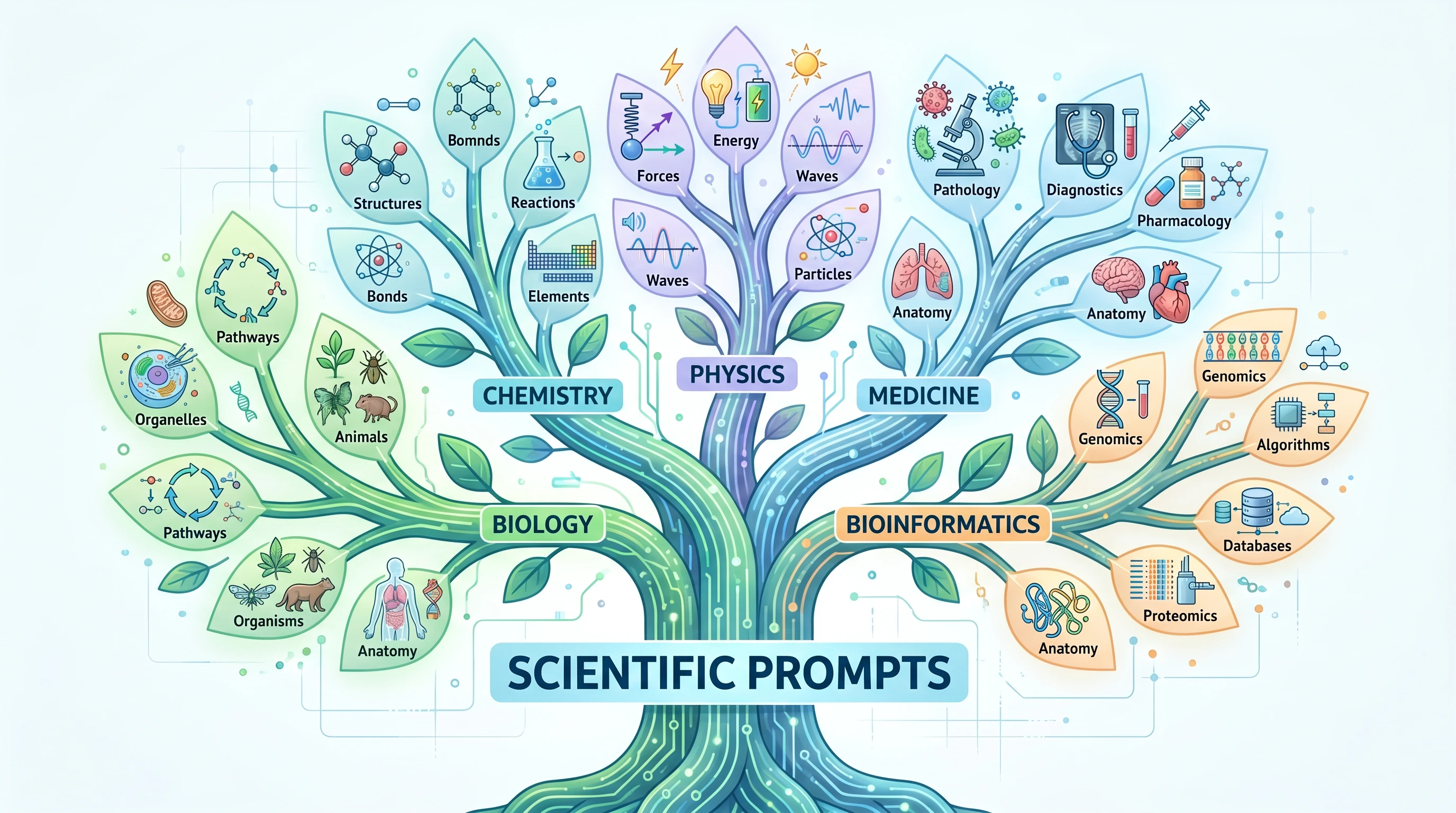
Domain-specific scientific vocabulary tree with 5 main branches (Biology / Chemistry / Physics / Medicine / Bioinformatics) and 4-5 specific terms per branch (Figure generated with SciFig)
Gallery of 10 prompt template categories in 2x5 grid covering molecular structures, cell biology, anatomy, signaling pathways, experiments, abstracts, and stats (Figure generated with SciFig)

1. Cell Signaling Pathway

"Create a publication-ready cell signaling pathway diagram illustrating [pathway name, e.g., PI3K/AKT/mTOR]. Begin at the receptor ([receptor name]) at the plasma membrane and trace signal propagation through [key intermediates] to downstream effectors [transcription factors or functional outputs]. Use distinct arrow styles for phosphorylation (circled P), ubiquitination (circled Ub), and translocation events. Apply a white background with a two-color scheme ([primary color] for active components, grey for inactive). Label all proteins with their standard HGNC symbols. Include subcellular compartment labels (plasma membrane, cytoplasm, nucleus)."

2. Protein Structure Diagram

"Generate a schematic diagram of [protein name] domain architecture. Show the following domains from N-terminus to C-terminus: [list domains with approximate residue ranges, e.g., PH domain (aa 1–100), kinase domain (aa 150–400), regulatory C-tail (aa 401–480)]. Indicate known post-translational modification sites: phosphorylation at [residue numbers], ubiquitination at [residue numbers]. Use color-coded blocks for each domain with a consistent legend. Include a linear scale bar. Style: clean academic illustration suitable for a review article figure panel."

3. Experimental Workflow / Protocol

"Create a step-by-step experimental workflow diagram for [protocol name, e.g., chromatin immunoprecipitation followed by sequencing (ChIP-seq)]. Depict the following sequential steps: [list steps in order]. Use rectangular boxes connected by downward arrows for each step. Inside each box, include the step name in bold and a one-line procedural note. Use [color] to highlight critical quality-control checkpoints at steps [numbers]. Apply a clean white background with light grey box fills and black text. Add estimated time annotations on the right margin."

4. Organ / Tissue Cross-Section

"Illustrate a labeled cross-sectional diagram of [organ or tissue, e.g., human kidney cortex at the cellular level]. Show the following cellular layers and structures: [list layers/structures]. Use a naturalistic color palette ([skin/tissue tones]). Include leader lines with anatomical labels in a clean sans-serif font positioned outside the illustration boundary. Add a scale bar indicating [dimension]. Style should be suitable for a medical journal or textbook — scientifically accurate, not stylized."

5. Chemical Reaction Mechanism

"Draw a step-by-step organic reaction mechanism for [reaction name, e.g., serine protease-catalyzed peptide bond hydrolysis]. Show all intermediates: [list intermediates]. Use standard curved-arrow notation for electron movement. Label nucleophilic, electrophilic, and leaving-group species. Display partial charges (δ+ and δ−) at transition states. Arrange steps left-to-right in a single horizontal sequence. Use black structures on a white background. Include compound labels below each structure and reaction condition labels (pH, temperature) above each arrow."

6. Nanoparticle Drug Delivery System

"Create a scientific illustration of a [type of nanoparticle, e.g., lipid nanoparticle] drug delivery system for [therapeutic application, e.g., siRNA delivery to hepatocytes]. Depict the nanoparticle cross-section showing: outer PEG corona, lipid bilayer shell, aqueous core containing [cargo]. Show the delivery sequence in four panels: (1) systemic circulation, (2) receptor-mediated endocytosis at the target cell, (3) endosomal escape, (4) intracellular cargo release. Use a consistent color scheme: [color] for the particle, [color] for the biological membranes. Label all components. Include a particle size scale (~[diameter] nm) in the first panel."

7. Gene Expression Cascade

"Illustrate the gene expression cascade from extracellular signal to protein output for [signaling context, e.g., interferon-γ stimulation of macrophages]. Show the sequential steps: ligand binding → receptor activation → JAK kinase phosphorylation → STAT transcription factor dimerization → nuclear import → promoter binding at [target gene loci] → mRNA transcription → cytoplasmic translation → functional protein. Arrange vertically from extracellular space (top) to cytoplasm (bottom). Use dashed boxes to delineate nuclear events. Apply a blue-to-orange gradient to indicate signal progression. Label all molecular players."

8. Microscopy Comparison Panel

"Create a multi-panel scientific comparison figure with [N] panels showing [experimental conditions, e.g., control, treatment A, treatment B, treatment C]. Each panel should simulate a [microscopy type, e.g., confocal fluorescence] field with the following channels: [channel 1 color], [channel 2 color], merge. Include: a 10 µm scale bar in the bottom-right of each panel; consistent brightness/contrast across conditions; panel labels (A, B, C, D) in white text, upper-left corner. Add a single-row annotation below each panel indicating the key phenotypic feature. Style: black background for fluorescence panels, clean academic layout."

9. Clinical Trial Design Flowchart

"Design a CONSORT-style clinical trial flowchart for a [trial type, e.g., phase III randomized controlled trial] studying [intervention] in [patient population]. Show: enrollment and eligibility screening (n = [number]); randomization with allocation ratios; [number] intervention arms with arm labels and dosing; follow-up time points at [weeks/months]; primary and secondary endpoint assessment; dropout/loss-to-follow-up at each stage. Use standard flowchart boxes (rectangles for processes, diamonds for decisions). Apply a clean white background with [color] shading for the intervention arms. Include placeholder n-values at each node."

10. Ecosystem Interaction Diagram

"Create a scientific ecosystem interaction diagram for [ecosystem or community, e.g., coral reef trophic network]. Show [N] key species or functional groups: [list species]. Represent trophic interactions with directed arrows (arrow points to consumer). Distinguish interaction types: predation (solid lines), mutualism (dashed lines), competition (double-headed lines). Size nodes proportional to biomass [or trophic level]. Use a consistent species color scheme from primary producers (green) to apex predators (red). Position nodes to reflect trophic levels vertically. Include a legend. Style: clean academic illustration with white background."

See AI Scientific Figure Generation in Action

Watch how researchers create publication-ready scientific figures from text descriptions.

Explore the Tool

Common Prompt Mistakes (And How to Fix Them)

Even researchers familiar with AI tools like SciFig fall into a handful of predictable traps. Recognizing these patterns lets you self-correct before submitting.
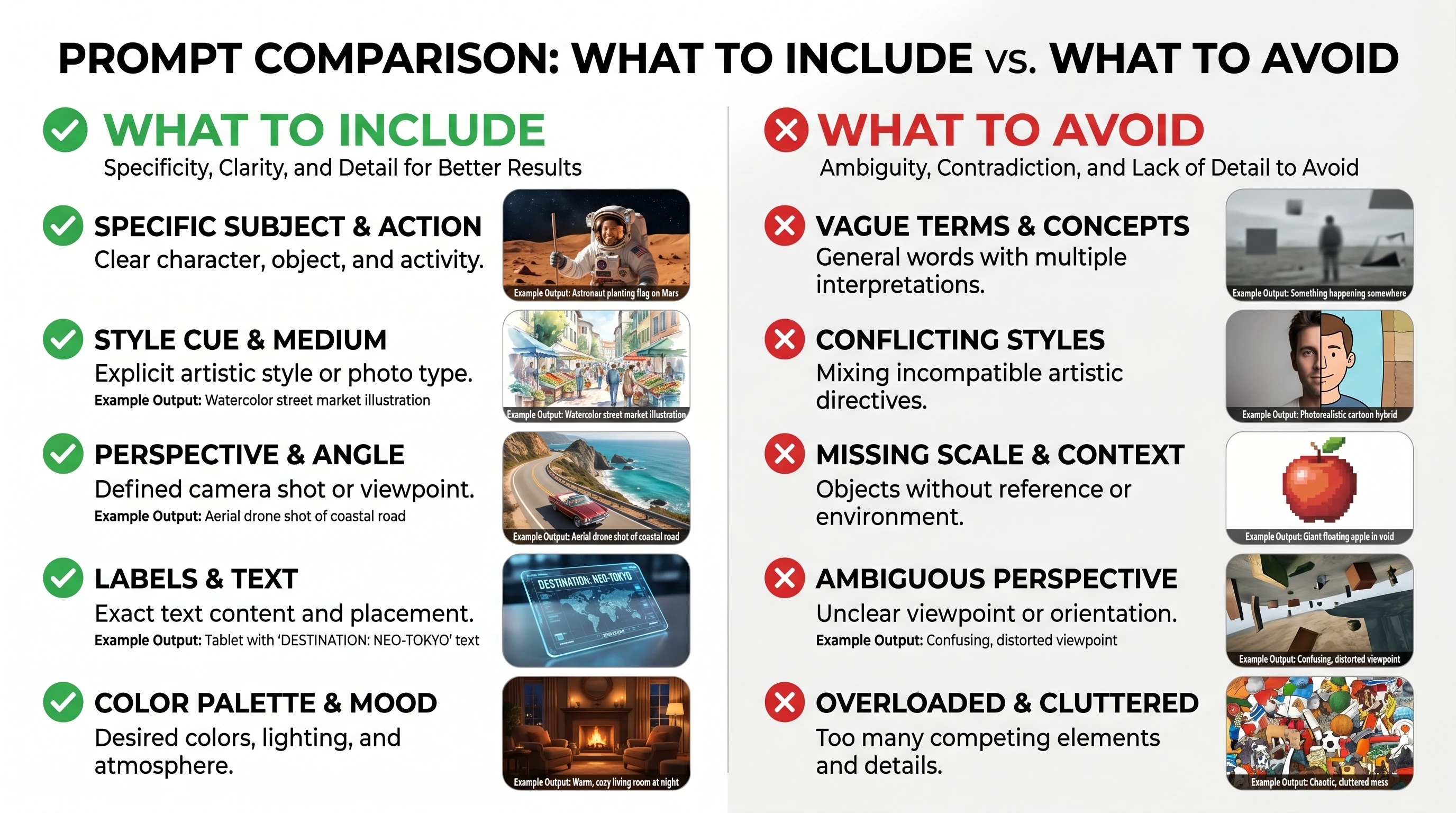
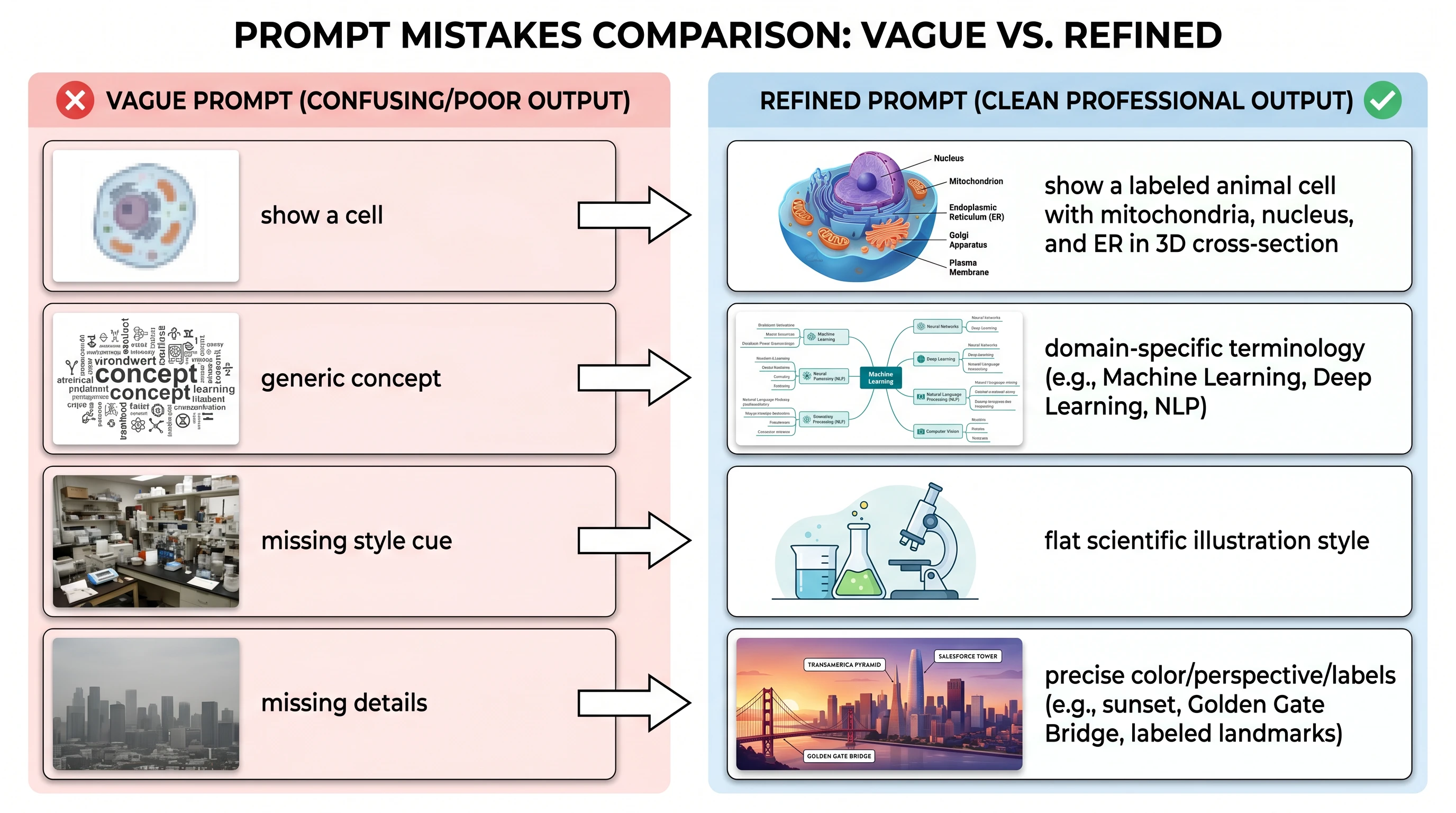
Two-column guide: WHAT TO INCLUDE (subject / style / perspective / labels / palette) vs WHAT TO AVOID (vague / conflicting / missing scale) (Figure generated with SciFig)
Before/after prompt refinement comparison: 4 rows showing vague prompts and poor outputs on left vs refined specific prompts and quality outputs on right (Figure generated with SciFig)

Mistake 1: Using generic category names instead of specific identifiers

Before: "Show a receptor activating a kinase cascade."
After: "Show EGFR dimerization activating the RAS/RAF/MEK/ERK cascade, with specific phosphorylation events at EGFR Tyr1068, RAS GTP loading, and ERK1/2 dual phosphorylation at Thr202/Tyr204."
Why it matters: Generic terms trigger generic outputs. The model has rich knowledge of canonical molecules and their structural features — but only if you name them. Specific nomenclature is the single fastest upgrade you can make.

Mistake 2: Forgetting spatial and relational context

Before: "Draw the complement system activation pathway."
After: "Draw the classical complement activation pathway arranged left-to-right. Begin with antibody-antigen complex and C1q binding on the left, progress through C4b2a C3 convertase formation in the center, and end with membrane attack complex (MAC) pore formation on the right. Use vertical lanes to separate the recognition, amplification, and effector phases."
Why it matters: Without spatial instructions, the model must guess at layout. In signaling pathways and workflows, spatial organization communicates logic — upstream to downstream, outside to inside, sequential to parallel. Describing arrangement takes ten words and eliminates most layout failures.

Mistake 3: Leaving visual style undefined

Before: "Make a pathway diagram with a nice color scheme."
After: "Use a two-color palette: blue (#2C5F8A) for active/phosphorylated states, grey (#BDBDBD) for inactive states. White background. Label all proteins in 8pt Arial bold. Use 1.5pt line weight for arrows and 0.75pt for structural outlines."
Why it matters: "Nice" is meaningless instruction. The model defaults to a plausible but arbitrary aesthetic that may not match your publication's style guide. Defining colors, fonts, and line weights takes thirty seconds and typically eliminates one full revision cycle.

Mistake 4: Requesting too much in a single prompt

Before: "Show the entire MAPK pathway including all isoforms, all cross-talk with PI3K, the role of scaffold proteins, subcellular localizations at the plasma membrane and nucleus, phosphorylation and ubiquitination states, and inhibitor binding sites."
After (first prompt): "Show the core RAS/RAF/MEK/ERK cascade from plasma membrane to nucleus. Include only the canonical components: RAS, BRAF, MEK1/2, ERK1/2. Show activation-state arrows and nuclear translocation."

Then iterate: "Add the ERK-mediated negative feedback phosphorylation of SOS at Ser1132."

Why it matters: Overloaded prompts produce cluttered, incoherent figures. Iterative prompting — starting with the core structure and adding details in subsequent rounds — consistently outperforms trying to specify everything upfront.

Mistake 5: Omitting output constraints

Before: "Create a scientific figure of the cell cycle."
After: "Create a circular cell cycle diagram suitable for a two-column journal layout (max 84 mm width). Use a minimal style: white background, no decorative gradients. Ensure all text is legible at 300 DPI after scaling to final print size."
Why it matters: A scientific figure that looks excellent at screen resolution may have illegible labels at print size. State your final output dimensions and resolution requirements in the prompt so the model sizes elements appropriately from the start.

Advanced Techniques: Iterative Refinement
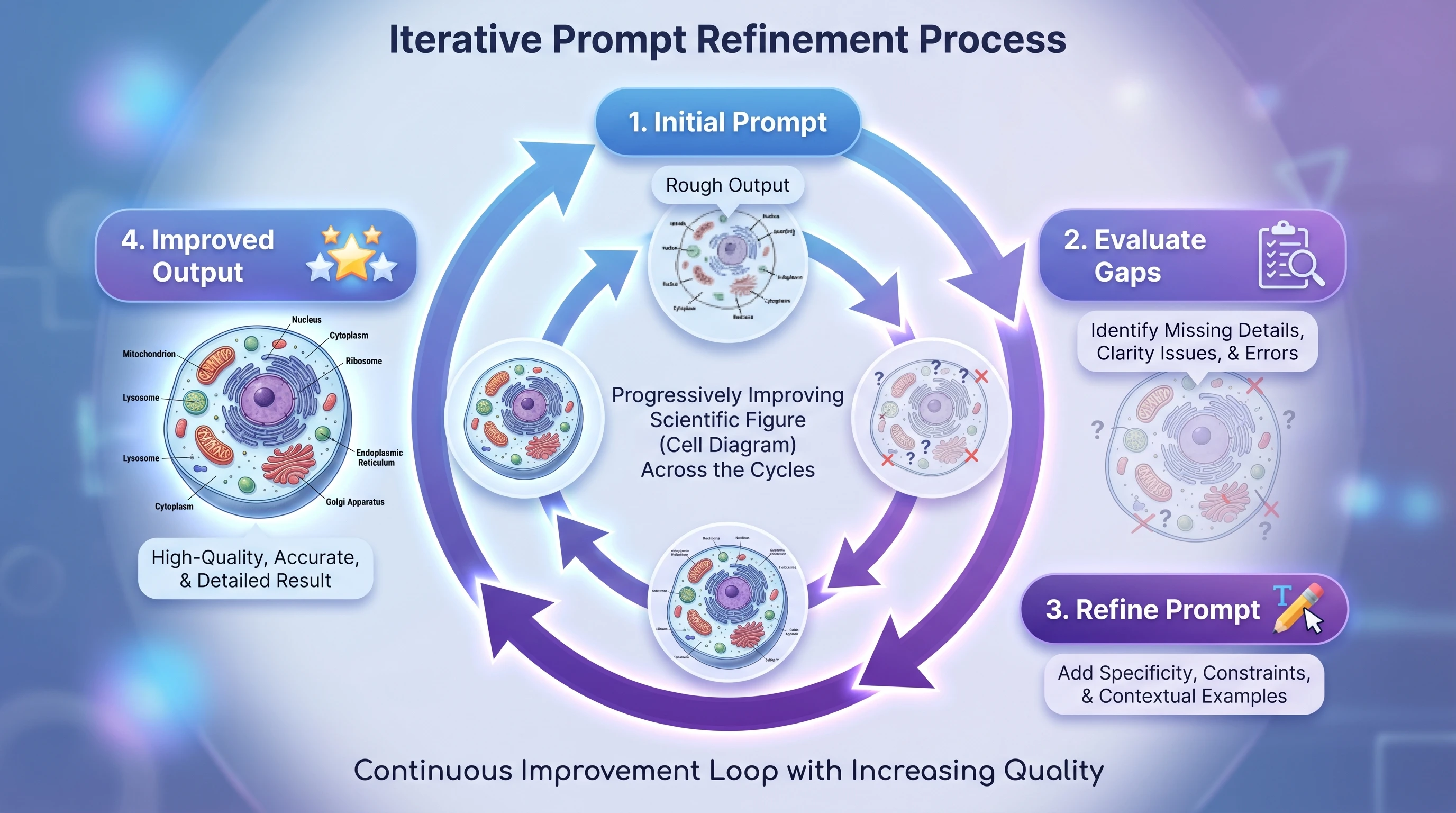
A single prompt rarely produces a final figure. The most efficient researchers treat SciFig's AI figure generation as a multi-round conversation, not a one-shot transaction.
Circular iterative prompt refinement workflow: initial prompt → evaluate gaps → refine prompt → improved output, with quality stars accumulating each cycle (Figure generated with SciFig)

The workflow has four stages:

Stage 1 — Core structure prompt: Establish the main components and their spatial relationships. Accept an imperfect first draft. Your goal is to confirm that the fundamental architecture is correct — the right molecules, the right hierarchy, the right flow.
Stage 2 — Style refinement: Once the structure is confirmed, layer in visual specifications. "Keep the current layout. Switch to a monochromatic blue palette. Increase label font size by 20%. Change inhibitory arrows to blunt-ended T-bars."
Stage 3 — Detail additions: Add the elements that were intentionally omitted in Stage 1. "Add the IκBα resynthesis feedback loop from the nucleus back to the cytoplasm. Add a phosphorylation event marker at IKKβ Ser177."
Stage 4 — Output optimization: Finalize for submission. "Regenerate at maximum resolution. Ensure all protein labels use standard HGNC symbols. Confirm subcellular compartment boundaries are clearly delineated."

This staged approach is faster than trying to specify everything in round one, because early stages run quickly and confirm that the conceptual structure is correct before you invest time in visual details. If Stage 1 reveals that the model's understanding of a pathway is incomplete, you can correct it cheaply with a targeted addition — rather than discovering the problem after investing twenty minutes in prompt engineering.

The most powerful single technique in iterative refinement is the targeted correction: instead of rewriting the entire prompt when one element is wrong, describe only the delta. "Everything is correct except the nuclear envelope is missing. Add a clear boundary between the cytoplasm and nucleus compartments." Targeted corrections converge faster than wholesale rewrites.

Create Scientific Figures Now

Describe your scientific figure in natural language — get publication-ready illustrations in minutes.

Try Free

Tip

The single highest-impact prompt improvement you can make is replacing generic category terms with specific molecular identifiers. Switching from "a receptor tyrosine kinase" to "EGFR (HER1)" — four words — typically improves output accuracy more than doubling the total prompt length. When in doubt, be specific about the molecules first, then worry about style.
Frequently Asked Questions

SciFig Team

SciFig Team

Scientific Illustration Experts

Building AI-powered tools that help researchers create publication-quality scientific illustrations.

Try SciFig

Built for researchers

  • Text-to-Figure generation
  • Sketch-to-Figure conversion
  • Vector / SVG / PPT export
  • 200 free credits to start
Start FreeView pricing →

No credit card required

Continue Reading

Visualize Research with AI Text-to-Figure
Tutorials14 min read

Visualize Research with AI Text-to-Figure

How AI text-to-figure converts natural language descriptions into publication-ready scientific illustrations across biology, chemistry, physics.

SciFig TeamSciFig Team·2026-01-25
Amyloid-Tau Mechanism Diagrams for AAIC 2026
Tutorials21 min read

Amyloid-Tau Mechanism Diagrams for AAIC 2026

Draw publication-ready amyloid-tau mechanism diagrams for AAIC 2026: 4 Aβ aggregation stages, APP processing, NFT formation, lecanemab/donanemab MOA.

SciFig TeamSciFig Team·2026-05-23
TREM2 Microglia Diagrams for AAIC 2026
Tutorials23 min read

TREM2 Microglia Diagrams for AAIC 2026

Draw publication-ready TREM2-microglia diagrams for AAIC 2026: homeostatic to DAM continuum, DAP12-SYK signaling, R47H loss-of-function, cytokine cascade.

SciFig TeamSciFig Team·2026-05-23
Call to action background

Ready to start?

Publication-ready scientific figures, in minutes

Start Creating Free

Free to start · No credit card required · Built for researchers

Text-to-FigureSketch-to-FigureReference-to-FigurePDF-to-FigurePhoto-to-Figure6 Publication StylesText-to-FigureSketch-to-FigureReference-to-FigurePDF-to-FigurePhoto-to-Figure6 Publication StylesText-to-FigureSketch-to-FigureReference-to-FigurePDF-to-FigurePhoto-to-Figure6 Publication Styles
Every Text EditablePrecision InpaintMultimodal Enhance8K UpscalingEditable PPTXLayered SVG8K PNG / JPGEvery Text EditablePrecision InpaintMultimodal Enhance8K UpscalingEditable PPTXLayered SVG8K PNG / JPGEvery Text EditablePrecision InpaintMultimodal Enhance8K UpscalingEditable PPTXLayered SVG8K PNG / JPG
SciFig

SciFig helps researchers turn ideas into publication-ready scientific figures with AI — export editable PPTX, SVG, PNG, and JPG for journals and presentations.

Tools

  • Text-to-Figure
  • Sketch-to-Figure
  • PDF-to-Figure
  • Reference-to-Figure
  • Photo-to-Figure
  • Figure Enhancer
  • Vector Canvas

Models

  • GPT Image 2
  • Nano Banana Pro
  • Nano Banana 2

Library

  • Templates
  • Icons

Resources

  • Inspiration
  • Tutorials
  • Blog

Company

  • Pricing
  • Contact

© 2026 SciFig. All rights reserved.

EN
  • Privacy Policy
  • Terms of Service
  • Cookie Policy
