
Zoomed Callout Circle to Circle Line
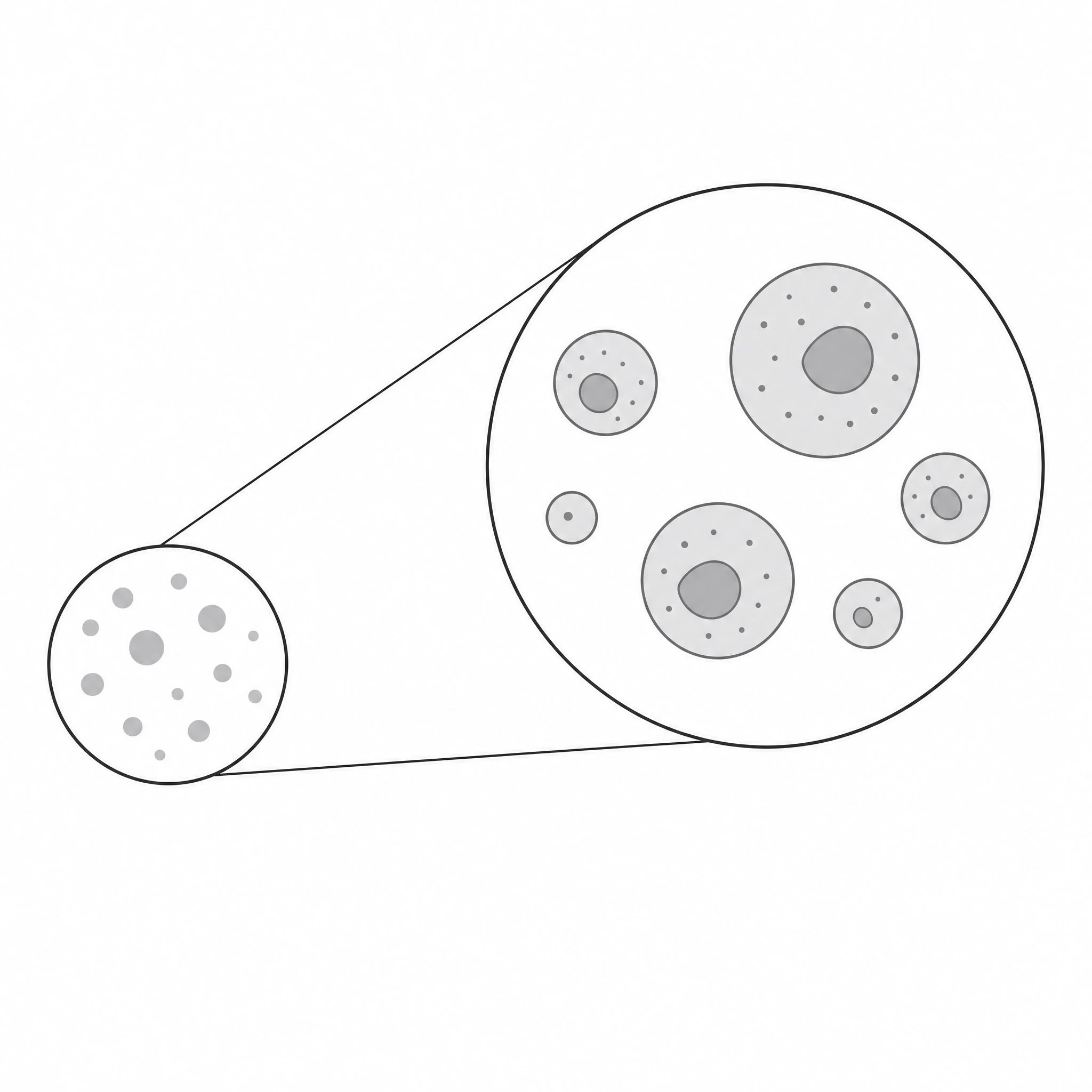
A clean zoomed callout circle with a leader line connecting a detail region to a magnified circle — drop it onto any figure to highlight small structures.
Updated

Start with up to 150 free credits|No credit card required
Get up to 350 free credits on day one when you join through an invite.
What is Zoomed Callout Circle to Circle Line?
A zoomed callout circle to circle line is an annotation element that magnifies a small region of a figure: a circle marks the area of interest, a leader line connects it to a larger circle, and the larger circle shows the enlarged detail. It is used in micrographs, schematics, and screenshots to point readers at fine structures without cropping the image. With SciFig you describe the callout in plain language and generate a clean, editable zoomed callout circle, ready to relabel and export.
Why this annotation exists
- It resolves the conflict every micrograph has: the reader needs the wide field for context and the fine detail for evidence, and a single magnification cannot supply both. The callout keeps them on one panel.
- It is honest in a way that a cropped inset is not — the source circle stays in place on the overview, so the reader can see exactly where the magnified region came from and that it was not cherry-picked from off-frame.
- It preserves the figure's spatial argument. Cropping to the detail alone discards the anatomical or structural context that often carries half the claim.
- A leader line makes the correspondence unambiguous. An unconnected inset floating in a corner forces the reader to hunt for the source region, and in dense images they frequently guess wrong.
- It saves panel real estate: one image plus a callout replaces a two-panel A/B layout and its second caption.
How to construct it
- The source circle: drawn on the overview at the true boundary of the magnified region, not larger and not approximate. Its size must be consistent with the stated magnification factor.
- The destination circle: the magnified crop, masked to a circle, sized large enough that the feature of interest is actually resolvable at print size.
- The connector — either a single leader line between circle centers/edges, or the two tangent lines that form a cone or frustum. The tangent-pair reads as a projection and is the clearer choice when the magnification factor is large.
- A ring stroke on both circles, same color and weight, chosen to contrast with the underlying image (white with a thin dark outline survives on both bright and dark micrographs).
- Two scale bars, not one. The overview and the magnified circle have different pixel sizes; carrying the overview's bar into the inset is a real and frequently published error. Alternatively state the fold-change (e.g. 4×) explicitly.
- Optional: a fill or slight desaturation of the overview outside the source circle to push the callout forward — used sparingly, since altering image tone in a data panel has integrity implications and must be disclosed if applied non-uniformly.
Where it is used
- Microscopy figures: a low-power overview of a tissue section with a high-power circle on a single cell, a synapse, a nucleus, or a labeled structure.
- Electron microscopy, where the magnification span between overview and detail is largest and the callout is often the only way to bridge it.
- Anatomical and clinical illustration — an organ-level drawing with a magnified view of the tissue, valve leaflet, or lesion in question.
- Materials and structural figures: a device schematic with an enlarged view of a junction, an interface, or a surface feature.
- Software and UI documentation, screenshots in supplementary methods, and instrument diagrams where one small control or port needs to be identified.
- Posters and teaching slides, where the viewing distance is long and small features must be lifted out to be seen at all.
Zoomed Callout Circle to Circle Line— templates & examples
How to make Zoomed Callout Circle to Circle Line
Describe your figure
Tell SciFig what to draw in plain language — no design tools required.
Generate with SciFig
Get a clean, publication-ready figure that matches your description in seconds.
Edit & export
Vectorize it into editable SVG, relabel everything, and export for your paper, poster, or slides.
Related searches
- zoomed callout circle
- circle to circle line
- image zoom callout
- zoomed callout png
- circle zoom png
- zoom-in callout
- magnifier callout
- leader line callout
- figure detail magnifier
- circle inset annotation
Make figures for
Related pages
Annotations Icons
Browse more Annotations icons in SciFig's library.
All Icons
Browse every icon page in SciFig's library.
AI Scientific Image Generator
Generate research figures from text
Graphical Abstract Maker
Summarize your study in one panel
Text to Diagram Generator
Turn text into a diagram
Scientific Poster Generator
Design a conference research poster
Frequently Asked Questions
Common questions about Zoomed Callout Circle to Circle Line.

Ready to publish?
Make your own Zoomed Callout Circle to Circle Line in minutes.
Start for freeFree to start · No credit card required · Built for researchers